Korean Photo Booth Survival Guide: How to Download Photos & Videos with QR Codes
Phase 1: Empathy (Story-Driven Opening)
안녕하세요! 매일한글 에디터입니다. (Hello! This is your Daily Hangul editor.)
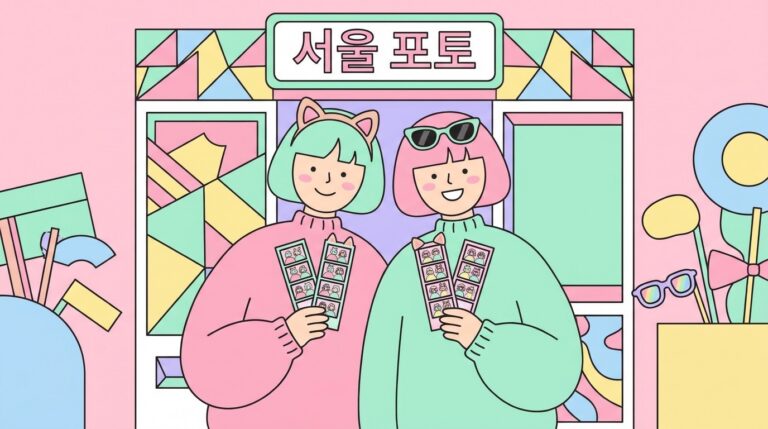
Picture this: You are walking through the buzzing streets of Hongdae on a Friday evening. Neon signs flicker, the smell of sweet tteokbokki fills the air, and you see lines of laughing friends walking into a pastel-colored photo booth shop with giant plush headbands—animal ears, giant sunglasses, and carrot hats. You jump into an empty booth, pick your silly props, and strike four poses before the timer beeps: Click! Whirr!
The glossy photo strip rolls out of the dispenser. It looks amazing! But then, your friend points at the tiny black square in the corner of the strip and shouts, “QR 찍어! (Scan the QR!)” You open your phone camera, tap the link, but the webpage says loading… and suddenly you wonder: Wait, where is the video clip everyone posts on Instagram? Did I check the box on the screen? How long do I have before this link expires?!
Many of our beginner students tell us this exact moment brings sudden panic. In Korea, self-photo booths—often called Insaeng-necut (Life Four Cuts)—do not just give you paper memories; they provide high-definition digital images and dynamic behind-the-scenes video clips! Mastering just three simple A1-level Korean phrases will transform this hectic scramble into a smooth, fun K-culture victory. Let’s make sure you never lose your Seoul memories!
Phase 2: Top 3 Core Expressions Deep Dive
1. QR코드 찍어요 (QR kodeu jjigeoyo)
- Pronunciation: [QR kodeu jjigeoyo] (Sound analogy: Think of “code-dew” said quickly, followed by “jji-geh-yo” like clicking a camera shut.)
- Meaning: Literal: “I/We shoot (scan) the QR code.” / Real Nuance: “Scan the QR code!” or “Let’s scan the QR code!”
- K-Culture Moment: Seen in every trendy studio booth (Photoism, Haru Film, Life Four Cuts) when the screen prompts users to scan before the countdown resets.
- Editor’s Insight: The verb 찍다 (jjikda) literally means to stamp or imprint. Koreans use it for taking photos (사진을 찍다) and scanning QR codes (QR코드를 찍다). In A1 casual conversation, adding “-어요” turns it into a friendly declaration or suggestion.
- Situation Spectrum:
- Casual (Friends): ✅ (Just drop ‘-요’: QR 찍어!)
- Semi-formal (Polite peers/staff): ✅ (QR코드 찍어요.)
- Formal (Official business): ⚠️ (QR코드를 스캔해 주십시오.)
- 🤔 Think About It: In English, we “scan” codes, but in Korean, you “stamp/shoot” (찍다) them. Why do you think Korean uses the same action verb for capturing memories and scanning digital codes?
2. 사진 나와요 (Sajin nawayo)
- Pronunciation: [Sajin nawayo] (Sound analogy: “Sah-jin” like ‘sergeant’ without the ‘t’, and “nah-wah-yo” like someone coming out into the sun.)
- Meaning: Literal: “The photo is coming out.” / Real Nuance: “Here come the photos!” or “The prints are ready!”
- K-Culture Moment: The satisfying whirring noise starts at the bottom slot of the photo booth, and friends crowd around shouting this in delight.
- Editor’s Insight: The verb 나오다 (naoda) means “to emerge” or “to come out.” You don’t need complicated passive grammar. Just subject + 나와요 tells everyone the prints or results are appearing.
- Situation Spectrum:
- Casual (Friends): ✅ (사진 나온다!)
- Semi-formal (Polite): ✅ (사진 나와요.)
- Formal: ⚠️ (사진이 출력됩니다.)
- 🤔 Think About It: Notice how Korean emphasizes the natural movement of the object (the photo comes out) rather than who operated the printer machine.
3. 영상도 다운받아요 (Yeongsangdo daunbadayo)
- Pronunciation: [Yeongsangdo daunbadayo] (Sound analogy: “Young-sahng-doh” + “down-bah-dah-yo” where ‘down’ sounds just like the English word.)
- Meaning: Literal: “Video too, I download.” / Real Nuance: “I’m downloading the video clip as well!”
- K-Culture Moment: Standing outside the booth on the street, tapping the link to save the moving boomerang-style clip of you and your friends fixing hair and laughing between takes.
- Editor’s Insight: 다운받다 (daunbatda) merges the English loanword “down” (다운) with the native Korean verb “to receive” (받다). The particle ~도 (do) adds “also/too”.
- Situation Spectrum:
- Casual: ✅ (영상도 받아!)
- Semi-formal: ✅ (영상도 다운받아요.)
- Formal: ⚠️ (동영상 파일도 내려받으시기 바랍니다.)
- 🤔 Think About It: Korean blends English tech words smoothly with native action verbs. How does this help you learn everyday tech vocabulary faster?
Phase 3: Textbook Korean vs. Real Native Korean
Situation 1: Telling your friend to point their phone at the code
- 📖 Textbook Korean: 휴대전화로 QR 코드를 인식시키세요. (Hyudaepon-euro QR kodeureul insiksikiseyo. / Please make your mobile phone recognize the QR code.)
- 🗣️ Real Native Korean: 얼른 QR 찍어! (Eolleun QR jjigeo! / Quick, scan the QR!)
- 💡 Why is it different? Nobody uses technical words like “recognize/scan (인식시키다)” with friends. Native speakers use the punchy, energetic verb 찍다 (jjikda) alongside time-sensitive adverbs like 얼른 (eolleun – quickly).
Situation 2: Announcing that the photo prints are rolling out
- 📖 Textbook Korean: 인쇄된 사진을 수령하시기 바랍니다. (Inswaedoen sajineul suryeonghasigi baramnida. / Please collect the printed photograph.)
- 🗣️ Real Native Korean: 와, 사진 나온다! (Wa, sajin naonda! / Wow, the photos are coming out!)
- 💡 Why is it different? Official machine displays use formal Sino-Korean vocabulary (suryeong = collect), but real humans express spontaneous excitement with the plain present form (naonda).
Phase 4: K-Culture Deep Dive & Non-Verbal Manners
4-1. Nunchi (눈치) & Photo Booth Manners
- The 24-Hour Rule: The QR code printed on your strip is powered by temporary cloud hosting. Most booth brands automatically delete the files after 24 to 72 hours. If you don’t scan and save right away, your memory vanishes!
- Phone Ready Stance: When the final shot finishes, good nunchi means opening your smartphone camera app while the prints are dispensing so you can capture the code immediately.
- Screen Consent (동의): Before you begin shooting, Korean booth touchscreens ask: “QR 코드 출력에 동의하십니까?” (Do you agree to print the QR code?). Always hit 예 (Yes)! If you hit “아니오 (No)”, the machine will print your strip without the QR code, and you cannot retrieve the digital file later.
4-2. Culture Code: The “Life Four Cuts” Craze
Why are young Koreans obsessed with small photo strips in an era of ultra-advanced smartphone cameras? It’s about tactile nostalgia mixed with digital flexing. Friends hang their printed strips with masking tape in their bedrooms, but they immediately upload the moving video file (타임랩스) to Instagram Stories. It proves you spent genuine, fun time together in person.
Phase 5: Real-World Roleplay Scenario
- Location: A pastel pink photo booth shop in Ikseon-dong, Seoul.
- Characters: Minji (Your Korean university friend) and You.
[Turn 1]
* Minji: 머리띠 다 골랐어? 이제 들어가자! (Meoritti da gollasseo? Ije deureogaja!)
* English: “Did you pick your headband? Let’s go in now!”
* 🎭 Action: Minji puts a cute frog headband on your head and pulls back the curtain.
[Turn 2]
* You: 응, 좋아! 사진 찍자! (Eung, joa! Sajin jjikja!)
* English: “Yeah, sounds good! Let’s take photos!”
* 🎭 Action: You step in front of the camera and smile.
[Turn 3]
* Minji: 화면 봐봐. QR 코드 출력 동의 눌러야 돼! (Hwamyeon bwabwa. QR kodeu chullyeok dong-ui nulleoya dwae!)
* English: “Look at the screen. You must press agree to print the QR code!”
* 🎭 Action: She points at the green button on the touchscreen.
[Turn 4]
* You: 알겠어. 동의 눌렀어! (Algesseo. Dong-ui nulleosseo!)
* English: “Got it. I pressed agree!”
* 🎭 Action: You tap the button just as the 10-second countdown begins.
[Turn 5]
* Minji: 포즈 준비해! 하나, 둘, 셋! (Pojeu junbihae! Hana, dul, set!)
* English: “Get your pose ready! One, two, three!”
* 🎭 Action: Both of you make cheek-heart poses as the flash blinks.
[Turn 6]
* You: 와, 사진 나와요! (Wa, sajin nawayo!)
* English: “Wow, the photos are coming out!”
* 🎭 Action: You crouch down to look at the printer dispenser slot.
[Turn 7]
* Minji: 얼른 스마트폰 켜! QR코드 찍어요! (Eolleun seumateupon kyeo! QR kodeu jjigeoyo!)
* English: “Quickly turn on your phone! Let’s scan the QR code!”
* 🎭 Action: Minji holds up the freshly printed strip so the QR square is flat.
[Turn 8]
* You: 성공! 영상도 다운받아요! (Seonggong! Yeongsangdo daunbadayo!)
* English: “Success! I’m downloading the video too!”
* 🎭 Action: You show your phone screen displaying the saved video file.
🔀 Interactive Decision Point
The machine prints your strip, but your friend is occupied adjusting her hair in the mirror. What do you do?
- Option A: Say: “QR 찍어요! 사진 나와요!” while opening your phone camera.
- Option B: Silently put the photo strip inside your backpack to look at tomorrow.
- Option C: Wave the photo in front of the photo booth sensor shouting in English: “Print video please!”
Feedback:
* Option A (Best Choice): Perfect! You alert your friend and capture the digital files immediately before the cloud link expires.
* Option B (Risk): If you wait until tomorrow, the temporary link might expire, and you will lose the moving video clip forever.
* Option C (Bad Choice): The booth machine is completely automated and won’t respond to voice commands in any language.
Phase 6: 10-Second Emotion Shadowing Drill
Repeat these lines out loud with your voice matching the emotion cues:
[😊 신나고 다급하게 / Excited & Urgent]- 얼른! / 스마트폰 켜서 / QR코드 찍어요!
- (Eolleun! / Seumateupon kyeoseo / QR kodeu jjigeoyo!)
- Quick! Turn on your smartphone and scan the QR code!
[🤩 감탄하며 환호하듯 / Amazed & Cheerful]- 와, / 우리 사진 / 지금 나와요!
- (Wa, / uri sajin / jigeum nawayo!)
- Wow, our photos are coming out right now!
[🥳 뿌듯하고 자랑스럽게 / Proud & Satisfied]- 원본 사진이랑 / 영상도 다운받아요!
- (Wonbon sajin-irang / yeongsangdo daunbadayo!)
- I am downloading the original photo and the video too!
Phase 7: K-Culture Mini Dictionary
- 인생네컷 (Insaeng-necut): Literally “Life’s Four Cuts.” It refers to the ubiquitous four-panel photo booth strips that captured the nation’s heart.
- 큐알코드 (Kyual-kodeu): The Korean pronunciation for QR code. In quick street talk, people simply shout “큐알 (QR)”.
- 원본 (Wonbon): “Original copy / High-resolution file.” Tapping this button on your phone screen saves the uncompressed digital photo without scan glare.
- 타임랩스 (Taemraepseu): “Timelapse.” Most modern Korean booths provide a 10-second compressed video showing the funny moments between poses.
Phase 8: Survival Kit for Travelers
Top 3 Survival Phrases
- QR 코드 어떻게 찍어요? (QR kodeu eotteoke jjigeoyo?) – How do I scan the QR code?
- Pro Tip: Use this if the link doesn’t open automatically on your default camera.
- 동의 버튼 눌렀어요? (Dong-ui beoteun nulleosseoyo?) – Did you press the agree button?
- Pro Tip: Check this with your partner on the touchscreen before paying.
- 비닐 어디에 있어요? (Binil eodie isseoyo?) – Where are the plastic sleeves?
- Pro Tip: Near the mirror table, booths offer free clear plastic sleeves (binil) to keep your photo strips scratch-free.
Editor’s Travel Note
- Finding Booths: Search for “포토이즘” (Photoism), “하루필름” (Haru Film), or “인생네컷” on the Naver Map navigation app download. They operate 24/7 and are completely self-service.
- Payment: Most booths accept international credit cards (Visa/Mastercard) and T-Money transport cards, but always carry two 1,000 KRW bills just in case of card reader failure.
- Saving to iOS/Android: When the webpage opens after scanning, tap and hold the image to hit “Save to Photos”, or tap the 다운로드 (Download) button at the bottom.
Phase 9: One Step Deeper (Cultural Reflection)
In many Western countries, photo booths are nostalgic novelties found at funfairs or train stations. In South Korea, however, they represent a high-tech ritual of social bonding. Korean society values shared, tangible tokens of friendship (jeong), but demands the speed (ppalli-ppalli) and convenience of instant digital sharing. The QR code links these two worlds: you hold the physical paper strip to touch your friendship, while the smartphone download lets you celebrate it with your entire online community.
💬 Your Turn: Have you ever taken a photo in a Korean photo booth? Did you know it came with a secret video recording? Tell us in the comments below!
Phase 10: FAQ & Common Misunderstandings
Q: Why isn’t the QR code opening anything on my phone?
A: Make sure your camera lens is clean and that you have active mobile data or are connected to the booth’s free Wi-Fi. If your default camera does not read it, open Naver or Google app’s search bar lens feature.
Q: How long do I have before the photo download link stops working?
A: Most Korean booth servers store files for strictly 24 hours to 3 days. Download both the still image and the video clip to your local camera roll right after stepping out of the booth.
Q: Does the video include our voices and room audio?
A: Generally no! Most booth videos are silent short video clips or timelapse reels showing your funny movements between shots.
🚨 Common Mistakes Alert
- Mistake: Forgetting to check “Agree to QR Code” (QR 동의) on the initial touchscreen.
- Correct Action: Keep your eyes peeled for the letters “QR” on the first payment/setup screen and tap 동의 (Agree).
- Mistake: Leaving the printed strip on the counter without grabbing a plastic sleeve.
- Correct Action: Look around the exit table for the dispenser marked 비닐 (Plastic cover) to prevent ink smudging.
- Mistake: Only saving the photo and closing the browser tab before saving the video.
- Correct Action: Scroll down to find the second link labeled 영상 (Video) or MP4!
Phase 11: Action Mission & Engagement
- 🥉 Bronze Mission (Solo Practice): Stand in front of your mirror with your phone. Say out loud: “QR코드 찍어요! 사진 나와요!” three times with a bright smile.
- 🥈 Silver Mission (Social Connection): Take a selfie or photo strip, upload it to your Instagram story, and caption it in Korean: “사진 나와요!”
- 🥇 Gold Mission (Real-world Challenge): Visit any Korean photo booth in your city or during your Korea trip. Successfully agree to the QR prompt, scan the strip, and save the video!
- 🎮 K-Culture Mission: Watch a vlog of your favorite K-pop idols taking photos together. Listen closely and spot whether they shout “사진 나온다!” when the printer starts running.
Phase 12: Interactive Quiz Challenge
1. Situation Check
You just printed your photos, and you want to tell your travel buddy to quickly scan the QR code. What is the most natural A1 phrase to say?
a) QR 코드를 수령하십시오.
b) QR코드 찍어요!
c) 사진 안 나와요.
2. Fill in the Blank
Complete the sentence to say “I download the video too!”:
* “영상도 ___________!”
3. True or False
True or False: If you don’t download your photo booth pictures via QR code within 24–72 hours, the link usually expires and the file disappears.
👉 Click here to reveal the answers and explanations!
- Answer: b) QR코드 찍어요!
- Explanation: This is natural, polite, and practical. Option (a) is stiff robotic Korean, and option (c) means “The photos are not coming out.”
- Answer: 다운받아요 (daunbadayo)
- Explanation: 다운받다 means “to download.” Combined with the polite ending -아요, it becomes 다운받아요.
- Answer: True
- Explanation: Most Korean photo booth servers host the images on temporary cloud drives that wipe data after 24 to 72 hours for privacy and storage reasons.
- Explanation: Most Korean photo booth servers host the images on temporary cloud drives that wipe data after 24 to 72 hours for privacy and storage reasons.
🎬 Watch Our Daily Videos! (Daily Hangul Official Instagram)
Review the expressions you learned in this article with our fun daily short videos! Check out native pronunciation and real-life nuances in action.
- Instagram @dailyhangul_en