Phase 1: 공감 (Story-Immersive Opening)
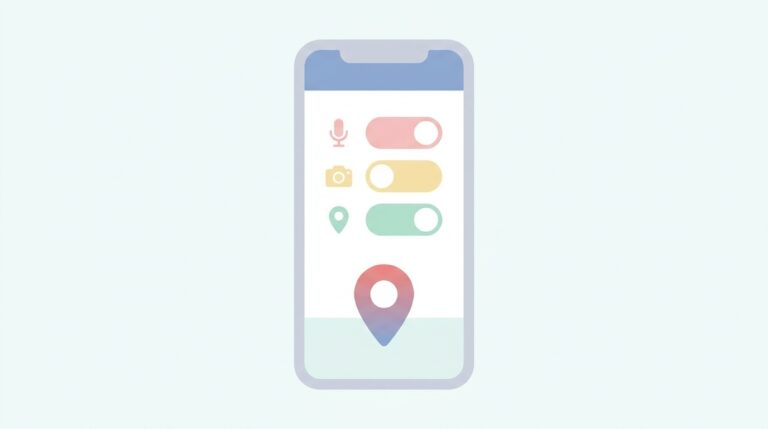
안녕하세요! 매일한글 에디터입니다. Picture this: You just landed at Incheon Airport, ready to kick off your dream Seoul trip. You stand on the curb trying to call a ride or join a 2-hour digital waitlist at a viral Seongsu bakery. You open Kakao T or CatchTable, and suddenly—BAM! A cascade of rapid pop-up prompts floods your screen: 위치 정보 접근 권한 (Location access permission), 마이크 및 카메라 허용 (Microphone and camera allowance), and 선택적 동의 (Optional agreement). You hesitate. Which button lets you call a cab without accidentally giving away your entire camera roll? Many intermediate learners hit a massive roadblock right here because classroom Korean rarely prepares you for the frantic UI screens of Korea’s hyper-digital ecosystem. Master these essential tech phrases today, and you will navigate Korean apps just like a savvy local!
Phase 2: 핵심 표현 3선 심층 분석
1. 권한을 허용해 주세요 (Gwonhaneul heoyonghae juseyo)
- Pronunciation: [Gwon-han-eul heo-yong-hae ju-se-yo] (Sounds like: “Gwon-hahn-ool huh-yong-heh joo-seh-yo”—think of “heo” rhyming with “her” without the ‘r’)
- Meaning: Literal: “Please allow authority/permission.” | Actual Nuance: “Please grant app access / enable permissions.”
- K-Culture Moment: Heard constantly when a friend hands you their phone to take a group photo or when an automated customer support voice directs you to activate your microphone for phone verification.
- Editor’s Insight: 권한 (Gwonhan) means ‘authority’ or ‘rights’. In the smartphone world, it directly translates to ‘system permissions’. When an app asks for this, it literally requests your digital key.
- Situation Spectrum: Casual: ⚠️ (Say 권한 켜줘 / Gwonhan kyeojwo) | Semi-formal: ✅ | Formal: ✅
- 🤔 Think About It: Notice how Korean tech language uses polite honorifics (-해 주세요) even inside software dialog boxes. Why do you think Korean user interfaces maintain conversational politeness rather than stark technical commands?
2. 앱 사용 중에만 허용 (Aep sayong jung-eman heoyong)
- Pronunciation: [Aep sa-yong jung-e-man heo-yong] (Sounds like: “App sah-yong joong-eh-mahn huh-yong”)
- Meaning: Literal: “Allow only in the middle of app use.” | Actual Nuance: “Allow only while using the app.”
- K-Culture Moment: Every time you download KakaoMap or Baedal Minjok (Baemin) to find late-night fried chicken, this option saves your battery and guards your privacy.
- Editor’s Insight: -중에만 (-jung-eman) combines 중 (during) and -만 (only). Selecting this prevents Korean apps from pinging your background GPS continuously while still giving you seamless navigation.
- Situation Spectrum: Casual: ✅ | Semi-formal: ✅ | Formal: ✅ (Universal system button phrase)
- 🤔 Think About It: In English, OS toggles often say ‘While Using the App’. Korean emphasizes -만 (only) to highlight boundaries. How does this reflect everyday conversational nuance?
3. 설정에서 변경할 수 있어요 (Seoljeong-eseo byeongyeonghal su isseoyo)
- Pronunciation: [Seol-jeong-e-seo byeon-gyeong-hal su iss-eo-yo] (Sounds like: “Suhl-jung-eh-suh byun-gyung-hahl soo eess-uh-yo”)
- Meaning: Literal: “At settings, changing is possible.” | Actual Nuance: “You can change it later in Settings.”
- K-Culture Moment: You see this disclaimer in small grey text at the bottom of almost every Korean verification pop-up, reassuring you that your choice isn’t permanent.
- Editor’s Insight: 설정 (Seoljeong) means ‘Settings/Configuration’. Knowing this word unlocks 90% of technical navigation in Korean menus.
- Situation Spectrum: Casual: ⚠️ (Say 설정에서 바꿔 / Seoljeong-eseo bakkwo) | Semi-formal: ✅ | Formal: ✅
- 🤔 Think About It: Does your native language use a formal verb like ‘modify/change’ (변경하다) or a casual verb like ‘switch’ (바꾸다) when describing digital preferences?
Phase 3: 교과서 한국어 vs 진짜 한국어
Situation 1: Asking someone to toggle on their GPS permission
- 📖 교과서 한국어: 위치 정보 접근 권한을 활성화해 주십시오. (Wichi jeongbo jeopgeun gwonhaneul hwalseonghwahae jusipsio. / “Please activate the location information access authority.”)
- 🗣️ 진짜 한국어: 설정 가서 위치 권한 좀 켜줄래? (Seoljeong gaseo wichi gwonhan jom kyeojullae? / “Can you go to Settings and turn on location permissions?”)
- 💡 왜 다를까?: Native speakers replace clunky Sino-Korean verbs like 활성화하다 (to activate) with the daily action verb 켜다 (to turn on).
Situation 2: Choosing whether to allow push notifications
- 📖 교과서 한국어: 푸시 알림 수신에 동의하시겠습니까? (Pusi allim susine dong-yihasigessseumnikka? / “Do you agree to receive push notifications?”)
- 🗣️ 진짜 한국어: 알림은 그냥 꺼둬도 돼. (Allimeun geunyang kkeodwodo dwae. / “You can just leave notifications off.”)
- 💡 왜 다를까?: While the app interface must legally present explicit legal consent terms, native peers will casually tell you to ‘leave it off’ using -어/아 두다 (to leave something in a certain state).
Phase 4: K-Culture 딥다이브 & 비언어적 매너
4-1. 눈치(Nunchi) & Screen Gestures
When asking a Korean friend, cafe staff, or hotel clerk to help you bypass a tricky app permission prompt, never hand your phone over flat on its back or held vertically right in their face. The polite non-verbal approach is to hold your phone with both hands, angled slightly towards them at chest height, and tap the screen gently with your index finger while maintaining soft eye contact. If they offer to adjust it for you, hand the phone over with two hands (두 손으로 건네기).
4-2. The ‘Ppalli-Ppalli’ (Fast-Paced) App Culture
South Korea boasts one of the most streamlined digital infrastructures in the world. Whether you are ordering midnight snacks on Baemin or hailing a quick ride on Kakao T, app permissions determine your speed. Because of Korea’s strict Personal Information Protection Act (개인정보 보호법), Korean apps present more consent checkboxes than Western apps. Distinguishing between [필수] (Mandatory) and [선택] (Optional) in a split second is the ultimate sign of digital fluency in Seoul.
Phase 5: 실전 롤플레이 시나리오
Setting: A trendy cafe in Yeonnam-dong. You are trying to log into a digital queue tablet using your smartphone, but the webpage won’t open your camera to scan the QR code.
Characters: You (Intermediate Korean Learner) & Minji (민지, Friendly Korean local friend).
- You: 민지야, QR 코드 찍으려는데 카메라가 안 켜져. (Minji-ya, QR kodeu jjigeuryeoneunde kameraga an kyeojyeo.)
🎭 Taps screen repeatedly in frustration. - Minji: 아, 그거 브라우저에서 카메라 권한을 막아둬서 그럴걸? (A, geugeo beuraujeo-eseo kamera gwonhaneul magadwoseo geureolgeol?)
🎭 Peers over kindly at your screen. - You: 권한? 팝업 떴을 때 내가 실수로 거부 눌렀나 봐. (Gwonhan? Pabeop tteosseul ttae naega silsu-ro geobu nulleonna bwa.)
🎭 Sighs and scratches head. - Minji: 설정 들어가서 권한 허용으로 바꾸면 금방 해결돼! (Seoljeong deureogaseo gwonhan heoyong-euro bakkumyeon geumbang haegyeoldwae!)
🎭 Points gently to the gear icon on the screen. - You: 설정에서 앱 관리로 들어가면 돼? (Seoljeong-eseo aep gwalli-ro deureogamyeon dwae?)
🎭 Navigates into settings menu. - Minji: 응, 거기서 ‘카메라’ 찾아서 ‘앱 사용 중에만 허용’ 눌러봐. (Eung, geogiseo ‘kamera’ chajaseo ‘aep sayong jung-eman heoyong’ nulleobwa.)
🎭 Nods approvingly. - You: 오, 됐다! 이제 카메라 화면 바로 뜬다. (O, dwaetda! Ije kamera hwamyeon baro tteunda.)
🎭 Brightens up as the QR scanner activates. - Minji: 나이스! 이제 대기 등록 완료했으니까 안심하고 수다 떨자. (Naiseu! Ije daegi deungnok wanryohae-sseunikka ansimhago suda tteolja.)
🎭 Claps hands together cheerfully.
🔀 인터랙티브 분기점 (Interactive Choice)
When an app suddenly asks: “위치 서비스 권한이 꺼져 있습니다. 설정으로 이동하시겠습니까?” (Location service permissions are off. Move to Settings?), how do you reply to your companion?
- Option A: “네, 이동해 주십시오.” (Ne, idonghae jusipsio.)
- Feedback: [Bad] Far too stiff and robotic for a casual outing! You will sound like an automated GPS system.
- Option B: “응, 지금 설정 가서 바로 켤게!” (Eung, jigeum seoljeong gaseo baro kyeolge!)
- Feedback: [Best] Natural, casual, and displays clear intermediate mastery of digital action verbs.
- Option C: “몰라요, 그냥 거절 눌렀어요.” (Mollayo, geunyang geojeol nulleosseoyo.)
- Feedback: [Risk] Abruptly denying location access might completely lock you out of hailing a taxi or getting food delivered!
Phase 6: 10초 감정 섀도잉 드릴
Practice these lines out loud, matching the rhythm and emotional cues marked by /.
[🤔 당황하면서 다급하게 - Flustered & Urgent]- 어? / 위치 권한을 / 허용하라고 / 계속 뜨네?
(Eo? / Wichi gwonhaneul / heoyongharago / gyesok tteune?)
- 어? / 위치 권한을 / 허용하라고 / 계속 뜨네?
[💡 안도하며 명쾌하게 - Relieved & Clear]- 아하, / ‘앱 사용 중에만 허용’으로 / 체크하면 / 되는구나!
(Aha, / ‘Aep sayong jung-eman heoyong’-euro / chekeuhamyeon / doeneunguna!)
- 아하, / ‘앱 사용 중에만 허용’으로 / 체크하면 / 되는구나!
[😎 자신감 넘치게 - Confident & Resourceful]- 걱정 마, / 내가 설정에서 / 권한 다시 켜둘게!
(Geokjeong ma, / naega seoljeong-eseo / gwonhan dasi kyeodulge!)
- 걱정 마, / 내가 설정에서 / 권한 다시 켜둘게!
Phase 7: K-Culture 미니 사전 (Core Vocabulary)
- 필수 권한 (Pissu gwonhan) | Mandatory Permissions
- Usage: In Korean apps, terms marked [필수] must be accepted; otherwise, the app will not let you create an account or proceed.
- 선택 권한 (Seontaek gwonhan) | Optional Permissions
- Usage: Terms marked [선택] (often marketing notifications or contacts). You can safely skip these to avoid promotional spam.
- 위치 정보 (Wichi jeongbo) | Geolocation Data
- Usage: Essential keyword for maps and transport apps. Always look for 정확한 위치 (Precise location) toggles.
- 백그라운드 새로고침 (Baekgeuraundeu saerogochim) | Background App Refresh
- Usage: Crucial for subway alerts and delivery trackers to update while your phone is locked.
Phase 8: 여행자를 위한 생존 키트
Survival Expressions TOP 3
- 이 앱 권한 어떻게 켜요? (I aep gwonhan eotteoke kyeoyo?)
- Pro Tip: Perfect phrase to ask a cafe barista or hotel staff when a Korean digital receipt won’t download.
- ‘이번만 허용’ 눌러도 돼요? (‘Ibeonman heoyong’ nulleodo dwaeyo?)
- Pro Tip: Use this when you only need to use an app once and do not want perpetual background tracking.
- 알림 권한 해제하고 싶어요. (Allim gwonhan haeje-hago sipeoyo.)
- Pro Tip: Use this when late-night event notifications keep buzzing your phone.
Editor’s Travel Note
Before stepping foot out of the airport, check your app settings. Standard Google Maps has limited walking navigation in South Korea due to national security map-data regulations. You will rely heavily on local navigation tools. Make sure you complete your 네이버 지도 앱 다운로드 and grant location permissions 항상 허용 (Always Allow) or 앱 사용 중에만 허용 (While Using App) right away to ensure real-time bus arrivals and subway transfer tracking work smoothly.
Phase 9: “한 발 더 깊이” (Cultural Essay)
South Korea is widely recognized for having some of the world’s strictest personal data laws (개인정보 보호법), yet paradoxically, Korean consumer culture prioritizes blazing digital convenience above almost everything else. When installing an app, users are greeted by extensive consent screens itemizing every single data access point. Koreans have learned to rapidly scan for the golden bracket: [필수] (Mandatory) gets an instant tap, while [선택] (Optional) is often disregarded to preserve peace of mind. Navigating app permissions in Korea is a masterclass in balancing high-tech reliance with conscious boundary-setting.
💬 Your Turn: What permissions do you usually keep locked on your phone? When traveling abroad, do you default to “Allow Once” or “Allow Always”? Let us know in the comments below!
Phase 10: FAQ & 오해 방지 (FAQ Schema)
Q: What is the difference between ‘항상 허용’ and ‘앱 사용 중에만 허용’?
A: 항상 허용 (Always Allow) tracks your device even when the app is closed, which is rarely needed unless using smart tags. For taxi, map, and delivery apps, 앱 사용 중에만 허용 (Allow While Using App) is the recommended standard.
Q: Why does an app say ‘권한을 허용해야 서비스를 이용할 수 있습니다’?
A: This message means you have denied a 필수 권한 (mandatory permission) required for core functionality (such as denying camera access to a photo filter app). You must open your phone’s OS Settings to manually toggle it back on.
Q: What does ‘선택 접근 권한’ mean when registering?
A: It refers to optional permissions like photo library or microphone access. You can decline these and still use the main functions of the app without any penalties.
🚨 흔한 실수 (Common Mistakes) TOP 3
- Tapping ‘전체 동의’ (Agree to All) without looking: This automatically opts you into marketing SMS and partner ad notifications.
- Correct Action: Tap only items labeled [필수] and uncheck [선택].
- Tapping ‘다시 묻지 않음’ (Don’t Ask Again) on location prompts: Doing this completely disables pop-ups, forcing you to dig into OS submenus later.
- Correct Action: Select 앱 사용 중에만 허용 or 이번만 허용.
- Confusing ‘알림 허용’ with mandatory access: Many learners think push notifications are required to use an app.
- Correct Action: You can safely decline notifications (허용 안 함) without breaking the app.
Phase 11: 액션 미션 & 참여 유도
- 🥉 Bronze Mission: Switch your phone’s language setting to Korean for 10 minutes and locate your 권한 (Permissions) menu in Settings.
- 🥈 Silver Mission: Take a screenshot of a Korean app permission prompt and circle the [필수] vs [선택] items.
- 🥇 Gold Mission: Use the phrase “설정에서 위치 권한 켜둘게요” in a voice note or sentence practice with your Korean study partner.
- 🎮 K-Culture Mission: Watch a modern K-Drama scene where a character checks their phone or hails a taxi (e.g., Crash Landing on You or Business Proposal). Listen closely for the word 설정 (Settings) or 알림 (Notification)!
Phase 12: 인터랙티브 퀴즈 챌린지
1. 상황 판단 (Situational Judgment)
You downloaded a Korean food delivery app. A prompt pops up asking: [선택] 마케팅 정보 수신 동의 (Agreement to receive marketing info). What is the smartest action?
* A) Tap ‘허용’ because the food will not arrive without it.
* B) Tap ‘거부’ or leave it unchecked because it is an optional marketing consent.
* C) Delete the app immediately.
2. 빈칸 채우기 (Fill in the Blank)
- “지도가 내 위치를 못 찾아. 설정에서 위치 ( )을/를 허용해야 돼.”
- Choices: ① 권한 (Gwonhan) ② 비밀번호 (Bimilbeonho) ③ 계정 (Gyejeong)
3. True / False Cultural Quiz
- True or False: In Korean apps, you must agree to both [필수] and [선택] items in order to finish registration.
👉 Click to reveal Quiz Answers & Explanations!
- Answer: B
- Explanation: Items marked [선택] are completely optional. Declining them keeps your inbox free from promo flyers while letting you order delicious food smoothly!
- Answer: ① 권한 (Gwonhan)
- Explanation: 위치 권한 (Location permission) is the exact technical collocation used when an app cannot access your GPS.
- Answer: False
- Explanation: Only [필수] (Mandatory) agreements are required. You can leave all [선택] (Optional) boxes unchecked and enjoy full service!
- Explanation: Only [필수] (Mandatory) agreements are required. You can leave all [선택] (Optional) boxes unchecked and enjoy full service!