Phase 1: 공감 (The Noraebang Remote Panic)
안녕하세요! 매일한글 (Daily Hangul) editor here, your trusted cultural navigator and fellow K-drama enthusiast!
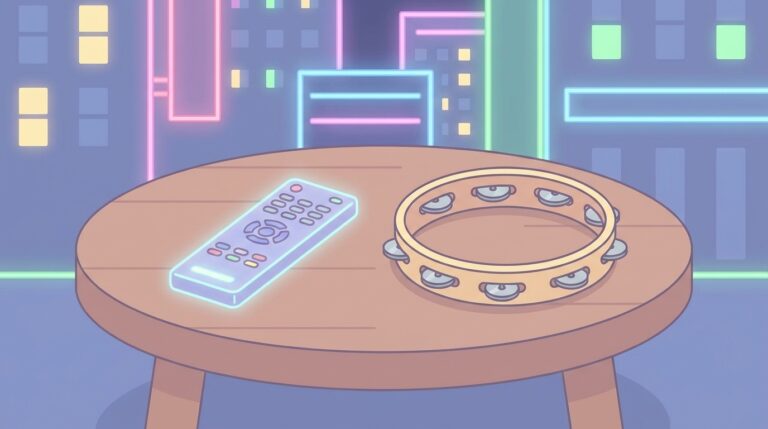
Picture this: You step into a neon-lit, tambourine-rattling Korean karaoke room (노래방, Noraebang) in Hongdae with your Korean friends or coworkers after a satisfying round of Korean BBQ. Everyone is cheering, the disco ball is spinning, and suddenly someone hands you the legendary Noraebang remote control—a massive contraption that looks like an airplane cockpit dashboard mixed with a 90s TV controller. The screen timer is ticking down, 100 buttons are staring at you in Hangul, and your friend asks, “What song do you want to sing?”
Panic sets in! You know the song title in English or Korean, but how on earth do you search by singer vs. title? What happens if you press “Start” instead of “Reserve” and accidentally cut off your boss’s emotional ballad?
Don’t worry, you are not alone! Over the past decade tutoring intermediate learners, “Noraebang remote anxiety” ranks right up there with ordering at a busy Subway in Gangnam. Today, we’re unlocking the secret hacks of the TJ and Geumyoung karaoke remotes so you can browse, queue, and hype up the room like a true Seoulite. Let’s dive in!
Phase 2: Core Expressions (핵심 표현 3선)
1. 예약 좀 해 줄래? (Yeyak jom hae jullae?)
- Pronunciation: [Ye-yak jom hae jool-lae?] (Sounds like: “Yeah-yak” + “chom” + “hay-jool-leh”)
- Meaning: Literal: “Can you do a reservation?” | Actual: “Could you queue/reserve this song for me?”
- K-Culture Moment: Seen in nearly every friendship K-drama scene (like Hospital Playlist or Reply 1988) where friends frantically pass song numbers across the table.
- Editor’s Insight: In Korea, pressing 시작 (Start) immediately stops the current song! To be polite and queue your track next without disrupting the flow, you must press 예약 (Reserve).
- Situation Spectrum: Casual: ✅ | Semi-formal: ⚠️ (Use 예약해 주시겠어요?) | Formal: 🚫
- 🤔 Think About It: Why does Korean karaoke place such high value on queueing (예약) rather than immediately playing (시작)? How does this reflect group harmony (눈치, Nunchi)?
2. 제목으로 찾아봐 (Jemogeuro chajabwa)
- Pronunciation: [Je-mok-eu-ro cha-ja-bwa] (Sounds like: “Jay-mock-oo-ro cha-ja-bwa”)
- Meaning: Literal: “Look it up by title” | Actual: “Switch the search filter to song title!”
- K-Culture Moment: When someone types a singer’s name while the remote is set to title search mode and complains “It’s not here!”, a friend gently reminds them.
- Editor’s Insight: The two primary search toggle buttons on the top left of the remote are 제목 (Title) and 가수 (Singer). Specifying which filter you’re using saves immense time.
- Situation Spectrum: Casual: ✅ | Semi-formal: ⚠️ (제목으로 찾아보세요) | Formal: 🚫
- 🤔 Think About It: Unlike Western karaoke machines that use touchscreens or alphabet sliders, Korean remotes have dedicated physical keypad switches. How does this speed up group interaction?
3. 이 노래 간주점프 눌러도 돼? (I norae ganju-jeompeu nulleodo dwae?)
- Pronunciation: [Ee no-rae gan-ju-jeom-peu nool-leo-do dwae?]
- Meaning: Literal: “Can I press interlude jump for this song?” | Actual: “Mind if I skip the long intro/instrumental break?”
- K-Culture Moment: Crucial during high-energy karaoke rounds or when room time is running down to the final 2 minutes.
- Editor’s Insight: 간주점프 (Interlude Jump) skips the instrumental bridge or guitar solo straight to the next vocal bar, saving precious paid room minutes.
- Situation Spectrum: Casual: ✅ | Semi-formal: ⚠️ (간주점프 눌러도 될까요?) | Formal: 🚫
- 🤔 Think About It: Noraebang operates on paid minute countdowns. How does optimizing intro/interlude times reflect the fast-paced “Palli-Palli” (빨리빨리) culture?
Phase 3: Textbook Korean vs. Real Korean (교과서 vs. 진짜 한국어)
- Situation 1: Asking someone to queue a song
- 📖 교과서 한국어: 노래를 목록에 추가해 주십시오. (Noraereul mongnoke chugahae jusipsio.) — “Please append the song to the playlist.”
- 🗣️ 진짜 한국어: 나 이거 예약 좀! 번호 38291이야. (Na igeo yeyak jom! Beonho sam-pal-i-gu-il-i-ya.) — “Queue this for me! Number is 38291.”
- 💡 Why the difference? Real Koreans speak in rapid fragments over loud speakers, citing exact 5-digit song numbers directly to the remote-holder.
- Situation 2: Asking if a song can be found by English title
- 📖 교과서 한국어: 외국 노래 검색 기능이 작동합니까? (Oeguk norae geomsaek gineung-i jakdonghamnikka?) — “Does the foreign song search function operate?”
- 🗣️ 진짜 한국어: 팝송 버튼 누르고 영어로 치면 나와? (Papseong beoteun nureugo yeong-eoro chimyeon nawa?) — “If I press the Pop Song button and type English, does it show up?”
- 💡 Why the difference? Koreans refer to all non-Korean Western tracks simply as 팝송 (Pop song) and use the verb 치다 (to type/hit keys) instead of search.
Phase 4: K-Culture Deep Dive & Mannerisms (눈치 & 제스처)
4-1. Noraebang Remote Etiquette (리모컨 눈치)
- The Remote Custodian: Whoever holds the remote becomes the room DJ. Do not hoard the remote all night; place it on the center table when you finish queueing.
- The Cardinal Sin (시작 vs. 취소): Never press 시작 (Start) or 취소 (Cancel) while someone else is singing unless they explicitly shout “끄자!” (Turn it off!). Always default to 예약 (Reserve).
- Screen Blocking Awareness: When typing on the remote, hold it at chest height rather than raising it above your head so you don’t block the lyrics screen for the singer.
4-2. Cultural Code: The Art of “Service Time” (서비스 시간)
In Korea, Noraebang owners frequently grant unexpected bonus minutes (known as 서비스, Service) when your timer hits 0. When +30 minutes suddenly flashes on screen, knowing how to quickly search fast-tempo hype songs (댄스곡) using remote shortcuts determines whether the party reaches legendary status!
Phase 5: Real-Life Roleplay Scenario (실전 롤플레이)
- Setting: A vibrant coin karaoke (코인노래방) in Sinchon with your Korean classmate, Minho (민호).
- Minho: 🎭 Hands you the glowing remote with an excited grin
너 부르고 싶은 거 먼저 골라! (Neo bureugo sipeun geo meonjeo golla! / Pick whatever you want to sing first!) - Learner: 🎭 Flipping the remote over nervously
고마워! 근데 이거 영어 노래는 어떻게 찾아? (Gomawo! Geunde igeo yeong-eo noraeneun eotteoke chaja? / Thanks! But how do I find English songs on this?) - Minho: 🎭 Points to the upper button row
상단에 ‘팝송’ 버튼 누르고 가수나 제목 초성 치면 돼! (Sangdane ‘papseong’ beoteun nureugo gasuna jemok choseong chimyeon dwae! / Press the ‘Pop Song’ button at the top and type the artist or title!) - Learner: 🎭 Carefully pressing the buttons
오, 찾았다! 지금 바로 시작 누르면 돼? (O, chajatda! Jigeum baro sijak nureumyeon dwae? / Oh, found it! Should I press Start right now?) - Minho: 🎭 Waving both hands in playful alarm
앗, 시작 누르면 내 노래 끊겨! ‘예약’ 눌러줘! (At, sijak nureumyeon nae norae kkeunkyeo! ‘Yeyak’ nulleojwo! / Ah, pressing Start will cut off my song! Press ‘Reserve’!) - Learner: 🎭 Quickly pressing the green button
휴, 실수할 뻔했다. 예약 완료! (Hyu, silsuhal ppeonhaetda. Yeyak wallyo! / Phew, almost made a big mistake. Queued!) - Minho: 🎭 Grabs the tambourine and winks
나이스! 간주는 지루하니까 간주점프도 한번 눌러줄래? (Naiseu! Ganjuneun jiruhanikka ganju-jeompudo hanbeon nulleojullae? / Nice! The instrumental break is long, could you hit Interlude Jump too?) - Learner: 🎭 Smiles confidently and taps the shortcut
간주점프 눌렀어! 신나게 불러보자! (Ganju-jeompeu nulleosseo! Sinnage bulleoboja! / Pressed Interlude Jump! Let’s sing our hearts out!)
🔀 Interactive Choice Point:
Your friend is in the middle of a super emotional ballad, but there is a 45-second instrumental intro. What do you do?
* Choice A: Press 시작 (Start) to make the singing start immediately.
* Choice B: Ask “간주점프 누를까?” (Shall I press Interlude Jump?)” before touching the button.
* Choice C: Press 취소 (Cancel) because nothing is happening.
- Feedback:
- Choice A (Bad): Pressing Start restarts or cuts songs! Total mood breaker.
- Choice B (Best!): Perfect etiquette. Ballad lovers often want to absorb the instrumental mood, so asking first shows top-tier Nunchi.
- Choice C (Risk): Cancel terminates the song completely. The ultimate karaoke taboo!
Phase 6: 10-Second Emotion Shadowing Drill (감정 섀도잉)
Practice these natural rhythm chunks with feeling:
[😲 놀라며 급하게]
잠깐만! / 시작 말고 / 예약 눌러야 해!
(Jamkkanman! / sijak malgo / yeyak nulleoya hae!)-
[🤔 집중하며 탐색하듯]
가수 이름으로 찾을까? / 아니면 제목으로 검색할까?
(Gasu ireumeuro chajeulkka? / animyeon jemogeuro geomsaekhalkka?) -
[🥳 텐션 폭발 직전]
간주 너무 길다, / 간주점프 / 바로 누르자!
(Ganju neomu gilda, / ganju-jeompeu / baro neureuja!)
Phase 7: K-Culture Mini Dictionary (핵심 키워드 4선)
- 예약 (Yeyak) | Reservation / Song Queue | The most crucial button on Korean karaoke remotes; keeps songs in order.
- 간주점프 (Ganju-jeompeu) | Interlude Jump | Skips instrumental interludes directly to the next vocal segment.
- 남키 / 여키 (Nam-ki / Yeo-ki) | Male Key / Female Key Pitch Shift | Adjusts the octave/pitch up or down with a single tap to suit your vocal range.
- 우선예약 (Useon-yeyak) | Priority Queue | Moves a song straight to the very front of the queue ahead of other reserved tracks.
Phase 8: Traveler’s Survival Kit (여행자 생존 키트)
Top 3 Survival Expressions
- 마이크 볼륨 좀 올려도 돼요? (Maikeu bollyum jom ollyeodo dwaeyo?) — Can I turn up the microphone volume? (Pro Tip: Look for 마이크 음량 knobs on the main amplifier unit).
- 노래 번호 아시면 찍어드릴게요. (Norae beonho asimyeon jjigeodeurilgeyo.) — If you know the song number, I’ll punch it in for you.
- 취소 버튼 실수로 눌렀어요! (Chwiso beoteun silsuro nulleosseoyo!) — I pressed the cancel button by mistake! (Emergency apology phrase).
Editor’s Travel Note
- App Recommendation: Download the TJ노래방 (TJ Noraebang App) or 금영노래방 (Geumyoung App) prior to your trip to bookmark your favorite K-pop song 5-digit numbers on your phone.
- Coin Noraebang (코노) Tip: Many coin karaokes accept T-Money transit cards or credit cards directly at the machine terminal inside each booth!
Phase 9: A Step Deeper (한 발 더 깊이)
In Western karaoke culture, performing is often an individual spotlight showcase. In Korea, Noraebang is a shared emotional ritual (정, Jeong). The remote control is not merely a piece of hardware; it is the steering wheel of the room’s collective energy. Knowing how to balance high-energy dance tracks, pass the remote respectfully, and use buttons like 간주점프 to maximize everyone’s turn demonstrates genuine consideration for the group.
💬 Your Turn: What is your ultimate go-to K-pop or international song you would queue first at a Seoul Noraebang? Let us know in the comments below!
Phase 10: FAQ & Common Mistakes
Q: What is the difference between TJ Media and Geumyoung remotes?
A: TJ Media and Geumyoung are the two dominant karaoke manufacturers in Korea. While both share identical core buttons (시작, 예약, 간주점프, 팝송), TJ uses green for ‘예약’ and Geumyoung frequently uses orange/yellow. Song index numbers differ between the two brands.
Q: How do I type English artist names on a Korean keypad?
A: First press the 팝송 (Pop Song) or 한/영 (Kor/Eng) toggle button. The numeric keypad will switch to ABC mode just like classic mobile phone texting.
Q: Can I change the pitch/key of the song before it starts?
A: Yes! When selecting a song, press # (올림/Sharp) or ♭ (내림/Flat) or the 남키/여키 button before or right after pressing 예약.
🚨 Common Mistakes Board
- ❌ Mistake 1: Pressing
시작(Start) when trying to add a song to the queue. ➡️ Fix: Always press예약(Reserve). - ❌ Mistake 2: Searching for an English song in the Korean title mode. ➡️ Fix: Hit the
팝송(Pop Song) category button first. - ❌ Mistake 3: Letting a 60-second outro play when time is running out. ➡️ Fix: Hit
취소(Cancel) immediately when the vocals finish so the next person gets more time.
Phase 11: Action Missions (액션 미션)
- 🥉 Bronze Mission: Practice saying “제목으로 찾아볼게!” and “예약 눌렀어!” out loud 3 times smoothly.
- 🥈 Silver Mission: Open a YouTube karaoke track, pretend your phone is a remote, and practice shouting “간주점프!” right as the bridge starts.
- 🥇 Gold Mission: Visit a local Korean Coin Noraebang (코노) and queue at least 2 songs using only the physical remote buttons without asking for staff assistance!
🎮 K-Culture Mission: Watch an episode of Run BTS or Infinite Challenge karaoke specials and spot how many times the members hit the 우선예약 (Priority Queue) button!
Phase 12: Interactive Quiz Challenge (인터랙티브 퀴즈)
Q1. You want to add your song to play next without stopping your friend’s current track. Which button do you press?
1) 시작 (Start)
2) 취소 (Cancel)
3) 예약 (Reserve)
4) 간주점프 (Interlude Jump)
🔍 Click to reveal the answer & explanation
Correct Answer: 3) 예약 (Reserve)
Explanation: Pressing ‘시작’ cuts off whatever is playing right now! ‘예약’ queues the song up safely.
Q2. True or False: Pressing 간주점프 will delete your reserved song from the machine.
🔍 Click to reveal the answer & explanation
Correct Answer: False
Explanation: ‘간주점프’ simply fast-forwards through long instrumental interludes to save time; it never deletes your song.