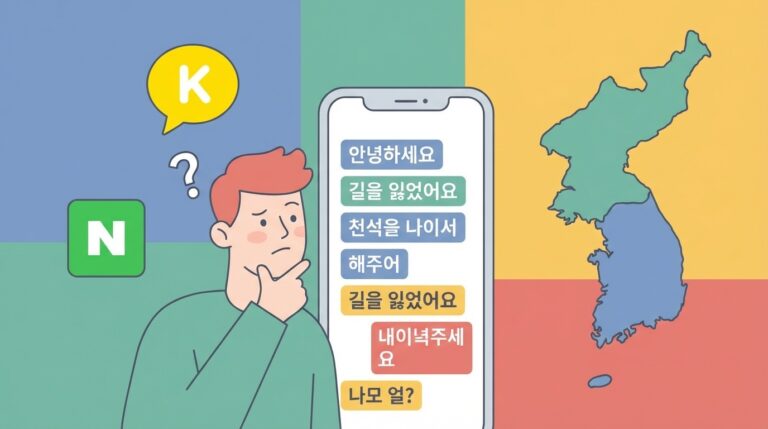
Phase 1: The Immersive Hook
Greeting: 안녕하세요! Hello, Daily Hangul readers! This is your editor, your local guide to surviving and thriving in Korea.
Imagine this: You just landed at Incheon Airport. You feel like the main character in a K-Drama, ready to start your new life. You open Google Maps to find your hotel… and it’s blank. Or worse, it says it takes 3 hours to walk somewhere that should take 10 minutes.
Then, you try to order delivery fried chicken like you saw in Crash Landing on You, but the app asks for something called “In-jeung.” Panic sets in.
The ‘Why’: Korea has its own digital ecosystem. If you don’t know how to navigate the Korean app store world, you aren’t just missing out on convenience; you’re missing out on 50% of modern Korean life.
Transparency: Today’s lesson comes from the tears and triumphs of my actual students who got stuck at the “Sign Up” screen. Let’s turn that frustration into fluency!
Phase 2: Deep Dive into Key Expressions
Here are the 3 words you will see and hear every time you touch a smartphone in Korea.
1. 깔다 (Kkal-da)
- Pronunciation: [Kkal-da] + Sounds like the ‘ca’ in ‘car’ but with a tighter, tense throat. Imagine stepping on gum: ‘Kka!’
- Meaning: Literal: To spread (a mat/blanket) / Real Nuance: To install or download an app.
- K-Culture Moment: You’re at a cafe with a Korean friend. You ask about a photo filter app. They won’t say “install it.” They’ll say, “Ya, just kkal-a (spread/install) it!”
- Editor’s Insight: Why “spread”? In the old days, we “spread” a mat to sit on. Now, we “spread” a program onto our hard drive to use it. It implies setting up a foundation.
- Situation Spectrum:
[🚫 Boss/Elder] ———— [⚠️ Co-worker] ———— [✅ Friend]
(Note: For elders, use the formal word ‘설치하다 (seol-chi-ha-da)’.)- 🤔 Think About It: Why does Korean prefer physical verbs (spread) for digital actions? Does your language do this? (e.g., ‘surfer’ for internet user).
2. 회원가입 (Hoe-won-ga-ip)
- Pronunciation: [Hoe-won-ga-ip] + Hway-won-gah-eep
- Meaning: Literal: Member Joining / Real Nuance: Sign Up / Register.
- K-Culture Moment: K-Pop fans, listen up! If you want to vote for your bias on a music show app or join a Fan Cafe, you must conquer the Hoe-won-ga-ip button.
- Editor’s Insight: This is usually the first button you see. If you can’t find ‘Sign Up’ in English, look for these four distinct Hangul blocks.
- Situation Spectrum: This is a written word mostly seen on screens.
- 🤔 Think About It: Korea relies heavily on “Membership” for everything. Why is belonging to a specific group (member) so important in Korean society compared to just being a “user”?
3. 인증 (In-jeung)
- Pronunciation: [In-jeung] + In-jung (rhymes with ‘lung’)
- Meaning: Literal: Certification / Real Nuance: Identity Verification.
- K-Culture Moment: You finally filled out the form. You press OK. Then a timer starts ticking down: 3:00… 2:59… You need the In-jeung number sent to your phone! It’s the ultimate boss fight for foreigners in Korea.
- Editor’s Insight: Without a Korean phone number (ARC card linked), this step is often impossible. It’s not just you; even Koreans find it annoying!
- Situation Spectrum: N/A (Technical Term)
- 🤔 Think About It: Korean internet laws require real-name verification for almost everything (games, shopping, comments). How does this balance safety vs. privacy compared to your country?
Phase 3: Textbook vs. Real Life
| Situation | 📖 Textbook Korean | 🗣️ Real Korean | 💡 Why is it different? |
|---|---|---|---|
| Telling a friend to get an app | “이 애플리케이션을 설치하세요.” (Please install this application.) | “이거 깔아.” (Spread/Install this.) | “Application” is too long. Koreans value speed (Pali-pali culture)! |
| Asking for wifi password | “와이파이 비밀번호가 무엇입니까?” (What is the wifi password?) | “비번 뭐예요?” (Bi-beon mwo-ye-yo?) | Bi-beon is short for Bimil-beonho. We love shortening words. |
| Asking if it’s free | “이것은 무료입니까?” (Is this free?) | “이거 공짜예요?” (Is this Gong-jja?) | ‘Gong-jja’ is the colloquial, flavorful word for free stuff. |
Bottom Note: As an A1 learner, “설치해요” (Install) is safe and polite, but understanding “깔아” will make you hear what’s actually being said around you!
Phase 4: Cultural Context — K-Culture Deep Dive
4-1. Non-verbal: The “Phone Handover”
In Korea, if you ask a friend to help you set up an app, don’t just hold the phone and wait for instructions. It is common to physically hand your unlocked phone to them. It shows trust. They will tap through the Korean menus at lightning speed (Korean gamers’ APM isn’t a joke!) and hand it back when it’s done.
4-2. K-Travel Connection: The Map War
Why download apps? Because Google Maps does not work well in Korea due to security laws regarding map data exports.
– K-Drama Trope: The main character gets lost in a maze-like neighborhood (Alleyway). They don’t look at paper maps; they look at Naver Map or KakaoMap.
– The Reality: If you want to find that famous K-Drama filming location or the trendy cafe from Instagram, you must “Kkal-da” (install) Naver Map or KakaoMap. Google will leave you stranded in a rice field!
Phase 5: Immersive Roleplay
Setting: A trendy cafe in Hongdae. You and your Korean friend, Jisoo (24, energetic, K-Pop fan), are planning where to eat dinner. You want to order delivery to the Han River park.
Characters:
– YOU: Excited to try river-side delivery.
– Jisoo: Your “MZ Generation” local guide.
(Dialogue Start)
Jisoo: 야, 한강 가서 치킨 먹자! 배달 시키면 돼.
(Ya, Hangang gaseo chikin meokja! Baedal sikimyeon dwae.)
(Hey, let’s go to Han River and eat chicken! We can just order delivery.)
YOU: 좋지! 근데 나 배달 앱 없어…
(Jochi! Geunde na baedal aep eopseo…)
(Sounds good! But I don’t have a delivery app…)
Jisoo: 아 진짜? 빨리 깔아! ‘배달의민족’ 알아?
(A jinjja? Ppalli kkala! ‘Baedal-ui-minjok’ ara?)
(Ah really? Install it quickly! Do you know ‘Baedal Minjok’?)
🔀 Decision Point: Your Turn!
- Option A: “어떻게 하는지 몰라. 도와줘.” (I don’t know how. Help me.)
- Option B: “응, 지금 다운로드하고 있어.” (Yes, I am downloading it now.)
- Option C: “귀찮아. 네가 해.” (Annoying. You do it.)
If you chose A (The Learner):
YOU: 어떻게 하는지 몰라. 도와줘.
(Eotteoke haneunji molla. Dowajwo.)
Jisoo: (Takes your phone) 여기 ‘회원가입’ 누르고… 어? 너 한국 번호 있어?
(Yeogi ‘Hoe-won-ga-ip’ nureugo… eo? Neo hanguk beonho isseo?)
(Press ‘Sign Up’ here… huh? Do you have a Korean number?)
✅ Editor’s Note: Option A is the best for beginners. It invites conversation and help. Option C is rude unless you are extremely close best friends!
Phase 6: 10-Second Shadowing Drill
Let’s practice the magic sentence to get help with any app.
Emotion: 🥺 (Slightly confused but polite)
Sentence: 이 앱 / 어떻게 / 깔아요?
Pronunciation: I aep / eotteoke / kkarayo?
Meaning: How do I install this app?
Repeat this 3 times while imagining you are holding your phone out to a friendly stranger!
Phase 7: K-Culture Mini Glossary
| Korean | Romanization | English | Context |
|---|---|---|---|
| 카톡 | Katok | KakaoTalk | The oxygen of Korea. Everyone uses this messenger app. |
| 배달 | Baedal | Delivery | The culture of delivering food anywhere (even parks!). |
| 비번 | Bibeon | Password | Short for ‘Bimil-beonho’. Essential for cafe Wifi. |
| 와이파이 | Waipai | Wi-Fi | Pronounced slightly differently! emphasis on ‘pai’. |
| 계정 | Gye-jeong | Account | You need this to log in. |
Phase 8: Traveler’s Survival Kit
Since we are talking about apps, here is your Digital Survival Kit for Korea.
🆘 Survival Apps (Must Install)
1. Naver Map / KakaoMap: Google Maps alternative. Essential for buses and walking.
2. Papago: The best translator app (better than Google Translate for Korean).
3. Kakao T: Taxi hailing app. (You can pay the driver directly if you don’t have a Korean card!)📌 Editor’s Travel Note
Many Korean apps now support English UI (User Interface)! Look for the “Language” or “언어” (Eon-eo) setting inside the gear icon (⚙️) immediately after you ‘kkalda’ (install) them.
Phase 9: Think Deeper — “One Step Further”
The Digital Wall: Why is Korean Internet so Unique?
You might wonder, “Why can’t I just use Google or Uber?” Korea is one of the few countries where local platforms (Naver, Kakao) defeated global giants. This is partly due to the Korean language’s complexity and partly due to a desire for “Korean-style” speed and optimization.
🧠 Think Deeper:
When you download a local app like Naver Map, you aren’t just getting directions; you are seeing the city through Korean eyes (with filters for popular restaurants, blogs, and reviews integrated). How does using a local app change the way you travel compared to a global app?💬 Your Turn: Have you ever struggled with an app in a foreign country? Tell me in the comments!
Phase 10: FAQ & Troubleshooting
- Q: Can I use delivery apps (Baemin/Yogiyo) without a Korean phone number?
- Answer: Sadly, usually No. Most require “Identity Verification” (In-jeung) linked to a Korean carrier. However, some apps like “Shuttle Delivery” cater to foreigners! Or, use the concierge at your hotel.
- Q: A random popup appeared! What do I click?
- Answer: Look for “허용” (Heo-yong = Allow) or “확인” (Hwa-gin = Confirm/OK). If you see “거부” (Geo-bu), that means Deny.
- ❌ Common Mistake: Trying to type English addresses into Korean apps.
- ✅ Fix: Use the Korean address if possible, or search by the phone number of the place! It’s much more accurate.
Phase 11: Wrap-up & Action Mission
One-Liner Summary: To survive in Korea, you must “Kkal-da” (install) local apps, finish “Hoe-won-ga-ip” (sign-up), and survive the “In-jeung” (verification)!
🚀 Action Mission:
– 🥉 Bronze: Say “깔아요” (Kkarayo) 3 times out loud.
– 🥈 Silver: Download Naver Map or Papago right now on your phone.
– 🥇 Gold: Switch the app’s language setting to Korean for 10 minutes and try to navigate!
K-Culture Mission: Open a K-Pop voting app (like Mnet Plus or Weverse) and find the button that says “회원가입” (Sign Up) or “로그인” (Log in).
Phase 12: Interactive Quiz
- Situation Judgment: You are at a cafe and want to connect to the internet. The barista is busy. You see a sign on the counter. What word should you look for?
- a) 배달 (Baedal)
- b) 비번 (Bibeon)
- c) 인증 (In-jeung)
- Fill in the Blank:
- Friend: “Do you have KakaoTalk?”
- You: “No, I need to [] it.”
- (Hint: The ‘gum on shoe’ sound)
- True or False:
- It is rude to hand your phone to a Korean friend when asking for help with an app. (T/F)
Answers:
1. b) 비번 (Short for Password). Usually followed by numbers/letters.
2. 깔다 (Kkal-da) or 깔아야 돼.
3. False. It is efficient and trusted! Just make sure it’s unlocked.
See you in the next lesson! Happy installing! 📱
Frequently Asked Questions (FAQ)
Q: What does "깔다 (Kkal-da)" mean in Korean and how do you pronounce it?
A: In Korean, "깔다 (Kkal-da)" is pronounced [Kkal-da] and means: Literal: To spread (a mat/blanket) / Real Nuance: To install or download an app.
Q: What does "회원가입 (Hoe-won-ga-ip)" mean in Korean and how do you pronounce it?
A: In Korean, "회원가입 (Hoe-won-ga-ip)" is pronounced [Hoe-won-ga-ip] and means: Literal: Member Joining / Real Nuance: Sign Up / Register.
Q: What does "인증 (In-jeung)" mean in Korean and how do you pronounce it?
A: In Korean, "인증 (In-jeung)" is pronounced [In-jeung] and means: Literal: Certification / Real Nuance: Identity Verification.