Stop Spam Before It Starts: Navigating Korean Signup Screens & Security
Phase 1: Empathy — The K-Pop Ticketing Panic
안녕하세요! 매일한글 에디터입니다. (Annyeonghaseyo! Hello, this is your Daily Hangul editor.) Imagine this: your favorite K-Pop group just announced a Seoul encore concert. With five minutes left before ticketing opens, you rush to sign up on a Korean site. Panicked by walls of Korean legal text, you smash “Agree to All” just to finish fast. Fast forward to next morning—your phone buzzes nonstop with promotional texts, and worse, your data is floating across partner sites! Many of our intermediate learners shared this exact headache in our community surveys. Mastering how to check only mandatory consent boxes, uncheck marketing, and lock down your account with 2FA or Passkeys will protect your privacy and boost your real-world Korean!
Phase 2: Deep Dive Into 3 Essential Expressions
1. 필수 동의 항목 (pilsu dongui hangmok)
- Pronunciation: pil-su dong-ui hang-mok (Sounds like “pill-sue” + “dong-we” + “hahng-mock” — keep the “ui” smooth like “we” without stressing the W!)
- Meaning: Literally “necessary agreement items,” meaning mandatory consent checkboxes required to use a service.
- K-Culture Moment: Right before you set up a Passkey on Naver or join a K-Beauty membership on Olive Young, a popup demands you check these boxes before the “Next” button turns green.
- Editor’s Insight: At an intermediate level, notice how
필수 (pilsu)pairs with선택 (seontaek - optional). Korean websites often label필수 (pilsu)in bold blue or black while hiding선택 (seontaek)in tiny gray print right below it. You never have to check선택to create an account!- Situation Spectrum: Casual ✅ | Semi-formal ✅ | Formal ✅ (It is a standard written/UI term used across all formality levels.)
- 🤔 Think About It: In English, sites often say “Required” vs. “Optional,” whereas Korean frames it around consent (
동의) and duty (필수). How does seeing privacy framed as an explicit “agreement” change the way you read fine print?2. 선택 항목 해제 (seontaek hangmok haeje)
- Pronunciation: seon-taek hang-mok hae-je (Sounds like “sun-tech” + “hahng-mock” + “heh-jeh” — light and crisp on the final “jeh.”)
- Meaning: Literally “optional item release/cancellation,” meaning unchecking optional consent boxes (such as marketing emails or SMS alerts).
- K-Culture Moment: You just signed up on a Korean fashion app like Musinsa after watching a K-Drama actor’s lookbook, and you realize “Agree to All” auto-ticked every promo box. Time for
선택 항목 해제 (seontaek hangmok haeje)!- Editor’s Insight: Why
해제 (haeje)instead of취소 (chwiso - cancel)? Great intermediate nuance!취소 (chwiso)means canceling an order or reservation, whereas해제 (haeje)means lifting a lock, releasing a toggle, or unchecking a box. You will also see해제when turning off notifications or security locks.- Situation Spectrum: Casual ⚠️ (Among friends, people just say
체크 풀기 - chekeu pulgi) | Semi-formal ✅ | Formal ✅- 🤔 Think About It: English uses “uncheck” (reversing a checkmark), while Korean uses
해제 (haeje)(releasing a state) or풀다 (pulda - to untie). What mental image does “untying” a digital consent box give you?3. 개인정보 제3자 제공 (gaeinjeongbo jesamja jegong)
- Pronunciation: gae-in-jeong-bo je-sam-ja je-gong (Sounds like “geh-een-jung-boh” + “jeh-sahm-jah” + “jeh-gong.”)
- Meaning: Literally “personal information third-party provision,” meaning sharing your personal data with third-party partner companies.
- K-Culture Moment: Think of those intense cyber-thriller K-Dramas where characters wonder how scammers got their phone number—in real life, it often starts with leaving this optional box checked at an offline kiosk or web mall!
- Editor’s Insight: This phrase looks intimidatingly official, so many learners skim right past it. Even if it says
제3자 제공 (jesamja jegong)in legal text, check the bracket next to it! If it says[선택] (seontaek - optional), uncheck it immediately so affiliate insurance or ad agencies do not get your number.- Situation Spectrum: Casual 🚫 (Too stiff for casual chat) | Semi-formal ✅ | Formal ✅
- 🤔 Think About It: In your home country, are third-party data-sharing agreements usually opt-in or opt-out by default? In Korea, strict privacy laws force companies to separate
제3자 제공, yet UI design still nudges hurried users to click “Agree to All.”
Phase 3: Textbook Korean vs. Real Korean
Situation 1: Telling a friend how to avoid marketing spam during sign-up
* 📖 교과서 한국어 (Textbook Korean): 마케팅 정보 수신에 동의하지 않습니다. (Maketing jeongbo susine donguihaji anseumnida. - I do not consent to receiving marketing information.)
* 🗣️ 진짜 한국어 (Real Korean): 광고 알림은 싹 다 빼고 필수만 체크해! (Gwanggo allimeun ssak da ppaego pilsuman chekeuhae! - Leave out all the ad alerts and just check the mandatory ones!)
* 💡 왜 다를까? (Why is it different?): Native speakers rarely say the full formal noun phrase 마케팅 정보 수신 (marketing information reception) aloud. Instead, 싹 다 빼고 (ssak da ppaego - taking every bit out) expresses sharp, practical street smarts.
Situation 2: Advising someone to enable 2FA or a Passkey after signing up
* 📖 교과서 한국어 (Textbook Korean): 개인정보 유출을 방지하기 위해 2단계 인증을 설정하십시오. (Gaeinjeongbo yuchureul bangjihagi wihae idangye injeungeul seoljeonghasipsio. - Please set up two-step verification to prevent personal data leaks.)
* 🗣️ 진짜 한국어 (Real Korean): 해킹당하기 싫으면 2차 인증이나 패스키 꼭 걸어 둬. (Haekingdanghagi sireumyeon icha injeungina paeseuki kkok georeo dwo. - If you don't want to get hacked, definitely put a 2FA or Passkey on it.)
* 💡 왜 다를까? (Why is it different?): Koreans frequently swap 2단계 인증 for the punchier 2차 인증 (icha injeung) and use the verb 걸어 두다 (georeo duda - to hook/lock in place), just like locking a physical door!
Phase 4: K-Culture Deep Dive & Non-Verbal Manners
4-1. 눈치 (Nunchi) & Digital Etiquette
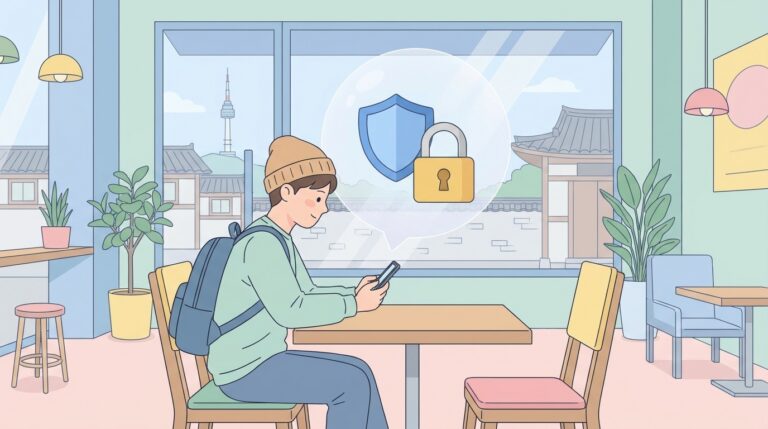
Sometimes you are not on a laptop—you are standing at an Olive Young register or a Seoul café tablet kiosk, and a friendly clerk spins the screen toward you saying, "여기 전체 동의 누르시면 돼요." (Yeogi jeonche dongui nureusimyeon dwaeyo. - Just tap Agree All here.) How do you protect your privacy without making things awkward? Keep a warm smile, make brief polite eye contact, give a gentle nod, and tap only the [필수] boxes yourself while softly saying, "저는 필수 항목만 동의할게요." (Jeoneun pilsu hangmongman donguihalgeyo. - I'll only agree to the mandatory items.) Clerks hear this daily and respect it completely—no weird tension at all!
4-2. Cultural Code: Korea’s “Ppalli-Ppalli” Speed vs. Cyber Caution
Korea’s famous 빨리빨리 (ppalli-ppalli - hurry, hurry) culture makes apps extraordinarily fast and convenient, from Coupang Rocket Delivery to instant K-Pop fan club verifications. Because speed is king, websites place a massive colorful 전체 동의 (Agree to All) button at the top to save you three seconds. Meanwhile, K-Dramas like Taxi Driver highlight how small data slips can snowball into 보이스피싱 (boiseupising - voice phishing). Taking five extra seconds to uncheck 선택 boxes and activate a 패스키 (paeseki - Passkey) is the ultimate modern Seoul life hack.
Phase 5: Real-Life Roleplay Scenario
Setting: A sunlit Hongdae café. You are trying to create an account on a major Korean K-Pop merch & ticketing site before setting up your Passkey security. Your tech-savvy Korean bestie, Minho, leans over your laptop with an iced Americano in hand.
- Minho: 가입 화면 떴어? 잠깐, 그 위에 큰 버튼 바로 누르지 마! (Gaip hwameon tteosseo? Jamkkan, geu wie keun beoteun baro nureuji ma!) (Did the signup screen pop up? Wait, don’t press that big button at the top right away!) 🎭 Minho gently grabs your wrist before your finger hits the mouse.
- You: 어, 왜? 이거 ‘전체 동의’ 누르면 빨리 끝나지 않아? (Eo, wae? Igeo ‘jeonche dongui’ nureumyeon ppalli kkeutnaji ana?) (Huh, why? If I press ‘Agree to All,’ won’t it finish fast?) 🎭 You tilt your head, squinting at the wall of Korean checkboxes.
- Minho: 그럼 선택 항목까지 다 체크돼서 스팸 문자 폭탄 맞아. (Geureom seontaek hangmokkkaji da chekeudwaeseo seupaem munja poktan maja.) (Then even the optional items get checked, and you’ll get hit with a spam text bomb.) 🎭 He dramatically mimics explosions with his hands.
- You: 아, 진짜? 그럼 여기서 뭐만 체크해야 돼? (A, jinjja? Geureom yeogiseo mwoman chekeuhaeya dwae?) (Oh, really? Then what should I check here?) 🎭 You scroll down slowly to inspect the fine print.
- Minho: 괄호 안에 ‘필수’라고 적힌 것만 누르고, 마케팅 수신 동의는 해제해. (Gwalho ane ‘pilsu’rago jeokin geonman nureugo, maketing susin donguineun haejehae.) (Only press the ones labeled ‘mandatory’ in parentheses, and uncheck marketing reception consent.) 🎭 He points cleanly at the tiny gray text.
- You: 여기 ‘개인정보 제3자 제공’도 선택이네. 이것도 꼭 풀어야겠다! (Yeogi ‘gaeinjeongbo jesamja jegong’do seontaegine. Igeotdo kkok pureoyagetda!) (Look, ‘third-party personal info sharing’ is optional too. I definitely need to untie this one!) 🎭 You click carefully with a triumphant grin.
- Minho: 완벽해! 이제 가입 끝나면 보안 설정에서 2단계 인증이나 패스키 꼭 켜 둬. (Wanbyeokae! Ije gaip kkeutnamyeon boan seoljeongeseo idangye injeungina paeseuki kkok kyeo dwo.) (Perfect! Now once signup finishes, make sure to turn on 2FA or a Passkey in security settings.) 🎭 He gives you an approving thumbs-up.
- You: 응! 오늘 덕분에 개인정보 제대로 지켰다. 고마워! (Eung! Oneul deokbune gaeinjeongbo jedaero jikyeotda. Gomawo!) (Yeah! Thanks to you, I properly protected my personal info today. Thanks!) 🎭 You clink your iced latte cup against his Americano.
🔀 Interactive Branching Point: What Do You Click Next?
You reach the final consent popup before enabling your account’s 2FA/Passkey:
* A. Click 전체 동의 (Agree to All) anyway because you are tired of reading Korean.
* B. Check only [필수] 이용약관 and [필수] 개인정보 수집, uncheck [선택] 마케팅 수신 and [선택] 제3자 제공, then turn on Passkey.
* C. Uncheck every single box on the screen, including [필수] boxes, and press Next.
Feedback:
* Choice A (Bad): Your inbox will overflow with daily sale alerts, and affiliate partners may call you. Worse, skipping 2FA leaves your account exposed!
* Choice B (Best): Gold star! You satisfied all legal requirements to join, blocked spam and third-party data sharing, and locked your account down with modern Passkey security.
* Choice C (Risk/Error): The website will freeze and flash a red error message: 필수 동의 항목에 체크해 주세요. (Please check the mandatory consent items.) You cannot create an account without [필수].
Phase 6: 10-Second Emotion Shadowing Drill
Read each line aloud following the / pause markers and lean into the emotion!
[😰 Panicked & urgent]잠깐만! / 전체 동의 / 바로 누르지 마! (Jamkkanman! / Jeonche dongui / baro nureuji ma! — Wait a second! Don’t press Agree to All right away!)[🧐 Focused & cautious]필수 항목만 체크하고 / 마케팅 수신은 / 해제할게요. (Pilsu hangmongman chekeuhago / maketing susineun / haejehalgeyo. — I’ll check only the mandatory items and uncheck marketing reception.)[😌 Relieved & proud]이제 패스키까지 설정했으니 / 개인정보 유출 걱정은 / 끝! (Ije paeseukikkaji seoljeonghaesseuni / gaeinjeongbo yuchul geokjeongeun / kkeut! — Now that I even set up a Passkey, worries about data leaks are over!)
Phase 7: K-Culture Mini Dictionary
- 전체 동의 (jeonche dongui) | Agree to All | Appears at the very top of almost every Korean app, café Wi-Fi, or shopping signup page. Ticking it checks both mandatory and optional boxes at once.
- 제3자 제공 (jesamja jegong) | Third-party sharing | Crucial in both consumer life and Korean business compliance—signifies passing your data to outside partner firms.
- 2단계 인증 / OTP (idangye injeung / o-ti-pi) | Two-factor authentication / One-Time Password | Used constantly in Korean banking (KakaoBank, Toss) and portal logins to prevent unauthorized access.
- 패스키 (paeseki) | Passkey | Rapidly replacing old passwords in Korea via Face ID or fingerprint on Naver, Kakao, and major e-commerce platforms.
Phase 8: Survival Kit for Travelers
Top 3 Survival Phrases
- 필수만 체크하면 되나요? (Pilsuman chekeuhamyeon doenayo?) — Can I just check the mandatory ones? Pro Tip: Use this at department store counters or duty-free kiosks when staff ask you to sign up on a tablet.
- 광고 문자는 안 받고 싶어요. (Gwanggo munjaneun an batgo sipeoyo.) — I don’t want to receive promotional texts. Pro Tip: Super helpful if you register a Korean prepaid SIM card or local loyalty app.
- 해킹 방지용 2차 인증을 켰어요. (Haeking bangjiyong icha injeungeul kyeosseoyo.) — I turned on 2FA to prevent hacking. Pro Tip: Handy when chatting with local friends or troubleshooting account safety with customer support.
Editor’s Travel Note
Before arriving in Korea, set up extra security on the apps you rely on daily—check the Naver Account Security & Passkey Setup Guide and review your KakaoTalk Two-Factor Authentication Settings before connecting to public subway or café Wi-Fi. Also, remember that many Korean sites ask for 본인인증 (bonin injeung - identity verification) via a Korean phone number; if you are traveling short-term on a data-only eSIM, look for global English versions of apps like Interpark Global or Creatrip, and always double-check that [선택] boxes stay unchecked when linking your travel credit card!
Phase 9: One Step Deeper — Privacy in a Hyper-Connected Society
Korea boasts one of the fastest, most seamless digital ecosystems on earth, where a single phone number ties together your banking, transit, and concert tickets. Because everything is so interconnected (초연결 사회 - choyeongyeol sahoe), one careless click on 전체 동의 or skipping 2단계 인증 carries much bigger ripple effects than it might elsewhere. Learning to read 필수 versus 선택 in Korean isn’t just vocabulary practice—it is claiming your digital autonomy in a new culture.
💬 Your Turn: Have you ever accidentally clicked “Agree to All” on a Korean website and regretted the spam afterward? Drop a comment below and tell us which app caught you off guard!
Phase 10: FAQ & Common Mistakes
Q: If I uncheck [선택] 마케팅 정보 수신 (optional marketing consent), will I miss my concert ticket or delivery notifications?
A: Not at all! Essential transactional updates—such as order confirmations, shipping tracking, and 2FA OTP codes—are covered under [필수] service terms, so unchecking marketing only blocks ads and spam.
Q: Why does 개인정보 제3자 제공 (third-party sharing) sometimes appear as [필수] instead of [선택]?
A: Occasionally, a site must share your address with a courier company (like CJ Logistics) to deliver your K-Pop album! When delivery is impossible without it, it becomes [필수]. If it is for partner promotions or insurance, it will be marked [선택].
Q: Is a Passkey (패스키) better than SMS OTP (문자 인증) in Korea?
A: Yes! Passkeys use your phone’s biometrics and cannot be intercepted by phishing links or SIM-swap attacks, making them faster and far safer than waiting for an SMS code while roaming abroad.
🚨 Common Mistakes Top 3
- Mistake: Blindly tapping
전체 동의 (Agree to All)because the text looks overwhelming. Correct Action: Scan strictly for[필수]in brackets and leave[선택]empty. - Mistake: Thinking
선택 항목 해제means deleting your account (회원 탈퇴). Correct Action: Remember해제only unchecks a permission toggle—you are totally safe! - Mistake: Turning off all phone notifications (
알림 끄기) instead of opting out on the website. Correct Action: Uncheck[선택] 마케팅 수신inside the app’s내 정보 관리 (Account Settings)so your data isn’t stored on ad lists.
Phase 11: Action Mission & Engagement
- 🥉 Bronze Mission (Solo Practice): Say
필수 항목만 체크하고 선택 항목은 해제해요aloud three times while pretending to scroll through a Korean signup form. - 🥈 Silver Mission (Share & Connect): Screenshot this post’s Phase 2 cheat sheet and share it with a study buddy who is prepping for their next Korea trip or K-Pop ticket drop!
- 🥇 Gold Mission (Real-World Action): Open one Korean app you already use (like Naver, Coupang, or Weverse), find
마케팅 수신 동의in Settings, verify it is unchecked, and turn on2단계 인증or패스키! - 🎮 K-Culture Mission: Next time you watch a modern K-Drama (like Taxi Driver or Start-Up) or browse a Korean webshop, keep an eagle eye out for
동의 (consent),유출 (leak), or인증 (verification)on screen!
Phase 12: Interactive Quiz Challenge
1. Situation Judgment: You are creating an account on a Korean beauty app. You see: [선택] 개인정보 제3자 제공 및 마케팅 정보 수신 동의. What should you do?
* A) Check it so your shipping address works.
* B) Leave it unchecked (해제) to block third-party ads and promo spam.
* C) Close the browser because you cannot join without checking it.
2. Fill in the Blank: 보안을 강화하려면 비밀번호 대신 ______을(를) 설정하는 게 좋아요. (To strengthen security, it’s good to set up a Passkey instead of a password.)
3. True or False (Cultural Quiz): In Korea, if you do not click 전체 동의 (Agree to All) at the top of a signup page, the website will block you from creating an account.
Click here to reveal the answers & explanations!
- Quiz 1 Answer: B! Since it is labeled
[선택](optional), checking it only hands your info over to partner companies and marketing lists. (If you picked A, don’t worry—delivery info is always handled under[필수]!) - Quiz 2 Answer:
패스키 (paeseki)! You can also use2단계 인증 (idangye injeung)or2차 인증 (icha injeung)for two-factor authentication. - Quiz 3 Answer: False!
전체 동의is just a convenience shortcut. Manually checking only the[필수](mandatory) items is completely allowed and is what privacy-savvy Koreans do every day!
🎬 Watch Our Daily Videos! (Daily Hangul Official Instagram)
Review the expressions you learned in this article with our fun daily short videos! Check out native pronunciation and real-life nuances in action.
- Instagram @dailyhangul_en