Phase 1: Empathy & Storytelling Opening
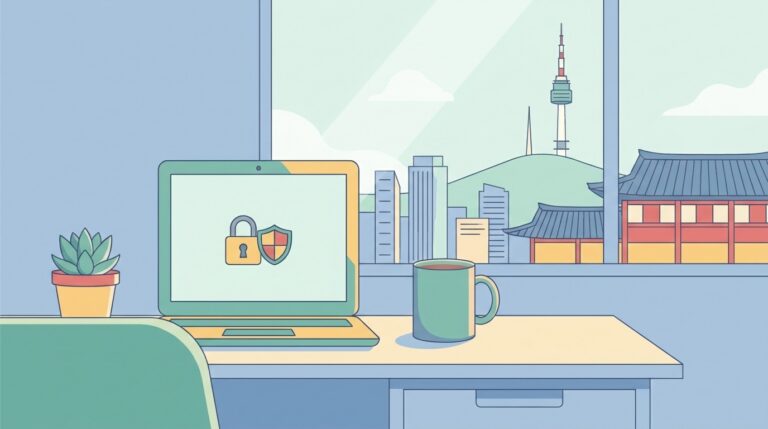
안녕하세요! 매일한글 (Daily Hangul) editor here! Imagine walking into your very first day at a buzzing tech startup in Pangyo Techno Valley—Korea’s bustling Silicon Valley—feeling like a character straight out of the hit K-drama Start-Up. You sit down at your sleek standing desk, take a sip of your iced Americano, and open your brand-new company laptop. Suddenly, the friendly IT lead leans over with a warm smile and says a sentence full of rapid Korean. You catch the word “password,” but freeze up on the rest. Did they tell you to share it? Reset it? Make it safer?
Navigating security protocols in an unfamiliar language is one of the most common anxiety triggers our foreign expat and intern students share with us. Getting password instructions wrong isn’t just awkward; it can lock your company account before your morning coffee cools down! Today, we will break down the essential phrase “비밀번호를 안전하게 변경해 주세요” (Please change your password securely) into bite-sized, friendly pieces so you can feel completely at home in any modern Korean office.
Phase 2: Core Expressions Deep Dive
1. 비밀번호를 변경해 주세요 (Bimilbeonhoreul byeongyeonghae juseyo)
- Pronunciation: [Bimilbeonhoreul byeongyeonghae juseyo] (Sound analogy: Think “Bee-meal burn-ho-reul byun-gyung-hae joo-seh-yo”)
- Meaning: Literal: “Please change the secret number.” / Nuance: “Please change/update your password.”
- K-Culture Moment: You will hear this exact line in office dramas like Misaeng whenever a new team member is onboarded to the intranet.
- Editor’s Insight: Notice the root: 비밀 (bimil = secret) + 번호 (beonho = number). In Korean, a password is literally a “secret number”!
- Situation Spectrum: Casual: ⚠️ | Semi-formal: ✅ | Formal: ✅
- 🤔 Think About It: In English, we say “password,” but Korean traditionally highlights “secret number” (비밀번호). How does emphasizing numbers versus words reflect the digital registration habits of different cultures?
2. 안전하게 설정하세요 (Anjeonhage seoljeonghaseyo)
- Pronunciation: [Anjeonhage seoljeonghaseyo] (Sound analogy: “Ahn-jun-ha-geh sull-jung-ha-seh-yo”)
- Meaning: Literal: “Set it up safely.” / Nuance: “Please create a strong/secure password.”
- K-Culture Moment: When setting up banking apps like Toss or KakaoPay, pop-ups will urge you to set passwords “안전하게” (safely) without consecutive numbers.
- Editor’s Insight: 안전 (anjeon) means “safety” or “security.” Adding -하게 (-hage) turns it into the adverb “securely/safely.”
- Situation Spectrum: Casual: ⚠️ | Semi-formal: ✅ | Formal: ✅
- 🤔 Think About It: Notice the polite ending -세요 (-seyo). Korean workplaces soften direct commands into polite requests to maintain team harmony.
3. 다시 로그인해 주세요 (Dasi rogeuinhae juseyo)
- Pronunciation: [Dasi rogeuinhae juseyo] (Sound analogy: “Dah-shee low-geu-een-hae joo-seh-yo”)
- Meaning: Literal: “Please do login again.” / Nuance: “Please log back in.”
- K-Culture Moment: After IT updates your software permissions, your colleague will give you an encouraging nod and say this so you can test your access.
- Editor’s Insight: 로그인 (rogeuin) is pure Konglish (Korean + English) for “Login”! Paired with 다시 (dasi = again), it creates an effortless everyday tech command.
- Situation Spectrum: Casual: ⚠️ | Semi-formal: ✅ | Formal: ✅
- 🤔 Think About It: Korean readily adopts English tech nouns and combines them with 하다 (hada = to do). What loanwords has your native language borrowed for tech?
Phase 3: Textbook Korean vs. Real-World Korean
Situation 1: Talking About Passwords
- 📖 교과서 한국어 (Textbook Korean): 비밀번호를 입력하십시오. (Bimilbeonhoreul imnyeokhasipsio. / Please enter your password.)
- 🗣️ 진짜 한국어 (Real-World Korean): 비번 쳐주세요. (Bibeon chyeojuseyo. / Please type in your password.)
- 💡 왜 다를까? (Why the difference?): In real Korean offices and friend circles, almost nobody pronounces all four syllables of “비밀번호.” They shorten it to 비번 (Bibeon) and use 치다 (chida = to hit/type) instead of the stiff formal verb “입력하다” (to input).
Situation 2: Rebooting the Computer
- 📖 교과서 한국어 (Textbook Korean): 컴퓨터를 재시작하십시오. (Keompyuteoreul jaesijakhasipsio. / Restart the computer.)
- 🗣️ 진짜 한국어 (Real-World Korean): 재부팅 한번 해보세요. (Jaebuting hanbeon haeboseyo. / Try rebooting it once.)
- 💡 왜 다를까? (Why the difference?): Startups favor the Konglish term 재부팅 (jaebuting = rebooting) combined with the gentle trial phrase 한번 해보세요 (hanbeon haeboseyo = try doing it once) to sound approachable and supportive.
Phase 4: K-Culture Deep Dive & Non-Verbal Manners
4-1. 눈치 (Nunchi) & Office Gestures: The “Manner Turn”
When an IT colleague or teammate is typing their password at a workstation near you, Korean office etiquette requires sharp 눈치 (nunchi = situational awareness). Even if you are having an engaging conversation, reflexively tilt your head or gaze away from their keyboard. Staring toward someone’s fingers while they type a password—even unintentionally—is considered a major privacy faux pas! If they are helping you at your desk, take a step back and fold your hands politely to give them screen space.
4-2. Cultural Code: The Startup “Ppalli-Ppalli” Meets Security
Korea is internationally famous for 빨리빨리 (ppalli-ppalli = quick, hurry-up) culture, but when it comes to personal data (개인정보), compliance is ironclad. Due to strict national personal data privacy regulations, Korean startups enforce 90-day mandatory password change cycles and two-factor authentication (2FA). When a manager says “비밀번호를 안전하게 변경해 주세요” (Please change your password securely), they are balancing startup agility with collective digital safety.
Phase 5: Real-World Roleplay Scenario
- Setting: The open-space IT helpdesk of a Pangyo startup.
- Characters:
- Alex: A new foreign marketing intern on their first day.
- Min-woo (민우): The friendly, sneaker-wearing IT manager.
1. 민우 (Min-woo): 알렉스 씨, 초기 비밀번호로 로그인하셨어요? (Alex ssi, chogi bimilbeonhoro rogeuinhasyeosseoyo? / Alex, did you log in with the initial password?) 🎭 Smiling warmly while holding an employee badge
2. Alex: 네, 방금 로그인 성공했어요! (Ne, banggeum rogeuin seonggonghaesseoyo! / Yes, I just logged in successfully!) 🎭 Pointing happily at the welcome screen
3. 민우 (Min-woo): 좋아요! 그럼 비밀번호를 안전하게 변경해 주세요. (Joh-ayo! Geureom bimilbeonhoreul anjeonhage byeongyeonghae juseyo. / Great! Then please change your password securely.) 🎭 Tapping the security checklist clipboard
4. Alex: 안전한 비밀번호는 어떻게 만들어요? (Anjeonhan bimilbeonhoneun eotteoke mandeureoyo? / How do I make a secure password?) 🎭 Tilting head curiously
5. 민우 (Min-woo): 특수문자랑 숫자를 꼭 포함해 주세요. (Teuksumunjarang sutjareul kkok pohamhae juseyo. / Please make sure to include special characters and numbers.) 🎭 Pointing gently to the guideline prompt
6. Alex: 알겠습니다. 지금 바로 변경할게요! (Algetseumnida. Jigeum baro byeongyeonghalgeyo! / Understood. I will change it right away!) 🎭 Typing with hands covering the angle
7. 민우 (Min-woo): 완벽해요. 이제 다시 로그인해 주세요! (Wanbyeokhaeyo. Ije dasi rogeuinhae juseyo! / Perfect. Now please log in again!) 🎭 Stepping back politely to look away
8. Alex: 네, 새 비번으로 잘 접속돼요. 감사합니다! (Ne, sae bibeoneuro jal jeopskdwaeyo. Gamsahamnida! / Yes, it connects well with the new password. Thank you!) 🎭 Giving a polite 15-degree nod
🔀 Interactive Branching Moment: What should Alex do when prompted to change the password?
- Choice A: Type “123456” quickly to finish fast and say: “다 했어요!” (Da haesseoyo! / Done!)
- Feedback (Bad): ❌ Min-woo will gently sigh. Ultra-simple passwords violate security compliance and show poor attention to team safety guidelines.
- Choice B: Ask Min-woo: “민우 씨 비번 뭐 써요?” (Min-woo ssi bibeon mwo sseoyo? / Min-woo, what password do you use?)
- Feedback (Risk): ⚠️ Asking a colleague for their personal password crosses boundaries and creates an awkward silence.
- Choice C: Create a phrase with symbols, update it, and say: “안전하게 변경했습니다!” (Anjeonhage byeongyeonghaetseumnida! / I changed it securely!)
- Feedback (Best): ✅ Perfect! Professional, secure, and shows great Korean workplace manners.
Phase 6: 10-Second Emotion Shadowing Drill
Practice these lines out loud! Use the slashes / as natural breath pauses.
[🔐 신중하고 확실하게 - Carefully & Confidently]- 비밀번호를 / 안전하게 / 변경해 주세요.
- (Bimilbeonhoreul / anjeonhage / byeongyeonghae juseyo.)
- “Please change your password / safely.”
[💡 가볍고 상냥하게 - Lightly & Cheerfully]- 비번 바꾼 후에 / 다시 로그인해 주세요.
- (Bibeon bakkun hue / dasi rogeuinhae juseyo.)
- “After changing your password / please log in again.”
[🤝 싹싹하고 프로페셔널하게 - Eagerly & Professionally]- 지금 바로 / 안전한 비밀번호로 / 설정할게요!
- (Jigeum baro / anjeonhan bimilbeonhoro / seoljeonghalgeyo!)
- “Right now / to a secure password / I will set it up!”
Phase 7: K-Culture Mini Dictionary
- 비번 (Bibeon) | Noun (Slang/Abbreviation) | Short for 비밀번호 (password). The default spoken term used in chats, cafés, and IT desks.
- 보안 (Boan) | Noun | Security. Seen everywhere on badge scanners (보안 카드 = security card) and office access doors.
- 계정 (Gyejeong) | Noun | Account. Used when setting up Slack, Google Workspace, or Notion (계정 생성 = account creation).
- 초기화 (Chogihwa) | Noun | Reset / Initialization. Used when resetting locked passwords (비번 초기화 = password reset).
Phase 8: Traveler’s Survival Kit
Even if you aren’t working full-time in Seoul, travelers using co-working spaces or modern cafés need these survival phrases:
- 와이파이 비번 알려주세요. (Wa-i-pa-i bibeon allyeojuseyo. / Please let me know the Wi-Fi password.)
- Pro Tip: Look at the bottom of your payment receipt first! 90% of Korean cafés print the Wi-Fi password right next to the order number.
- 로그인이 안 돼요. (Rogeu-in-i an dwaeyo. / I cannot log in.)
- Pro Tip: Useful when public Wi-Fi splash pages or co-working meeting room screens throw an error.
- 비번 바꿨어요! (Bibeon bakkwosseoyo! / I changed my password!)
- Pro Tip: A crisp, casual way to inform team members or peers that your shared login credentials have been updated.
- Editor’s Travel Note: To locate vibrant laptop-friendly work cafés and co-working spots in Gangnam, skip Google Maps (which has limited walking routes in Korea) and use 네이버 지도 앱 다운로드 to search for “공유오피스” (shared office) or “노트북 하기 좋은 카페” (laptop-friendly café).
Phase 9: Going One Step Deeper
In many Western workplaces, password updates are treated as purely individual administrative chores. In Korea, however, IT security is strongly tied to community harmony (공동체 의식). A breach in one employee’s account affects the entire team’s project flow and reputation. When your senior or IT lead says “비밀번호를 안전하게 변경해 주세요,” it is not micro-management; it is a shared ritual of protecting the team’s shared digital home.
- 💬 Your Turn: Does your workplace require regular password updates, or do you use biometric logins? Have you ever had an embarrassing tech mix-up on your first day? Share your story in the comments below!
Phase 10: FAQ & Misconception Prevention
Q: Can I use “패스워드” (Paeseu-wodeu) instead of “비밀번호” (Bimilbeonho)?
A: Yes, Koreans understand “패스워드” perfectly! However, in everyday conversation and official system interfaces, 비밀번호 (or its spoken form 비번) is used at least five times more frequently.
Q: What is the difference between “바꿔 주세요” and “변경해 주세요”?
A: Both mean “Please change it.” However, 바꿔 주세요 (bakkwo juseyo) is pure native Korean and feels conversational and casual. 변경해 주세요 (byeongyeonghae juseyo) uses Sino-Korean vocabulary (變更) and sounds much more professional, standard, and polite in office settings.
Q: If someone asks for my “비번”, is it rude to refuse to give it to them?
A: Not at all! Company security regulations strictly forbid sharing personal passwords. You can politely smile and say: “보안 때문에 직접 입력할게요!” (Boan ttaemune jikjeop imnyeokhalgeyo! / Because of security, I will type it in myself!). They will respect your professionalism.
🚨 Common Mistakes Warning Board
- Mistake: Saying “제 비밀번호를 보세요” (Look at my password).
- Correct Action: Say “제가 직접 입력할게요” (I will type it myself). Never invite others to stare at your credentials.
- Mistake: Writing 비번 in formal company documentation.
- Correct Action: Use 비밀번호 in writing or official emails; reserve 비번 for spoken chat and Slack messages.
- Mistake: Confusing 초기화 (reset) with 로그아웃 (log out).
- Correct Action: If you just want to step away from your desk, ask for 로그아웃, not 초기화, or IT might wipe your credentials!
Phase 11: Action Missions
- 🥉 Bronze Mission (Solo Shadowing): Stand in front of your computer screen, cover your hands as if typing, and say out loud three times: “비밀번호를 안전하게 변경해 주세요!”
- 🥈 Silver Mission (Social Share): Go to your social media or language study notebook and write the breakdown of 비밀 (Secret) + 번호 (Number) = 비밀번호, sharing this fun root origin with fellow Korean learners.
- 🥇 Gold Mission (Real-World Execution): Next time you visit a café in Korea or chat with a Korean colleague on Slack, try using the slang word “비번” instead of “Password”!
- 🎮 K-Culture Mission: Watch Episode 1 or 2 of the K-drama Start-Up or Misaeng. Listen closely during office orientation scenes to see if you can catch the word 비밀번호 or 보안!
Phase 12: Interactive Quiz Challenge
1. [Situation Judgment] Your IT manager asks you to update your default startup login. Which phrase is the most natural and polite response?
* A) 비번 안 바꿔요. (Bibeon an bakkwoyo.)
* B) 지금 안전하게 변경할게요! (Jigeum anjeonhage byeongyeonghalgeyo!)
* C) 제 비번 1234예요. (Je bibeon il-i-sam-sa-yeyo.)
2. [Fill-in-the-Blank] Complete the phrase meaning “Please log in again”:
* “다시 _________해 주세요.”
3. [True or False Cultural Quiz] In Korean office culture, it is considered polite to stand right next to someone and watch their keyboard while they type their password to show you are paying close attention.
* (True / False)
👉 Click here for answers and explanations!
- Answer: B. “지금 안전하게 변경할게요!” (I will change it securely right now!) demonstrates cooperation, politeness, and security awareness.
- Answer: 로그인 (Rogeuin). The full sentence is “다시 로그인해 주세요” (Please log in again).
- Answer: False! Looking at someone’s hands while typing a password violates 눈치 (nunchi) and etiquette. You should always politely avert your eyes.
🎬 Watch Our Daily Videos! (Daily Hangul Official Instagram)
Review the expressions you learned in this article with our fun daily short videos! Check out native pronunciation and real-life nuances in action.
- Instagram @dailyhangul_en