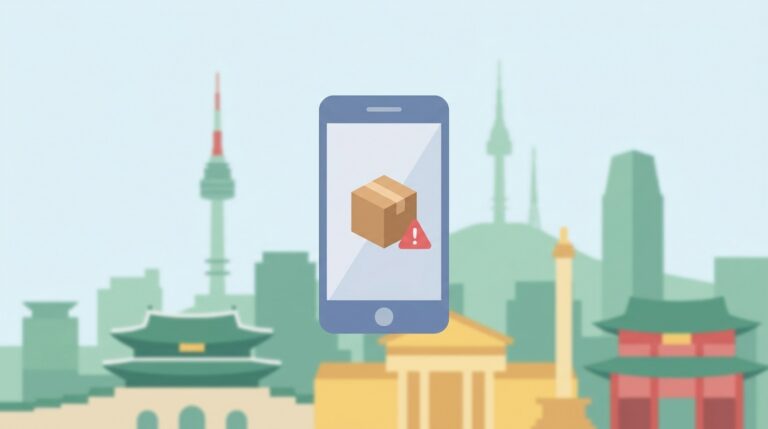
Don’t Tap That Parcel Link: How to Spot Smishing and Block Phone Charges in Korea
Phase 1: Empathy & K-Culture Reality Check
안녕하세요! It’s your Daily Hangul editor.
Picture this: You are living your best life in Seoul, binge-watching your favorite K-drama, and eagerly waiting for your late-night Coupang Rocket Delivery (쿠팡 로켓배송) to arrive. Suddenly, your phone buzzes with a crisp text notification: “[CJ대한통운] 주소 불명 배송 보관 중, 주소지 확인 요망: http://bit.ly/kr-box” (Parcel delivery held due to address error. Verify address). Or maybe it’s spring wedding season, and you receive: “모바일 청첩장이 도착했습니다. 소중한 분을 초대합니다” (A mobile wedding invitation has arrived. Tap to view) with a random clickable link.
Your thumb hovers over the screen. You wonder, Did I mistype my studio apartment room number? Is an old language exchange partner getting married? Stop right there! In Korea’s hyper-fast digital culture, scammers exploit our natural trust in lightning-fast delivery and social courtesy. Tapping that single link can secretly install malicious APK spyware, draining hundreds of thousands of won through mobile micropayments (휴대폰 소액결제).
Many of our international students have panicked after seeing unauthorized 500,000 KRW billing charges on their telecom statements. Today, we are transforming you from an unsuspecting target into a street-smart local navigator. By the end of this guide, you will master the exact Korean expressions needed to identify scams, contact your carrier, and freeze unauthorized micropayments with complete confidence.
Phase 2: Core Expressions Deep Dive
1. 링크 누르지 마세요 (Ring-keu nu-reu-ji ma-se-yo)
- Pronunciation: [Ring-keu nu-reu-ji ma-se-yo] (Sound analog: Say “ring” like the jewelry + “kuh”, then “noo-roo-jee”, finished with “mah-seh-yo” like saying “yo” to a friend.)
- Meaning: “Please do not tap/click the link.” (Literal: Link / do not press / please do)
- K-Culture Moment: Seen frequently on public safety announcements and security advisories from delivery giants like CJ Logistics or Postal Service alerts.
- Editor’s Insight: The verb 누르다 (nu-reu-da) means “to press” or “to push.” In digital contexts, Koreans use it interchangeably for clicking a mouse or tapping a smartphone screen. The ending -지 마세요 (-ji ma-se-yo) creates a polite yet firm prohibition. If a friend looks confused at a weird text, this is your immediate go-to line.
- Situation Spectrum:
- Casual: ⚠️ (To close friends: 링크 누르지 마! Ring-keu nu-reu-ji ma!)
- Semi-formal / Polite: ✅ (링크 누르지 마세요)
- Formal: ✅ (링크를 누르지 마십시오 Ring-keu-reul nu-reu-ji ma-sip-si-o)
- 🤔 Think About It: In English, we often say “Don’t open the text,” but Korean focuses specifically on the physical action of tapping the URL (링크 누르다). Why do you think Korean cyber warnings emphasize the URL trigger rather than opening the message itself?
2. 소액결제 차단해 주세요 (So-aek-gyeol-je cha-dan-hae ju-se-yo)
- Pronunciation: [So-aek-gyeol-je cha-dan-hae ju-se-yo] (Sound analog: “Soh-eck” as in eclectic + “gyul-jeh” + “chah-dahn” like a martial arts block + “heh joo-seh-yo”.)
- Meaning: “Please block mobile micropayments.” (Literal: Small-amount payment / block / please do for me)
- K-Culture Moment: Used when calling telecommunications customer centers (SKT, KT, LGU+) or speaking at local carrier storefronts (대리점).
- Editor’s Insight: 소액결제 (So-aek-gyeol-je) allows purchases (games, food delivery, app items) to be billed directly to your monthly phone bill without a credit card. It is super convenient for Koreans, but a goldmine for smishing hackers. Asking to 차단 (cha-dan) means completely blocking this feature so unauthorized payments cannot physically go through.
- Situation Spectrum:
- Casual: 🚫 (Not used in casual banter; strictly an administrative request)
- Semi-formal: ✅ (소액결제 차단해 주세요)
- Formal: ✅ (소액결제 서비스 차단을 요청합니다 So-aek-gyeol-je seo-bi-seu cha-dan-eul yo-cheong-ham-ni-da)
- 🤔 Think About It: Korean services frequently combine Sino-Korean nouns (소액: small amount + 결제: payment + 차단: blocking) for precision. How does your native language compress complex administrative terms into daily requests?
3. 스미싱 의심 문자를 받았어요 (Seu-mi-sing ui-sim mun-ja-reul ba-da-sseo-yo)
- Pronunciation: [Seu-mi-sing ui-sim mun-ja-reul ba-da-sseo-yo] (Sound analog: “S-me-sing” + “wee-sheem” like wishing + “moon-jah-reul” + “bah-dah-ssuh-yo”.)
- Meaning: “I received a suspicious text message that seems like smishing.” (Literal: Smishing / suspicion / text message / received)
- K-Culture Moment: The opening line when reporting a cyber incident to the police cyber bureau (182) or cybersecurity center (118).
- Editor’s Insight: Notice the word 의심 (ui-sim), which means “suspicion” or “doubt.” Combining noun + 의심 (e.g., 스미싱 의심 문자, 보이스피싱 의심 전화) is the most natural, native way to report something strange before an investigation confirms it.
- Situation Spectrum:
- Casual: ⚠️ (스미싱 문자 같아 Seu-mi-sing mun-ja gat-a)
- Semi-formal / Polite: ✅ (스미싱 의심 문자를 받았어요)
- Formal: ✅ (스미싱 의심 문자를 수신했습니다 Seu-mi-sing ui-sim mun-ja-reul su-sin-haet-seum-ni-da)
- 🤔 Think About It: How does qualifying a report with “suspicious” (의심) protect both the speaker and the service representative in high-stress customer support interactions?
Phase 3: Textbook Korean vs. Real Korean
Situation 1: Warning your roommate not to touch a weird text link
- 📖 교과서 한국어 (Textbook Korean): 수상한 인터넷 주소를 클릭하지 마십시오. (Su-sang-han in-teo-net ju-so-reul keul-lik-ha-ji ma-sip-si-o. – Do not click suspicious internet addresses.)
- 🗣️ 진짜 한국어 (Real Korean): 이거 스미싱이니까 링크 절대 누르지 마! (I-geo seu-mi-sing-i-ni-kka ring-keu jeol-dae nu-reu-ji ma! – This is smishing, so never tap the link!)
- 💡 왜 다를까? (Why is it different?): Textbook phrasing sounds like a government billboard from 2005. Real young adults immediately identify the scam type (스미싱) and use the emphatic adverb 절대 (jeol-dae, never) with the active verb 누르다.
Situation 2: Asking your carrier to disable the billing service
- 📖 교과서 한국어 (Textbook Korean): 전화 소액결제 기능의 중단을 신청하고 싶습니다. (Jeon-hwa so-aek-gyeol-je gi-neung-ui jung-dan-eul sin-cheong-ha-go sip-seum-ni-da. – I wish to apply for the suspension of the telephone micropayment function.)
- 🗣️ 진짜 한국어 (Real Korean): 제 폰 소액결제 좀 다 막아주세요. (Je pon so-aek-gyeol-je jom da mag-a-ju-se-yo. – Please just block all micropayments on my phone.)
- 💡 왜 다를까? (Why is it different?): In spoken Korean, 막다 (mak-da, to block/plug up) is much more common than the heavy Sino-Korean words like 중단 (suspension). Adding 좀 (jom, a little/please) softens the command into a polite everyday request.
Phase 4: K-Culture Deep Dive & Non-Verbal Manners
4-1. 눈치 (Nunchi) & Smart Non-Verbal Behavior
If a Korean friend or coworker hands you their phone saying, “이거 뭐야? 이상한 문자 왔어” (What is this? I got a weird text), watch your hands! Never reach out and tap the screen. Keep your hands behind your back or hold only the edges of the phone case. Point with your finger held an inch above the display. Touching someone’s screen without thinking might trigger a background installation of malicious code. Use an alarmed yet calm eyebrow raise and a gentle head shake while warning them.
4-2. The Cultural Traps: Fast Couriers and Mobile Invitations
Why are Koreans so vulnerable to smishing despite being tech pioneers? It comes down to two cultural phenomena:
1. The ‘Ppalli-Ppalli’ (빨리빨리) Delivery Culture: Korea’s logistics network is unmatched. Most Koreans receive multiple parcels weekly. When an SMS claims an address is wrong, our immediate urge is to fix it so our delivery isn’t delayed.
2. Mobile Wedding Invitations (모바일 청첩장): In modern Korea, paper invitations are often replaced or accompanied by beautiful mobile web links containing photos, map directions, and bank account numbers for gift money (축의금). Scammers take advantage of the social expectation that you should congratulate acquaintances, disguising malware links as wedding or funeral notifications.
Phase 5: Real-Life Roleplay Scenario
Setting: Alex is at a local cafe in Sinchon with Korean university senior Minho. Alex’s phone vibrates.
- Turn 1 (Alex): 민호 형, 택배 주소 확인하라는 문자가 왔는데 이거 눌러봐도 돼요? (Min-ho hyeong, taek-bae ju-so hwag-in-ha-ra-neun mun-ja-ga wat-neun-de i-geo nul-leo-bwa-do dwae-yo?)
🎭 Showing the phone screen carefully without touching the glass. -
Turn 2 (Minho): 잠깐만, 어디 봐봐… 링크 주소가 이상한데? 절대 누르면 안 돼! (Jam-kkan-man, eo-di bwa-bwa… ring-keu ju-so-ga i-sang-han-de? Jeol-dae nu-reu-myeon an dwae!)
🎭 Squinting with concern and pushing Alex’s hand gently back. -
Turn 3 (Alex): 진짜요? 저 어제 신발 주문해서 진짜 택배인 줄 알았어요. (Jin-jja-yo? Jeo eo-je sin-bal ju-mun-hae-seo jin-jja taek-bae-in jul al-a-sseo-yo.)
🎭 Sighing in relief while pulling the phone closer. -
Turn 4 (Minho): 요즘 택배 사칭 스미싱 진짜 많아. 택배사는 개인 번호나 이상한 URL로 문자 안 보내. (Yo-jeum taek-bae sa-ching seu-mi-sing jin-jja man-a. Taek-bae-sa-neun gae-in beon-ho-na i-sang-han URL-lo mun-ja an bo-nae.)
🎭 Tapping his own chest reassuringly. -
Turn 5 (Alex): 혹시 실수로 눌렀으면 어떻게 해요? 소액결제 같은 거 털려요? (Hok-si sil-su-ro nul-leo-sseu-myeon eo-tteo-khe hae-yo? So-aek-gyeol-je gat-eun geo teol-lyeo-yo?)
🎭 Looking anxious and checking settings. -
Turn 6 (Minho): 응, 악성 앱 깔리면 결제될 수 있어. 지금 통신사 앱 켜서 소액결제 바로 차단해. (Eung, ak-seong aep kkal-li-myeon gyeol-je-doel su it-seo. Ji-geum tong-sin-sa aep kyeo-seo so-aek-gyeol-je ba-ro cha-dan-hae.)
🎭 Making a sharp slicing gesture with his hand. -
Turn 7 (Alex): 통신사 고객센터에 전화해서 막아달라고 해도 되죠? (Tong-sin-sa go-gaek-sen-teo-e jeon-hwa-hae-seo mag-a-dal-la-go hae-do doe-jyo?)
🎭 Nodding decisively. -
Turn 8 (Minho): 당연하지! 114 전화해서 ‘소액결제 차단해 주세요’ 하면 1분 만에 끝나. (Dang-yeon-ha-ji! Il-il-sa jeon-hwa-hae-seo ‘So-aek-gyeol-je cha-dan-hae ju-se-yo’ ha-myeon il-bun man-e kkeun-na.)
🎭 Giving a big thumbs up.
🔀 Interactive Decision Fork
Alex wants to confirm whether a parcel message is real or fake. What should Alex do right now?
- Option A: Click the link to check the tracking number just once to be sure.
Feedback: ❌ High Risk! Never click the link. Even viewing the site may trigger an auto-download of malicious script. - Option B: Open the official shopping app (e.g., Coupang, Naver Shopping) directly to inspect the delivery tracker.
Feedback: 🌟 Best Action! Legitimate logistics systems always sync with your verified user app. No URL tapping required. - Option C: Call the phone number that sent the text message directly.
Feedback: ⚠️ Bad Idea! Smishing gangs spoof sender numbers or connect you directly to phone scammers pretending to be courier drivers.
Phase 6: 10-Second Emotion Shadowing Drill
Practice these natural rhythm pauses (/) with maximum emotion!
[🚨 긴급하고 단호하게 - Urgent & Resolute]
“그 링크 / 절대 누르지 마세요! / 스미싱이에요!”
(Geu ring-keu / jeol-dae nu-reu-ji ma-se-yo! / Seu-mi-sing-i-e-yo!)
“That link / never click it! / It’s smishing!”-
[😰 당황스럽고 걱정스럽게 - Confused & Anxious]
“모르는 번호로 / 모바일 청첩장이 왔는데 / 어떻게 하죠?”
(Mo-reu-neun beon-ho-ro / mo-ba-il cheong-cheop-jang-i wat-neun-de / eo-tteo-khe ha-jyo?)
“A mobile wedding invitation arrived / from an unknown number / what should I do?” -
[📞 정중하고 명확하게 - Polite & Authoritative on the Phone]
“제 번호의 / 휴대폰 소액결제를 / 완전히 차단해 주세요.”
(Je beon-ho-ui / hyu-dae-pon so-aek-gyeol-je-reul / wan-jeon-hi cha-dan-hae ju-se-yo.)
“For my phone number / mobile carrier micropayments / please block them completely.”
Phase 7: K-Culture Mini Dictionary
-
스미싱 (Seu-mi-sing) | Smishing (SMS + Phishing)
A portmanteau of SMS and phishing. In Korean society, it specifically designates fraudulent text messages enticing users to click harmful URLs that trigger malware installations. -
모바일 청첩장 (Mo-ba-il Cheong-cheop-jang) | Mobile Wedding Invitation
A responsive web flyer sent via KakaoTalk or SMS celebrating upcoming nuptials. Because they almost always feature a web link, they have become one of the most common smishing disguised traps. -
소액결제 (So-aek-gyeol-je) | Mobile Carrier Billing (Micropayment)
A feature enabling users to charge purchases up to 1,000,000 KRW/month directly to their carrier bill. Expats should proactively set this limit to 0 KRW. -
고객센터 (Go-gaek-sen-teo) | Customer Service Center
Dialing 114 on any active Korean phone connects directly to your telecom customer center free of charge.
Phase 8: Survival Kit for Travelers & Expats
TOP 3 Survival Phrases
- 문자 링크 눌렀는데 어떡해요? (Mun-ja ring-keu nul-leot-neun-de eo-tteok-hae-yo?)
Meaning: I clicked the text link, what should I do?
Pro Tip: Memorize this when rushing to an IT support friend or phone repair shop. - 소액결제 한도를 0원으로 줄여주세요. (So-aek-gyeol-je han-do-reul yeong-won-eu-ro jul-yeo-ju-se-yo.)
Meaning: Please reduce my micropayment limit to 0 won.
Pro Tip: Use this if you don’t want to completely disable the carrier service. - 경찰청 사이버수사대에 신고하고 싶어요. (Gyeong-chal-cheong sa-i-beo-su-sa-dae-e sin-go-ha-go sip-eo-yo.)
Meaning: I want to report this to the National Police Cyber Crime Bureau.
Editor’s Travel Note
Always install the official mobile app for your carrier (T world for SKT, My KT for KT, or U+고객센터 for LG U+). You can block micropayments instantly inside the app settings without speaking Korean on the phone! For reporting suspicious SMS messages without dialing the police, use the official portal at the Korea Internet & Security Agency 118 cyber counseling service to log phishing evidence safely.
Phase 9: One Step Deeper
Korea is renowned as one of the world’s most trusting societies; people leave laptops on cafe tables and wallets on subway seats without fear of theft. However, this high level of baseline communal trust creates an ironic vulnerability in cyberspace. Because Koreans rarely expect deceit in everyday interactions like package deliveries or wedding announcements, social engineering scams thrive. Learning to say “아니요” (No) to an unverified text link is not being paranoid—it is an essential life skill in an ultra-connected nation.
💬 Your Turn: Have you ever received a suspicious text message pretending to be a postal courier in your home country? How did you respond? Let us know in the comments below!
Phase 10: FAQ & Common Mistakes
Q: What should I do immediately if I accidentally tapped a suspicious link?
A: Switch your phone to Airplane Mode (비행기 탑승 모드) instantly to cut off internet access. Then, check your file manager for any newly downloaded .apk files and delete them, run an antivirus scan (such as V3 Mobile Plus), and call your carrier at 114 using another phone to freeze micropayments.
Q: Do actual Korean logistics companies ever send URLs in delivery messages?
A: Many real parcel companies now avoid sending bare links. Instead, legitimate notifications arrive through KakaoTalk Alimtalk (카카오톡 알림톡) bearing a verified yellow shield badge. If a regular SMS from an 010 mobile number contains an unverified URL shortener (e.g., bit.ly, tinyurl), it is almost guaranteed to be a scam.
Q: I have a prepaid SIM card (선불 유심). Can I still be a victim of mobile micropayments?
A: Pure prepaid SIM cards generally cannot process post-paid micropayments. However, scammers can still access personal accounts, steal KakaoTalk login tokens, or secretly make international outgoing calls from your balance. Staying cautious is essential regardless of your phone plan!
🚨 Common Mistakes Alert
- Calling the phone number back: Mistake! Scammers spoof their caller ID to display real numbers of innocent people or direct call-center imposters. Never call the sender directly.
- Replying with angry messages: Mistake! Replying to the SMS alerts the smishing software that your phone number is active, resulting in tenfold more spam.
- Assuming your bank account is untouched: Mistake! Some malware reads incoming two-factor authorization SMS codes. Always check your bank security certificates if an unknown app installs.
Phase 11: Action Mission
- 🥉 Bronze Level: Open your phone settings right now and verify that “Install Unknown Apps” (출처를 알 수 없는 앱 설치) is switched OFF.
- 🥈 Silver Level: Teach a foreign friend or study buddy the phrase: “링크 누르지 마세요!” (Don’t tap the link!).
- 🥇 Gold Level: Open your Korean carrier application (T world, KT, or LGU+) or call 114 to adjust your 소액결제 (micropayment) limit to 0 won.
- 🎮 K-Culture Mission: Watch a clip of a Korean thriller drama (such as Voice or Taxi Driver) and spot scenes where detectives track voice phishing (보이스피싱) call hubs!
Phase 12: Interactive Quiz Challenge
Test your instincts and vocabulary!
1. Situation Judgment
You receive a text: “[우체국택배] 수취인 불명으로 반송 예정. 주소 재확인: http://koreapost-kr.xyz”. What is the most appropriate action?
* A) Tap the link to check your recipient details.
* B) Text back “주소 맞아요” (The address is correct).
* C) Do not tap the link; verify with the Korea Post app or delete the text immediately.
2. Fill in the Blank
Complete the sentence to tell the customer service agent to disable micropayments:
“제 번호로 ____________ 차단해 주세요.”
* A) 택배 주소 (Taek-bae ju-so)
* B) 소액결제 (So-aek-gyeol-je)
* C) 청첩장 (Cheong-cheop-jang)
3. True or False
True or False: A real Korean wedding invitation sent by an acquaintance via SMS will always install an application on your Android phone before showing the bride and groom’s photos.
🔍 Click here to reveal Answers & Explanations!
-
Answer: C
Explanation: Real Korea Post links never end with strange domains like.xyz. Never tap the link. -
Answer: B (소액결제 – So-aek-gyeol-je)
Explanation: “제 번호로 소액결제 차단해 주세요” translates to “Please block mobile micropayments on my number.” -
Answer: False
Explanation: Real mobile invitations open directly as web pages in your mobile browser. Any invitation asking you to install a file or.apkapplication is malicious smishing!