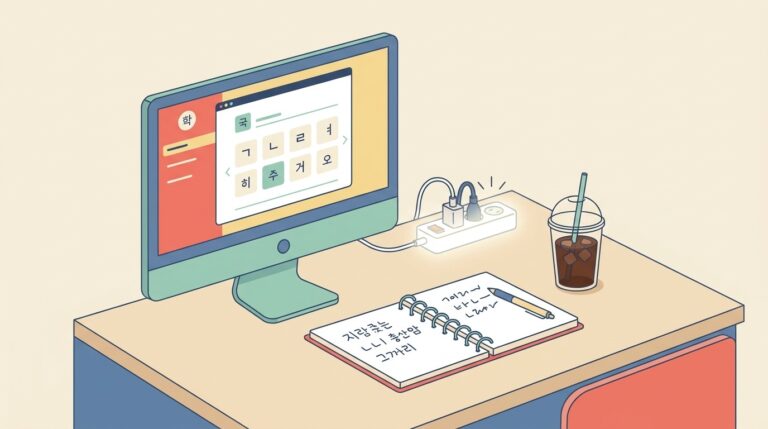
Surviving Day One at a Korean Office: Turning on Your Computer & Setting Up
Phase 1: Empathy (Story-Immersive Opening)
안녕하세요! I’m your Daily Hangul editor, your personal cultural navigator.
Imagine this: You walk into your sleek office in Teheran-ro, Gangnam. The scent of fresh roasted coffee drifts through the air, and colleagues in tailored suits are exchanging polite nods with a crisp “좋은 아침입니다!” (Joeun achimimnida / Good morning!). You sit at your cubicle, eager to prove yourself. You reach down to boot up your desktop… and nothing happens. The screen stays pitch black. The power strip under the desk is an intimidating tangle of plugs. You want to ask for help, but your mind goes blank. How do you say “How do I turn this on?” without sounding completely lost?
If you have ever watched the K-Drama Misaeng (Incomplete Life), you know that office life in Korea starts with small, vital daily rituals—from turning on your PC to mastering the office coffee machine. Learning how to navigate basic office equipment in Korean not only saves you from awkward morning sweat, but also builds immediate trust with your teammates. This guide is crafted directly from real office onboarding experiences of foreign professionals in Seoul. Let’s make your Korean office life smooth and stress-free!
Phase 2: Key Expressions In-Depth Analysis
1. 컴퓨터 켜다 (Keompyuteo kyeoda) / 컴퓨터 켜세요 (Keompyuteo kyeoseyo)
- Pronunciation: [Keom-pyu-teo kyeo-da] (Think of kyeo like the English word “cure” without the ‘r’ ending, starting with a clean ‘k’ sound)
- Meaning: Literal: “To turn on the computer” | Real Nuance: The fundamental action of powering on your workstation.
- K-Culture Moment: In K-Dramas like Search: WWW, you often hear the senior manager say “출근하면 먼저 컴퓨터부터 켜세요” (When you arrive at work, turn on your computer first) as the morning routine begins.
- Editor’s Insight: The verb 켜다 (kyeoda) is used for lights, screens, air conditioners, and any electrical device. Its opposite is 끄다 (kkeuda). When asking how to do it politely, say “컴퓨터 어떻게 켜요?” (Keompyuteo eotteoke kyeoyo? / How do I turn on the computer?).
- Situation Spectrum:
- Casual: 컴퓨터 켜 (Keompyuteo kyeo) ⚠️ (Friends/peers only)
- Semi-formal: 컴퓨터 켜요 (Keompyuteo kyeoyo) ✅ (Standard polite for colleagues)
- Formal: 컴퓨터를 켭니다 / 켜십시오 (Keompyuteoreul kyeomnida / kyeosipsio) ✅ (Presentations or official training)
- 🤔 Think About It: In English, we “turn on” or “boot up”. In Korean, “켜다” originally meant igniting a spark or fire! How does this compare to how your language describes starting machines?
2. 전원이 안 들어와요 (Jeonwoni an deureowayo)
- Pronunciation: [Jeon-won-i an deu-reo-wa-yo] (Sounds like John-one-ee ahn deu-reo-wah-yo)
- Meaning: Literal: “The electric power doesn’t come in” | Real Nuance: “The power won’t turn on” or “There’s no power.”
- K-Culture Moment: When an office worker in Gaus Electronics faces an unexpected technical glitch, this is the exact line shouted to the IT support team.
- Editor’s Insight: Rather than saying “The computer is broken” (컴퓨터가 고장 났어요), Koreans often diagnose the symptom first: 전원이 안 들어와요 (No power). It sounds much more specific and professional!
- Situation Spectrum:
- Casual: 전원 안 들어와 (Jeonwon an deureowa) ⚠️
- Semi-formal: 전원이 안 들어와요 (Jeonwoni an deureowayo) ✅
- Formal: 전원이 들어오지 않습니다 (Jeonwoni deureo-oji anseumnida) ✅
- 🤔 Think About It: Notice how Korean uses the active verb “come in” (들어오다) for electricity, as if electricity is a guest arriving at the door.
3. 멀티탭 스위치 눌러보세요 (Meoltitaep seuwichi nulleoboseyo)
- Pronunciation: [Meol-ti-taep seu-wi-chi nul-leo-bo-se-yo] (Meol-ti-taep sounds like “multi-tap” with Korean vowel pacing)
- Meaning: Literal: “Try pressing the multi-tap switch.” | Real Nuance: “Check if the power strip is turned on.”
- K-Culture Moment: Every Korean office desk has a dedicated 멀티탭 (power strip) with individual orange switches. 90% of office tech trouble on day one is simply an unclicked power strip switch!
- Editor’s Insight: -아/어 보세요 (-a/eo boseyo) is a gentle, polite suggestion meaning “please try doing…”. Using this makes your workplace requests sound helpful rather than demanding.
- Situation Spectrum:
- Casual: 멀티탭 스위치 눌러봐 (Meoltitaep seuwichi nulleobwa) ⚠️
- Semi-formal: 멀티탭 스위치 눌러보세요 (Meoltitaep seuwichi nulleoboseyo) ✅
- Formal: 멀티탭 스위치를 눌러보시기 바랍니다 (Meoltitaep seuwichireul nulleobosigi baramnida) ✅
- 🤔 Think About It: “Multi-tap” (멀티탭) is a classic Konglish term widely accepted across Korea. Does your native language have unique loanwords for everyday tech tools?
Phase 3: Textbook Korean vs. Real-world Korean
Situation 1: Asking for technical help at your desk
- 📖 Textbook Korean: “컴퓨터를 작동하는 방법을 알려주십시오.” (Keompyuteoreul jakdonghaneun bangbeobeul allyeojusipsio. – “Please instruct me on the method of operating the computer.”)
- 🗣️ Real-world Korean: “과장님, 이거 전원 어떻게 켜요?” (Gwajangnim, igeo jeonwon eotteoke kyeoyo? – “Manager, how do I turn this power on?”)
- 💡 Why the difference? Textbook phrases sound like an operating manual from the 1990s. In modern offices, pairing a coworker’s job title with a simple, friendly polite form (-어/아요) sounds much more natural and approachable.
Situation 2: Confirming the screen is working
- 📖 Textbook Korean: “화면이 정상적으로 출력되고 있습니다.” (Hwamyeoni jeongsangjeogeuro chullyukdoego itseumnida. – “The screen is outputting normally.”)
- 🗣️ Real-world Korean: “이제 화면 잘 나와요!” (Ije hwamyeon jal nawayo! – “The screen shows up well now!”)
- 💡 Why the difference? In spoken Korean, “to display on screen” is simply phrased as 화면이 나오다 (hwamyeoni naoda – the screen comes out).
Phase 4: K-Culture Deep Dive & Non-Verbal Etiquette
4-1. Nunchi (눈치) & Office Body Language
When asking a senior colleague for help with your workstation, timing and posture matter:
1. Check their screen before speaking: If their fingers are rapidly typing or they have a phone to their ear, pause for a moment. This is basic 눈치 (nunchi).
2. The Polite Two-Hand Point: When pointing at your computer screen or power button, avoid using a single index finger directly into someone’s space. Instead, gesture with an open palm or both hands gently directed toward the monitor.
3. The Slight Bow: When they lean over to help you press the switch, tilt your head slightly and say “감사합니다!” (Gamsahamnida).
4-2. The Culture of the Korean Office Desk (데스크테리어 / Deskterior)
In Korea, office culture embraces “Deskterior” (Desk + Interior). As soon as you master turning on your PC, you’ll notice coworkers personalizing their setup with ergonomic wrist rests, mini USB humidifiers, and sleek wireless charging mouse pads. Starting your day by booting up your PC and organizing your desk is a mindful morning ritual in Korean corporate culture.
Phase 5: Real-World Roleplay Scenario
Setting: 9:05 AM at a tech startup in Pangyo. You are sitting at your desk, and your mentor, Minho Assistant Manager (민호 대리님), stops by.
- Turn 1 (Minho): “좋은 아침이에요! 컴퓨터는 잘 켜져요?” (Joeun achimieyo! Keompyuteoneun jal kyeojyeoyo? / Good morning! Did your computer turn on well?)
- Turn 2 (You):
[🎭 Pointing slightly at the black monitor]“아, 대리님! 전원이 안 들어와요.” (A, daerinim! Jeonwoni an deureowayo. / Ah, Assistant Manager! The power won’t turn on.) - Turn 3 (Minho): “그래요? 본체 아래 전원 버튼 눌렀어요?” (Geuraeyo? Bonche arae jeonwon beoteun nulleosseoyo? / Really? Did you press the power button under the computer case?)
- Turn 4 (You):
[🎭 Nodding politely]“네, 눌렀는데 아무 반응이 없어요.” (Ne, nulleonneunde amu baneungi eopseoyo. / Yes, I pressed it, but there’s no response.) - Turn 5 (Minho):
[🎭 Glancing under the desk]“아, 발 밑에 멀티탭 스위치 켜보세요!” (A, bal mite meoltitaep seuwichi kyeoboseyo! / Ah, try turning on the multi-tap switch under your feet!) - Turn 6 (You):
[🎭 Clicking the red switch on the floor]“어! 불 들어왔어요. 화면 켜졌어요!” (Eo! Bul deureowasseoyo. Hwamyeon kyeojyeosseoyo! / Oh! The light turned on. The screen turned on!) - Turn 7 (Minho): “다행이네요! 사내 메신저 로그인부터 하세요.” (Dahaeng-ineyo! Sanae mesinjeo rogeuinbuteo haseyo. / What a relief! Please log in to the company messenger first.)
- Turn 8 (You):
[🎭 Smiling with a slight nod]“네, 대리님! 도와주셔서 감사합니다.” (Ne, daerinim! Dowajusyeoseo gamsahamnida. / Yes, Assistant Manager! Thank you for helping me.)
🔀 Interactive Branching Moment
If the screen still didn’t turn on after clicking the switch, what would you say next?
* Option A: “야, 이거 안 되잖아!” (Ya, igeo an doejan-a!)
* ❌ Feedback (Bad): Extremely rude casual speech. Never say this in an office unless you want an instant trip to HR!
* Option B: “스위치를 켰는데도 안 켜져요. IT팀에 연락할까요?” (Seuwichireul kyeonneundedo an kyeojyeoyo. Aititime yeollakhalkkayo?)
* 🌟 Feedback (Best): Clear, polite, and suggests a proactive next step. Perfect level A2/B1 workplace response!
* Option C: “컴퓨터 고장이에요. 새 거 사주세요.” (Keompyuteo gojang-ieyo. Sae geo sajuseyo.)
* ⚠️ Feedback (Risk): While grammatically understandable, demanding a new computer right away sounds too abrupt.
Phase 6: 10-Second Emotion Shadowing Drill
Practice reading these out loud with rhythm (/ marks a short breath pause) and emotional intention:
[😟 Slightly worried & polite]- 저기요, / 전원이 / 안 들어와요. (Jeogiyo, / jeonwoni / an deureowayo.)
[💡 Realizing with relief]- 아! / 멀티탭 스위치를 / 켰어요! (A! / Meoltitaep seuwichireul / kyeosseoyo!)
[😊 Cheerful & grateful]- 이제 / 화면이 / 잘 나와요! / 감사합니다! (Ije / hwamyeoni / jal nawayo! / Gamsahamnida!)
Phase 7: K-Culture Mini Dictionary
- 본체 (Bonche) | Computer Tower / PC Case | The physical PC box. Ex: 본체 전원 버튼을 누르세요 (Press the power button on the computer case).
- 멀티탭 (Meoltitaep) | Power Strip / Surge Protector | Essential Korean office loanword. Ex: 멀티탭 꽂았어요? (Did you plug in the power strip?)
- 모니터 (Moniteo) | Monitor / Display Screen | Ex: 모니터 케이블이 빠졌어요 (The monitor cable came loose).
- 사내 메신저 (Sanae mesinjeo) | Company Messenger (e.g., Slack, Kakao Work, Jandi) | Ex: 출근하면 사내 메신저 켜세요 (Turn on the company messenger when you get to work).
Phase 8: Survival Kit for Expats & Business Travelers
Top 3 Survival Phrases
- 어디에 꽂아요? (Eodie kkojayo?) – Where do I plug this in?
- Pro Tip: Useful when finding outlets in co-working spaces or meeting rooms.
- 재부팅해 볼게요 (Jaebutinghae bolgeyo) – I will try restarting it.
- Pro Tip: The universal IT fix: rebooting!
- 와이파이 비밀번호가 뭐예요? (Waipai bimilbeonhoga mwoyeyo?) – What is the Wi-Fi password?
Editor’s Travel & Remote Work Note
If you are working remotely from a cafe or shared office in Korea, use the Naver Map App Download to search for “콘센트 있는 카페” (Cafes with power outlets). Many modern cafes have outlets embedded into central shared tables.
Phase 9: A Step Deeper (Reflection)
In Korean workplaces, asking for technical assistance is not seen as a weakness; rather, asking promptly before touching complex server cords shows teamwork and safety awareness. The balance between using polite formal endings (-요 / -습니다) and addressing people by their exact titles (대리님, 과장님) creates a smooth, respectful atmosphere.
💬 Your Turn: What is the first thing you usually do when you arrive at your workstation in your country? Leave a comment below in Korean or English!
Phase 10: FAQ & Common Mistakes
Q: Can I use “불 켜다” for turning on a computer?
A: While 불을 켜다 (buleul kyeoda) means “turn on the light”, for computers it is best to say 컴퓨터를 켜다 (keompyuteoreul kyeoda) or 전원을 켜다 (jeonwoneul kyeoda).
Q: How do I address my colleague if I don’t know their title yet?
A: If you don’t know their job title, you can politely say “저기요, 죄송한데요…” (Jeogiyo, joesonghandeyo… / Excuse me, I’m sorry to bother you…) to get their attention.
Q: What does “컴퓨터 끄다” mean?
A: 끄다 (kkeuda) is the direct opposite of 켜다 (kyeoda), meaning “to turn off / shut down”.
🚨 Common Mistakes Alert
- ❌ 컴퓨터를 열다 (Keompyuteoreul yeolda) -> Correct Action: Don’t say “open computer” for powering on. Use 컴퓨터를 켜다 (kyeoda). (열다 is only for physically opening a laptop lid!)
- ❌ 전기 없어요 (Jeongi eopseoyo) -> Correct Action: Say 전원이 안 들어와요 (Jeonwoni an deureowayo) for electrical power supply issues.
- ❌ Dropping honorific suffixes with seniors -> Correct Action: Always attach -님 (-nim) to titles like 대리님 (Daerinim) or 팀장님 (Timjangnim).
Phase 11: Action Mission
- 🥉 Bronze Mission (Solo Practice): Stand in front of your PC tomorrow morning and say aloud: “컴퓨터 켜자! 전원 켜기 완료!”
- 🥈 Silver Mission (Social Share): Comment your favorite Korean office word from this lesson on our Daily Hangul channel.
- 🥇 Gold Mission (Real Life): Next time you enter an office or study cafe in Korea, greet someone with “안녕하세요!” and ask “여기 콘센트 있어요?” (Is there a power outlet here?).
- 🎮 K-Culture Mission: Watch an episode of an office drama (like Misaeng or King the Land) and count how many times you hear the verb 켜다 or 끄다!
Phase 12: Interactive Quiz Challenge
Question 1: Situational Choice
You arrived at your desk, but the computer screen won’t turn on. How do you politely tell your colleague?
1. 전원 꺼졌어요. (Jeonwon kkeojyeosseoyo.)
2. 전원이 안 들어와요. (Jeonwoni an deureowayo.)
3. 컴퓨터 버려주세요. (Keompyuteo beoryeojuseyo.)
👉 View Answer & Explanation
Correct Answer: 2
Explanation: 전원이 안 들어와요 means “The power is not coming on,” which is the most natural way to describe no electricity reaching the PC. Option 1 means “The power was turned off,” and Option 3 means “Please throw away the computer!”
Question 2: Fill in the Blank
컴퓨터를 다 썼으면 전원을 _______. (If you are done using the computer, please turn off the power.)
* Hint: Opposite of 켜세요.
👉 View Answer & Explanation
Correct Answer: 끄세요 (kkeuseyo)
Explanation: 끄다 (to turn off) becomes 끄세요 in polite imperative form.
Question 3: True or False Culture Quiz
True or False: In Korean, it is completely natural to say “노트북을 켜다” for turning on a laptop.
👉 View Answer & Explanation
Correct Answer: True
Explanation: 켜다 applies to desktops (컴퓨터), laptops (노트북), and smartphones (스마트폰) alike!