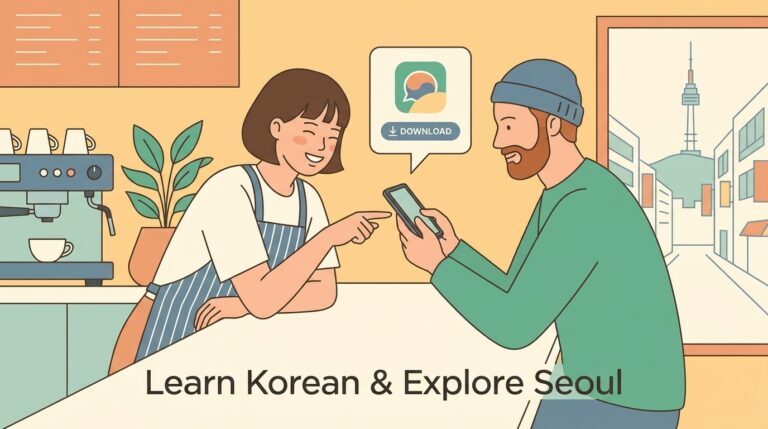
Master Downloading Korean Apps in 5 Minutes! 📱✨
안녕하세요! Welcome to Daily Hangul! I’m your friendly Korean culture navigator. Going on a trip to Seoul or living in Korea as a beginner? You’ve probably realized that having the right smartphone apps—like Naver Map or Kakao T—is essential for survival! But sitting in a vibrant cafe in Hongdae, staring at your phone screen in confusion, can feel overwhelming. Don’t worry! Today, we’ll learn simple, real-life Korean phrases to help you ask for help, connect to Wi-Fi, and download any app with confidence!
Phase 2: Key Expressions Deep Dive 🔑
1. 이 앱 어떻게 다운받아요? (I eap eo-tteo-ke da-un-ba-da-yo?)
- Pronunciation: [ee ep ah-ttuh-keh down-bah-dah-yo?]
- Meaning: Literal: “How do I download-receive this app?” | Real: “How do I download this app?”
- K-Culture Moment: You want to order street food or use a photo booth app, but the App Store is in Korean.
- Editor’s Insight: “다운받다” (da-un-bat-da) blends the English word “download” with the Korean verb “받다” (to receive). It’s super natural!
- Situation Spectrum: Casual ⚠️ | Semi-formal ✅ | Formal ✅
- 🤔 Think About It: Notice how Korean creates fun hybrid verbs combining English words with Korean grammar!
2. QR 코드 찍어 주세요. (QR ko-deu tjeok-eo ju-se-yo.)
- Pronunciation: [QR koh-deu tjeek-uh joo-seh-yo]
- Meaning: Literal: “Please stamp/snap the QR code.” | Real: “Please scan the QR code.”
- K-Culture Moment: Joining a digital queue at a popular restaurant in Seongsu-dong.
- Editor’s Insight: “찍다” means to take a photo or stamp, but in tech contexts, it means scanning a QR code or tapping a card.
- Situation Spectrum: Casual ⚠️ | Semi-formal ✅ | Formal ✅
- 🤔 Think About It: Why do you think Koreans use visual verbs like “찍다” (snap/stamp) for digital scans?
3. Wi-Fi 비밀번호가 뭐예요? (Wi-Fi bi-mil-beon-ho-ga mwo-ye-yo?)
- Pronunciation: [why-phi bee-meel-buhn-ho-gah mwo-yeh-yo?]
- Meaning: “What is the Wi-Fi password?”
- K-Culture Moment: Settling down at a cozy cafe to set up your new local apps.
- Editor’s Insight: “비밀번호” literally means “secret number.” You can shorten it colloquially to “비번” (bi-beon) with friends!
- Situation Spectrum: Casual ⚠️ | Semi-formal ✅ | Formal ✅
- 🤔 Think About It: Almost everywhere in Korea provides free Wi-Fi. How does connectivity shape everyday social life?
Phase 3: Textbook Korean vs Real Korean 📖 vs 🗣️
Situation 1: Asking to download an app
- 📖 Textbook: 이 애플리케이션을 내려받으십시오. (I ae-pheul-li-khe-i-syeon-eul nae-ryeo-ba-deu-sip-si-o.)
- 🗣️ Real Korean: 이 앱 다운받아 주세요. (I eap da-un-ba-da ju-se-yo.)
- 💡 Why different? Textbook phrases sound like an instruction manual! Native speakers always shorten application to “앱” (aep).
Situation 2: Checking Wi-Fi connection
- 📖 Textbook: 무선 인터넷 연결이 정상적입니까? (Mu-seon in-teo-net yeon-gyeol-i jeong-sang-jeok-im-ni-kka?)
- 🗣️ Real Korean: 와이파이 잘 잡혀요? (Wa-i-pha-i jal jap-hyeo-yo?)
- 💡 Why different? Koreans say Wi-Fi is “caught” (잡히다) when the signal strength is strong!
Phase 4: K-Culture Deep Dive & Mannerisms 🇰🇷
4-1. Nunchi (눈치) & Gestures
When showing your phone to ask for help, hold it politely with two hands or support your right wrist with your left hand. Point gently to the screen while asking politely with a soft bow.
4-2. Culture Code: Korea’s Digital Speed
Korea relies on ‘Super Apps’. KakaoTalk is for messaging and payments, while Naver Map is essential for walking navigation. Downloading these early ensures your travel flows seamlessly!
Phase 5: Real-Life Roleplay Scenario 🎭
Setting: A cozy cafe in Hongdae. You are trying to download the cafe’s loyalty discount app.
Character: Minjun (Friendly Cafe Barista)
- Minjun: 안녕하세요! 주문하시겠어요? (Hello! Would you like to order?)
- You: 🎭 [Pointing at screen politely] 저기요, 이 앱 어떻게 다운받아요? (Excuse me, how do I download this app?)
- Minjun: 아, QR 코드로 받으시면 돼요! (Ah, you can get it via QR code!)
- You: 🎭 [Looking confused] QR 코드 어디 있어요? (Where is the QR code?)
- Minjun: 여기 카운터 앞에 있어요. (It’s right here in front of the counter.)
- You: 🎭 [Scanning phone] 와이파이 비밀번호가 뭐예요? (What is the Wi-Fi password?)
- Minjun: 영수증 밑에 써 있어요! (It’s written at the bottom of the receipt!)
- You: 감사합니다! 다운받았어요! (Thank you! I downloaded it!)
🔀 Interactive Choice:
If the Wi-Fi isn’t working, what should you say?
* A) 와이파이 안 돼요! (Wi-Fi doesn’t work!)
* B) 와이파이 다시 켜주세요. (Turn on Wi-Fi again.)
* C) 죄송하지만, 와이파이 잘 안 잡혀요. (Excuse me, the Wi-Fi isn’t connecting well.)
Feedback: C is Best! Politeness goes a long way in Korea. A is a bit blunt (Bad), and B sounds demanding (Risk).
Phase 6: 10-Second Emotional Shadowing Drill 🗣️
- [😊 Happy & Energetic] 와이파이 / 연결됐어요! (Wa-i-pha-i / yeon-gyeol-dwaess-eo-yo!)
- [🥺 Polite & Asking help] 저기요, / 이 앱 / 어떻게 다운받아요? (Jeo-gi-yo, / i eap / eo-tteo-ke da-un-ba-da-yo?)
- [✨ Satisfied] 감사합니다, / 다운받았어요! (Gam-sa-ham-ni-da, / da-un-ba-da-ss-eo-yo!)
Phase 7: K-Culture Mini Dictionary 📚
- 와이파이 (Wa-i-pha-i): Wi-Fi. Free access is available in most public spaces.
- 앱 (Aep): Smartphone Application.
- 비밀번호 (Bi-mil-beon-ho): Password. Frequently printed on receipts.
- 검색 (Geom-saek): Search. Used when searching apps in the App Store.
Phase 8: Traveler’s Survival Kit 🧰
Top 3 Survival Phrases
- 와이파이 있어요? (Is there Wi-Fi?)
- 비밀번호 알려주세요. (Please tell me the password.)
- 앱 어디서 받아요? (Where do I download the app?)
Editor’s Travel Note
Before exploring Seoul, check out our guide on [Naver Map App Download and Setup] to navigate bus and subway routes effortlessly without getting lost!
Phase 9: One Step Deeper 💭
Korea’s fast internet speed reflects the famous “Ppalli-Ppalli” (빨리빨리 – Hurry, Hurry!) culture. Convenience through tech is highly valued, making app usage standard for payments, transportation, and dining.
💬 Your Turn: What local app are you most excited to try when you visit Korea? Tell us in the comments below!
Phase 10: FAQ & Common Mistakes ❓
Q: Do I need a Korean phone number to download Korean apps?
A: Many navigation apps like Naver Map do not require a Korean number, but food delivery apps often do.
Q: Can I use the App Store in English in Korea?
A: Yes! App names can usually be searched in English keywords.
Q: Is cafe Wi-Fi usually password-protected?
A: Yes, check your paper receipt—the password is almost always printed at the bottom!
🚨 Common Mistakes TOP 3
- Saying “애플리케이션” instead of “앱” (Sounds too formal).
- Forgetting to say “저기요” (Excuse me) before asking for help.
- Handing your phone to staff without bowing or using two hands.
Phase 11: Action Mission 🎯
- Bronze Mission: Practice saying “Wi-Fi 비밀번호가 뭐예요?” out loud 3 times!
- Silver Mission: Share this post on Instagram/X and tag your Korean travel buddy.
- Gold Mission: Connect to local Wi-Fi and download Naver Map by following Korean screen prompts!
🎮 K-Culture Mission: Watch a K-Drama scene set in a cafe and spot people scanning QR codes or looking at receipts for Wi-Fi!
Phase 12: Interactive Quiz Challenge 🧩
1. How do native Koreans naturally say “download an app”?
* A) 앱 내리다
* B) 앱 다운받다
* C) 앱 가져오다
Click to reveal answer
Correct Answer: B) 앱 다운받다.