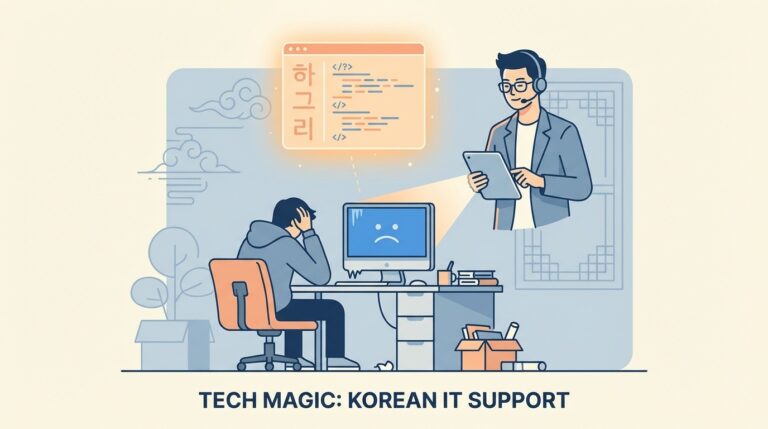
Hello! Daily Hangul Editor here.
Phase 1: The ‘Ghost in the Machine’ Moment
You know that classic K-Drama scene (think Start-Up or Healer) where a genius hacker types furiously in a dark room, and suddenly, the villain’s computer screen starts moving on its own? Well, in a Korean office, you don’t need a hacker for that to happen. You just need to call the IT department.
Imagine this: It’s 4:00 PM on a Friday. You’re desperately trying to finish a report (or let’s be honest, trying to click ‘Buy’ on those BTS concert tickets), and your screen completely freezes. Panic sets in. You call IT support. The technician says a rapid-fire sentence in Korean, and suddenly, your mouse cursor starts moving by itself like a ghost.
If you don’t know the essential Korean phrases for remote IT support (원격 지원), this magical experience can quickly turn into a stressful misunderstanding. Are they asking you to click something? Are they telling you to reboot?
Today, we are diving into the exact, real-life phrases Korean IT professionals use. No robotic textbook talk—just the authentic, fast-paced Korean you need to survive a tech emergency like a true insider.
Phase 2: Core Expressions Deep Dive
Let’s break down the magic spells your IT hero will cast.
1. 원격으로 접속할게요 (I will connect remotely)
- Pronunciation: won-gyeok-eu-ro jeop-sok-hal-gge-yo [won sounds like the currency ‘Won’, gyeok is like saying ‘gyuck’ with a hard K, eu is that disgusted sound you make when stepping in gum]
- Meaning: I will log in remotely. (Literal: By remote, I will connect.)
- K-Culture Moment: This is the ultimate sigh-of-relief phrase in a Korean office. When you hear this, it means you can sit back and watch the IT wizard do their thing. It’s the tech equivalent of a restaurant owner saying, “I’ll grill the meat for you.”
- Editor’s Insight: The ending
-ㄹ게요shows a strong personal intention and promise to the listener. It feels reassuring, like saying, “Don’t worry, I’ve got this.”- Situation Spectrum:
[🚫 Never] ———— [⚠️ Caution] ———— [✅ Freely]
- Close Friends (Casual): ✅ (Though you’d drop the ‘yo’: 접속할게)
- Coworkers (Semi-formal): ✅
- Boss/Elder (Formal): ⚠️ (Use 접속하겠습니다 instead)
- 🤔 Think About It: Why do Koreans prefer saying “I will connect” instead of asking “Can I connect?” How does this reflect the “Pali-pali” (hurry up) culture?
2. 팝업창이 뜨면 ‘수락’을 눌러주세요 (When the pop-up appears, please click ‘Accept’)
- Pronunciation: pab-eop-chang-i tteu-myeon ‘su-rak’-eul nul-leo-ju-se-yo
- Meaning: Please click the accept button on the pop-up.
- K-Culture Moment: This happens all the time in PC Bangs (Korean internet cafes) when the front desk needs to send you a system message.
- Editor’s Insight: The verb
뜨다literally means ‘to float’ or ‘to rise’ (like the sun: 해가 뜨다). In Korean tech slang, screens, windows, and errors don’t ‘appear’—they ‘float up’ to the surface of your screen!- Situation Spectrum:
[🚫 Never] ———— [⚠️ Caution] ———— [✅ Freely]
- Close Friends (Casual): ✅ (수락 눌러)
- Coworkers (Semi-formal): ✅
- Boss/Elder (Formal): ✅
- 🤔 Think About It: Does your native language use a physical metaphor (like floating, popping, or jumping) to describe computer windows?
3. 마우스에서 손 떼셔도 됩니다 (You can take your hands off the mouse now)
- Pronunciation: i-je ma-u-seu-e-seo son tte-syeo-do dwem-ni-da
- Meaning: Stop touching the mouse, I’m taking control. (Literal: It is okay even if you take your hands off the mouse.)
- K-Culture Moment: The hilarious “tug-of-war” moment. Foreigners often try to help the IT guy by moving the mouse. The Korean IT guy, trying to be fast, politely but firmly tells you to surrender the controls.
- Editor’s Insight: Even though it’s a direct command, the honorific
-셔도 됩니다(it is acceptable for you to…) makes it incredibly polite. It’s the Korean way of softening a boundary.- Situation Spectrum:
[🚫 Never] ———— [⚠️ Caution] ———— [✅ Freely]
- Close Friends (Casual): 🚫 (Too formal. Just say: 손 떼!)
- Coworkers (Semi-formal): ✅
- Boss/Elder (Formal): ✅
- 🤔 Think About It: How does Korean grammar use indirect permission (
-아/어도 되다) to soften commands?
Phase 3: Textbook vs. Real Korean
| Situation | 📖 Textbook Korean | 🗣️ Real Korean | 💡 Why is it different? |
|---|---|---|---|
| Initiating remote support | 원격 제어 프로그램을 실행하십시오. (Please execute the remote control program.) | 지금 들어갈게요~ (I’m going in now~) | “들어갈게요” (I’m entering) treats your PC like a physical room they are visiting. |
| Asking if it’s fixed | 문제가 해결되었습니까? (Has the problem been resolved?) | 이제 잘 되시죠? (It’s working well now, right?) | A presumptive, positive question checking for your confirmation, highly common in service. |
| Ending the session | 원격 지원을 종료합니다. (Terminating remote support.) | 다 됐습니다. 끊을게요! (All done. I’ll hang up!) | Short, sweet, and perfectly aligned with the “Pali-pali” efficiency. |
Phase 4: Cultural Context — K-Culture Deep Dive
4-1. The Nunchi of Screen Sharing
When the IT technician says “I’m going in,” you need a bit of Korean Nunchi (social awareness). Since they will see your entire desktop, it’s an unspoken rule to quickly minimize your personal KakaoTalk chats and close that YouTube tab playing K-Pop music videos. The IT staff will politely pretend they didn’t see your chaotic desktop wallpaper, but having good Nunchi means making their workspace clear.
4-2. The “Pali-pali” (빨리빨리) Tech Ecosystem
Why is remote support so prevalent in Korea? Because of Pali-pali—the “hurry up” culture. In a Korean company, waiting 20 minutes for an IT person to walk down to your desk is considered inefficient. Remote support allows them to fix your issue in 30 seconds. This obsession with speed isn’t just in offices; it’s why Korean food delivery is lightning fast and why K-Pop music shows run with military precision.
Phase 5: Real-Life Roleplay Scenario
Setting: Tuesday, 10:00 AM. Your marketing agency office in Gangnam. You are trying to upload a massive video file for a campaign, but your computer completely freezes. You call Min-su (28, the friendly but overworked IT guy).
Min-su: 네, IT팀 이민수입니다. 무슨 일이시죠?
(Ne, IT-tim Lee Min-su-imnida. Museun ir-isi-jyo?)
[Yes, this is Lee Min-su from the IT team. What’s the matter?]
YOU: 제 컴퓨터 화면이 갑자기 멈췄어요.
(Je keompyuteo hwamyeoni gapjagi meomchwosseoyo.)
[My computer screen suddenly froze.]
Min-su: 아, 그래요? 제가 원격으로 접속할게요. 팀뷰어 켜져 있나요?
(Ah, geuraeyo? Jega won-gyeok-eu-ro jeop-sok-hal-gge-yo. TeamViewer kyeojeo innayo?)
[Ah, really? I will connect remotely. Is TeamViewer on?]
YOU: 네, 켜져 있어요.
(Ne, kyeojeo isseoyo.)
[Yes, it’s on.]
Min-su: 화면 중앙에 팝업창이 뜨면 ‘수락’ 버튼 눌러주세요.
(Hwamyeon jung-ang-e pab-eop-chang-i tteu-myeon ‘su-rak’ beoteun nul-leo-ju-se-yo.)
[When the pop-up appears in the center of the screen, please click the ‘Accept’ button.]
(🎭 Stage Direction: A box pops up. You click it. The mouse starts moving frantically as Min-su takes over.)
Min-su: 들어왔습니다. 이제 마우스에서 손 떼셔도 됩니다.
(Deureowatseumnida. Ije ma-u-seu-e-seo son tte-syeo-do dwem-ni-da.)
[I’m in. You can take your hands off the mouse now.]
🔀 Your Turn! How do you respond while he fixes it?
– A) “빨리빨리 고쳐주세요!” (Fix it fast, fast!)
– B) “네, 알겠습니다. 부탁드릴게요.” (Yes, understood. Please take care of it.)
– C) (Keep moving the mouse to show him exactly where the file is)✅ Best Choice: B — It shows respect and trust. “부탁드릴게요” (I leave it in your hands) is the perfect phrase for delegating a task.
⚠️ Why A is bad: Even in the “Pali-pali” culture, telling someone to “hurry up” directly is considered extremely rude unless you are their boss.
🚫 Why C is terrible: Never fight a Korean IT guy for mouse control. You will lose.
Min-su: 램(RAM) 용량이 꽉 차서 렉이 걸린 거네요. 불필요한 프로그램 좀 끌게요.
(Raem yongnyang-i kkwak chaseo reg-i geollin geoneyo. Bulpiryohan peurogeuraem jom kkeulgeyo.)
[It lagged because the RAM is full. I’ll close some unnecessary programs.]
YOU: 아… 네, 감사합니다. 다행이네요.
(Ah… ne, gamsahamnida. Dahaeng-ineyo.)
[Ah… yes, thank you. What a relief.]
Min-su: 다 됐습니다! 이제 잘 되실 거예요. 끊을게요~
(Da dwaetseumnida! Ije jal doesil geoyeyo. Kkeunheulgeyo~)
[All done! It should work well now. I’ll hang up~]
Phase 6: 10-Second Shadowing Drill
Let’s practice the flow and intonation. Read out loud and mind the pauses!
😊 제가 / 원격으로 / 접속할게요!
(je-ga / won-gyeok-eu-ro / jeop-sok-hal-gge-yo!)
Emotion: Confident and helpful!
🙏 화면에 뜨면 / 수락 버튼 / 눌러주시겠어요?
(hwa-myeon-e tteu-myeon / su-rak beoteun / nul-leo-ju-si-get-seo-yo?)
Emotion: Polite and guiding.
Phase 7: K-Culture Mini Dictionary (Tech Edition)
| Korean | Romanization | English | Context |
|---|---|---|---|
| 원격 | won-gyeok | Remote | Used in 원격 수업 (remote class), 원격 근무 (remote work). |
| 렉 걸리다 | reg geollida | To lag | Konglish from “lag”. Used when games or PCs freeze up. |
| 튕기다 | twing-gida | To crash/bounce | Literally “to bounce”. Used when a program unexpectedly closes. |
| 재부팅 | jae-bu-ting | Rebooting | Standard term for restarting a computer or phone. |
| 바탕화면 | ba-tang-hwa-myeon | Desktop screen | The home screen of your PC or phone. |
Phase 8: Traveler’s Survival Kit
Even if you aren’t working in a Korean office, what if your phone breaks down while traveling in Seoul? If you visit a Samsung or Apple store, you need these phrases!
🆘 Survival Phrases for the Tech Store
– 🇰🇷 “핸드폰 화면이 멈췄어요.” (haen-deu-pon hwa-myeon-i meom-chwot-seo-yo.)
– 🗣️ Meaning: My phone screen froze.
– 🇰🇷 “인터넷이 안 터져요.” (in-teo-ne-si an teo-jyeo-yo.)
– 🗣️ Meaning: The internet isn’t connecting. (Literal: The internet isn’t bursting).
– 📍 Where to use: Phone carrier shops (SKT, KT, LG), electronics stores.
– 💡 Pro Tip: If your phone is dead and you need to navigate, walk into any convenience store and buy a cheap power bank (보조배터리 – bo-jo-bae-teo-ri). They are lifesavers!
Phase 9: Critical Thinking — A Step Deeper
🧠 Think Deeper: Tech & Society (The Speed of Trust)
Have you ever wondered why Korean tech platforms and customer service are so heavily reliant on immediate remote control? It deeply reflects the high-trust, high-speed nature of Korean urban society. In many Western countries, giving a stranger remote access to your computer raises massive privacy red flags. In Korea, the communal desire for a quick resolution (Pali-pali) often overrides individual privacy concerns in a corporate setting. Trust is placed in the “system” and the “company title” of the IT worker, prioritizing efficiency over boundaries.
💬 Your Turn: Would you feel comfortable letting an IT technician take complete control of your screen? How does your culture balance “efficiency” with “digital privacy”? Let us know in the comments!
Phase 10: FAQ & Avoiding Common Mistakes
Q: If the IT guy is younger than me, can I use Banmal (casual language)?
No! In a business setting, age doesn’t give you a free pass to use Banmal to someone providing a professional service. Always use 존댓말 (formal language) like “감사합니다” to the IT staff.
Q: How do I tell them the computer is broken?
❌ Common Mistake: “컴퓨터가 아파요” (My computer is sick.)
✅ Do This Instead: “컴퓨터가 안 돼요” (The computer isn’t working) or “컴퓨터가 고장 났어요” (The computer is broken).
Why? Koreans don’t usually personify machines as being “sick”!
Phase 11: Summary & Action Items
One-Liner Summary: When your PC fails in Korea, let the IT wizard “enter” (접속할게요), hit “accept” (수락), and take your hands off the mouse (손 떼셔도 됩니다)!
Action Mission:
– 🥉 Bronze: Say “원격으로 접속할게요” three times aloud, pretending to be a cool hacker.
– 🥈 Silver: Change your computer or phone language to Korean for just one hour today. See if you can spot the words ‘수락’ (Accept) or ‘바탕화면’ (Desktop).
– 🥇 Gold: Next time you need to help a friend fix their phone, jokingly say “마우스에서 손 떼셔도 됩니다” (Even if there’s no mouse)!
Phase 12: Interactive Quiz
1. Situational Judgment: The IT support person says “지금 들어갈게요” (I’m going in now). What is the most appropriate action for you with good Nunchi?
A) Offer them a digital cup of coffee.
B) Quickly minimize your personal chat windows.
C) Unplug your computer.
2. Fill in the Blank:
“화면에 창이 ______ 수락 눌러주세요.” (When the window ‘floats/appears’ on the screen, please click accept.)
A) 뜨면
B) 달리면
C) 자면
3. True or False: In a Korean office, telling the IT support staff “빨리빨리 고쳐주세요” (Fix it fast!) is considered a polite way to show you are adapting to their culture.
(Answers: 1. B, 2. A, 3. False – it is considered very rude to demand speed directly to service staff unless you are their boss!)
Frequently Asked Questions (FAQ)
Q: What does "원격으로 접속할게요 (I will connect remotely)" mean in Korean and how do you pronounce it?
A: In Korean, "원격으로 접속할게요 (I will connect remotely)" is pronounced [won-gyeok-eu-ro jeop-sok-hal-gge-yo [won sounds like the currency 'Won', gyeok is like saying 'gyuck' with a hard K, eu is that disgusted sound you make when stepping in gum] and means: I will log in remotely. (Literal: By remote, I will connect.)
Q: What does "팝업창이 뜨면 '수락'을 눌러주세요 (When the pop-up appears, please click 'Accept')" mean in Korean and how do you pronounce it?
A: In Korean, "팝업창이 뜨면 '수락'을 눌러주세요 (When the pop-up appears, please click 'Accept')" is pronounced [pab-eop-chang-i tteu-myeon 'su-rak'-eul nul-leo-ju-se-yo] and means: Please click the accept button on the pop-up.
Q: What does "마우스에서 손 떼셔도 됩니다 (You can take your hands off the mouse now)" mean in Korean and how do you pronounce it?
A: In Korean, "마우스에서 손 떼셔도 됩니다 (You can take your hands off the mouse now)" is pronounced [i-je ma-u-seu-e-seo son tte-syeo-do dwem-ni-da] and means: Stop touching the mouse, I'm taking control. (Literal: It is okay even if you take your hands off the mouse.)