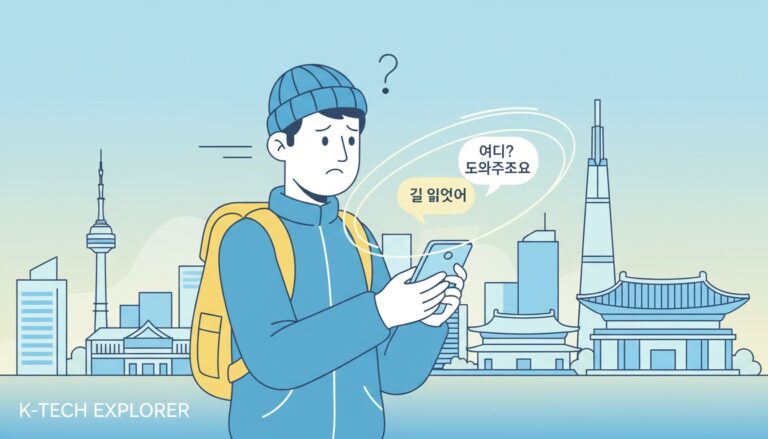
Phase 1: The “Panic at the App Store” Moment
Hello! Editor here from Daily Hangul.
Let’s be real for a second. You’ve just landed at Incheon Airport. You are ready to live your main character moment in Korea. You whip out your phone to find that famous café from Instagram, open Google Maps, and… nothing. It’s blank. Or it tells you to walk through a building that doesn’t exist.
Welcome to the Korean Internet ecosystem.
Here, Google is not King—Naver and Kakao are. You rush to the App Store, type in “Naver Map,” and suddenly you are bombarded with buttons in Hangeul. One says 설치, another says 열기, and a pop-up asks for 동의.
Panic sets in. Do you press the blue button? The grey one? Did you just agree to sell your soul?
Don’t worry. Today, we are going to decode the survival language of downloading apps. By the end of this, you’ll be navigating the Korean digital world like a local (or at least, you won’t accidentally sign up for a 10-year insurance plan).
Phase 2: The Buttons You Must Know
Here are the three words that stand between you and your chicken delivery.
1. 설치 (Seol-chi)
- Pronunciation: [Seol-chi] Sounds like ‘Soul’ + ‘Chee’ (as in cheese)
- Meaning: Installation (noun) / Install
- Real Nuance: This is the “Download” button. While we say “download” in Konglish (Korean-English), the button usually says 설치.
- K-Culture Moment: You know those scenes in K-dramas where the hacker is furiously typing, and a progress bar loads on the screen? That bar is the 설치 bar.
- Editor’s Insight: You will see this everywhere. If you see a button that says 설치, it means “Put this on my phone.”
- Situation Spectrum:
[🚫 Formal Only] ———— [⚠️ Semi-formal] ———— [✅ Standard]
(It’s a technical term, so it’s neutral and standard for everyone.)- 🤔 Think About It: Why does Korean use a Sino-Korean word (Hanja) like ‘Seol-chi’ for digital actions instead of a native Korean verb? It adds a layer of formality and technical precision.
2. 무료 / 유료 (Muryo / Yuryo)
- Pronunciation: [Mu-ryo] / [Yu-ryo]
- Meaning: Free / Paid
- Real Nuance: Mu (무) means ‘none/no’, Yu (유) means ‘exist/have’. Ryo (료) means ‘fee’. So, “No fee” vs. “Have fee.”
- K-Culture Moment: In variety shows like Running Man, when the PD (producer) says “This meal is free!” (Muryo!), everyone cheers. When they say “You have to pay” (Yuryo), the tragic music starts.
- Editor’s Insight: Always check for 무료 (Free) before downloading games. If you see 유료 followed by a number (e.g., 3,000원), pull out your wallet.
- Situation Spectrum:
Standard usage for everyone.- 🤔 Think About It: In your language, is the word for “free” (no money) different from “free” (freedom)? In Korean, 무료 is only for money. Freedom is 자유 (Ja-yu).
3. 확인 (Hwag-in)
- Pronunciation: [Hwag-in] Connect it smoothly: Hwa-gin
- Meaning: Confirm / OK / Verify
- Real Nuance: This is the universal “Yes / Proceed” button. It’s the gatekeeper. Password correct? 확인. Download finished? 확인.
- K-Culture Moment: Every K-pop fan knows this pain. You try to buy concert tickets, select your seat, and your hands shake as you look for the 확인 button before the seat disappears.
- Editor’s Insight: If you are stuck on a screen and don’t know what to do, look for the blue button that says 확인.
- Situation Spectrum:
Standard usage.
Phase 3: Textbook vs. Real Life
Koreans love to shorten things or use slang, especially with tech.
| Situation | 📖 Textbook Korean | 🗣️ Real Korean (Street/Casual) | 💡 Why the difference? |
|---|---|---|---|
| Asking to download an app | “이 앱을 다운로드했어요?” (Did you download this app?) |
“이 앱 깔았어?” (Did you spread/lay this app?) |
깔다 (Kkal-da) originally means to spread a blanket, but implies “installing” software as a base layer. |
| Asking for Wi-Fi | “와이파이 비밀번호가 무엇입니까?” (What is the Wi-Fi password?) |
“여기 와이파이 비번 뭐예요?” (What’s the Wi-Fi PW here?) |
Palli-palli (Hurry-hurry) culture. “Password” (Bimil-beonho) is too long; “Bibeon” is faster. |
Bottom Note: For beginners (A1), sticking to “Wa-i-pa-i” is safest, but understanding “Kkal-da” (install/download) will make you sound like a pro.
Phase 4: Cultural Deep Dive — The “Identity” Obsession
Here is something that shocks almost every foreigner in Korea:
The “Identity Verification” (본인인증 – Bon-in-in-jeung) Wall.
In many countries, you just need an email to sign up for an app. In Korea? Not so much. Because Korea’s internet is so deeply integrated with banking and security, almost every major app (delivery, shopping, maps) requires you to prove you are you via your phone number.
K-Pop Connection:
Have you ever tried to join a Korean fan cafe (Daum Cafe) or buy streaming passes on Melon to support your idol? You probably hit a wall asking for a Korean phone number or “I-PIN.” That is Bon-in-in-jeung. It’s the final boss of the Korean internet.
Non-verbal Tip:
When asking a Korean friend for help with this, show them your phone screen helplessly. It’s a universal gesture of “The tech gods are punishing me.” They will immediately understand the struggle.
Phase 5: Roleplay — The Delivery Crisis
Setting: A Friday night at a Han River Park. You are with your Korean friend, Min-ji. You are starving, and you see everyone eating fried chicken. You want to order, but you don’t have the app.
Characters:
* YOU: Hungry traveler.
* Min-ji: Your Korean friend (20s, tech-savvy).
(Dialogue Start)
Min-ji: 치킨 먹고 싶지 않아? 배달 시키자! 🍗
(Chikin meok-go sip-ji an-a? Baedal si-ki-ja!)
(Don’t you want chicken? Let’s order delivery!)
YOU: Good idea! But… I don’t have the app.
Min-ji: 아, 진짜? ‘배달의민족’ 앱 없어?
(A, jinjja? ‘Baedal-ui-minjok’ aep eop-seo?)
(Ah, really? You don’t have the ‘Baedal-ui-minjok’ [Baemin] app?)
🔀 YOUR TURN! How do you respond?
Option A: “이 애플리케이션을 설치해 주세요.” (Please install this application.)
Option B: “이거 어떻게 깔아? 도와줘!” (How do I install [spread] this? Help me!)
Option C: “No chicken for me.” (Sadness)✅ Best Choice: Option B.
Why? You are with a friend at the park. Option A sounds like you are talking to a robot or a customer service agent. Option B uses the verb 깔다 (Kkal-da) and asks for help naturally.
Min-ji: (Laughs) 이리 줘봐. 내가 깔아줄게. 데이터 있어?
(I-ri jwo-bwa. Nae-ga kkal-a-jul-ge. De-i-teo isseo?)
(Give it here. I’ll install it for you. Do you have data?)
YOU: 응, 데이터 있어. 고마워!
(Eung, de-i-teo isseo. Gomawo!)
(Yeah, I have data. Thanks!)
(🎭 Stage Direction: Min-ji taps the screen rapidly, bypassing the verification screens like a pro.)
Phase 6: 10-Second Shadowing Drill
Let’s practice the most useful question when you are struggling with a paid app or confusing button.
“Is this app free?”
🔊 Listen & Repeat:
이 앱 / 무료예요?
(I aep / mu-ryo-ye-yo?)Emotion: 🤔 Curious & Cautious (You don’t want to spend money accidentally!)
Cadence: 이 앱 (pause) 무료예요? (raise pitch at the end)
Phase 7: K-Culture Mini Glossary
| Korean | Romanization | English | Context |
|---|---|---|---|
| 깔다 | Kkal-da | To install | Slang-ish but standard for “downloading” apps. Lit: “to spread.” |
| 비번 | Bi-beon | Password | Short for Bi-mil-beon-ho. Crucial for Wi-Fi. |
| 와이파이 | Wa-i-pa-i | Wi-Fi | Pronounce the ‘Wi’ like ‘Why’. |
| 먹통 | Meok-tong | Dead/Frozen | Used when an app freezes or phone crashes. “My phone is meok-tong!” |
| 광클 | Gwang-keul | Crazy clicking | Clicking furiously (e.g., to get K-pop tickets). |
Phase 8: Traveler’s Survival Kit
Since we are talking about apps, here is your Digital Survival Kit for Seoul.
🆘 Survival Phrase #1: The Wi-Fi Hunter
– 🇰🇷 “와이파이 비번 뭐예요?” (Wa-i-pa-i bi-beon mwo-ye-yo?)
– 🗣️ Meaning: “What is the Wi-Fi password?”
– 📍 Where: Cafes, Hotels, Airbnb.
– 💡 Pro Tip: Look for the receipt! In Korea, the Wi-Fi password is almost always printed at the bottom of your coffee receipt. Don’t throw it away!📌 Editor’s App Note:
1. Naver Map (네이버 지도): Forget Google Maps. It doesn’t work well here due to security laws. Naver Map works in English now!
2. Papago (파파고): The best translator for Korean. Better than Google Translate for Asian nuances.
3. KakaoTalk (카카오톡): If you make a Korean friend, they will ask for your “Ka-talk” ID, not your number.
Phase 9: Think Deeper — Speed vs. Security
Why is downloading a simple app in Korea sometimes so complicated with all the verifications?
It’s a clash of two Korean values: “Palli-Palli” (Hurry-Hurry) and Collectivism/Security. Koreans want everything fast (5G internet everywhere), but the society is also built on a high-trust system where your digital ID is tied to your real identity. This prevents anonymity (which reduces crime) but creates a high barrier for outsiders. It’s frustrating for travelers, but for locals, it means they can do their banking, pay taxes, and verify their age all with one thumbprint on an app.
💬 Your Turn: In your country, do you prefer easy access (email sign-up) or high security (ID verification)? Why?
Phase 10: FAQ & Troubleshooting
Q: Can I use foreign credit cards on Korean delivery apps?
A: Honestly? Often, no. Most apps like Baemin require a Korean card. However, newer apps like “Uber Eats” (now defunct) or using “Shuttle Delivery” (English friendly) work. Or, use the “Meet and Pay” (만나서 결제) option if available!
Q: I see a button that says ‘회원가입’ and ‘로그인’. Which is which?
A:
* 로그인 (Ro-geu-in): Log in.
* 회원가입 (Hoe-won-ga-ip): Sign up (literally: Member Joining). Do not confuse them!
❌ Common Mistake #1:
Trying to type addresses in English on Korean apps.
✅ Fix: Even if the app is in English, searching for the address in Hangul is usually more accurate. Copy-paste is your friend.
Phase 11: Wrap-up & Mission
One-Liner Summary: To survive in Korea, you need to 깔다 (install) Naver Map, check if it’s 무료 (free), and hit 확인 (confirm)!
🚀 Action Mission:
- 🥉 Bronze: Look at your phone settings. Find the word “Wi-Fi” and practice saying “Wa-i-pa-i bi-beon mwo-ye-yo?” three times.
- 🥈 Silver: Download Naver Map or KakaoMap. Try to switch the language settings to English.
- 🥇 Gold: Go to a Korean restaurant or cafe (in Korea or your country). Ask the staff, “Wa-i-pa-i bi-beon mwo-ye-yo?”
K-Culture Mission:
Next time you watch a K-Drama, look for a scene where a character sends a text. Look at the app interface. Is it blue/yellow? That’s KakaoTalk!
Phase 12: Quiz — Interactive Challenge
1. You are at a cafe. You see a network named “Cafe_Guest.” You want to connect. What do you ask the staff?
A) 와이파이 무료예요? (Is Wi-Fi free?)
B) 와이파이 비번 뭐예요? (What is the Wi-Fi password?)
C) 와이파이 설치해요? (Do you install Wi-Fi?)
2. True or False?
“In Korea, Google Maps is the best way to find walking directions.”
3. You see a button that says [설치]. What does it mean?
A) Delete
B) Install
C) Cancel
Answers:
1. B (A is grammatically correct but obvious; cafes always have free wifi. You need the password!)
2. False (Use Naver Map or KakaoMap!)
3. B
Frequently Asked Questions (FAQ)
Q: What does "설치 (Seol-chi)" mean in Korean and how do you pronounce it?
A: In Korean, "설치 (Seol-chi)" is pronounced [Seol-chi] and means: Installation (noun) / Install
Q: What does "무료 / 유료 (Muryo / Yuryo)" mean in Korean and how do you pronounce it?
A: In Korean, "무료 / 유료 (Muryo / Yuryo)" is pronounced [Mu-ryo] and means: Free / Paid
Q: What does "확인 (Hwag-in)" mean in Korean and how do you pronounce it?
A: In Korean, "확인 (Hwag-in)" is pronounced [Hwag-in] and means: Confirm / OK / Verify