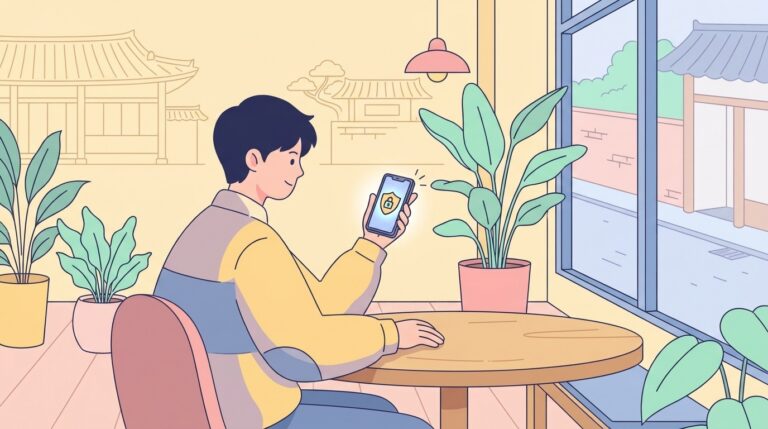
Phase 1: Why Data Security Korean Matters
안녕하세요! 매일한글 에디터입니다. (Annyeonghaseyo! Maeilhangeul Editeo-imnida.) Have you ever gotten a creepy text about a package you never ordered, just like a scene out of the hit K-Drama Taxi Driver? Last week, right before K-pop concert ticketing opened, my phone started buzzing with weird login alerts. My heart dropped! I immediately ran a security check service to see if my email or phone number had ever been leaked online. In Korea’s super-fast digital world, personal data leaks happen, and knowing how to talk about them—and protect your accounts with 2FA or passkeys—is a lifesaver. Built from real feedback from intermediate learners living in Seoul, this guide gives you natural Korean expressions so you stay safe and sound fluent!
Phase 2: Top 3 Core Expressions Deep Dive
1. 유출된 적이 있는지 확인해 봤어요 (I checked if it had ever been leaked)
- Pronunciation: yuchuldoen jeogi inneunji hwaginhae bwasseoyo (Think of yoo-chool-dwen, while bwasseoyo blends smoothly like “bwa-ssuh-yo” without a heavy pause.)
- Meaning: Literally “I tried checking whether there is an experience of it being leaked.” In everyday conversation, it naturally expresses cautious investigation without sounding panicked.
- K-Culture Moment: In Korean thriller dramas or talk shows like You Quiz on the Block when cybersecurity guests appear, people often use this exact phrase when recalling suspicious spam texts.
- Editor’s Insight: Pairing
-(으)ㄴ 적이 있다(having the experience of) with-는지 확인해 보다(to try checking whether) is a hallmark of Level 3 intermediate fluency! It turns stiff textbook grammar into smooth, natural storytelling.- Situation Spectrum: Casual ⚠️ (Drop
-요to say확인해 봤어) / Semi-formal ✅ / Formal ✅ (Change to확인해 봤습니다)- 🤔 Think About It: In English, we focus on the passive event (“if my email was leaked”). In Korean, using
적이 있다treats the leak like a past event stored on a timeline of experiences. How does framing digital incidents this way change how urgent it feels?2. 내 개인정보가 털린 것 같아요 (I think my personal info got hacked/leaked)
- Pronunciation: nae gaeinjeongboga teollin geot gatayo (Imagine teol-lin as “tuhl-lin” with a crisp ‘t’ like in “tall,” and gatayo flowing softly as “ga-ta-yo.”)
- Meaning: Literally “It seems my personal information was shaken out or robbed.” Colloquially, it means “I think my data got leaked or compromised.”
- K-Culture Moment: You will hear this all the time in Korean gaming cafés (PC bangs) or office breakrooms whenever someone suddenly gets strange KakaoTalk spam or fake courier links.
- Editor’s Insight:
털리다originally means to be robbed or have your pockets emptied, so using it for data breaches adds vivid emotion—like someone literally emptied your digital wallet!- Situation Spectrum: Casual ✅ (Drop
-요for friends) / Semi-formal ✅ / Formal ⚠️ (Avoid in official IT reports; use유출된 것 같습니다instead)- 🤔 Think About It: Korean uses a very physical verb (
털리다, to be robbed or shaken out) for invisible cyber leaks. What vivid metaphors does English use for cybersecurity (like “breach” or “leak”), and what do they say about how we picture online space?3. 2단계 인증이랑 패스키를 설정해 두세요 (Make sure to set up 2FA and passkeys)
- Pronunciation: idangye injeungirang paeseukireul seoljeonghae duseyo (Idangye sounds like “ee-dahn-gyeh,” and duseyo like “doo-seh-yo.”)
- Meaning: Literally “Set up two-step verification and passkeys and leave them in place.” Nuance: A caring, proactive tip to prepare beforehand.
- K-Culture Moment: Right after a celebrity’s social media gets hacked in Korean entertainment news, worried fans flood the comments urging their favorite idols to do this right away!
- Editor’s Insight: The auxiliary verb
-아/어 두다is pure magic at Level 3! Instead of just saying “set it up” (설정하세요), adding두세요signals “do it now so you’re protected later.”- Situation Spectrum: Casual ⚠️ (Use
설정해 둬with close friends) / Semi-formal ✅ / Formal ✅ (Use설정해 두시기 바랍니다)- 🤔 Think About It: Korean speakers love
-아/어 두다because preparing in advance is deeply tied to thoughtful habits. Does English have a quick grammar ending that carries this same “do it now for future peace of mind” warmth?
Phase 3: Textbook Korean vs. Real Korean
Situation 1: Running a Dark Web Security Check
- 📖 Textbook Korean: 다크웹에서 제 전화번호가 발견되었는지 보안 점검 서비스를 이용해 조사했습니다. (Dakeuweb-eseo je jeonhwabeonhoga balgyeondoeeonneunji boan jeomgeom seobiseureul iyonghae josahetsseumnida. – I investigated using a security check service whether my phone number was discovered on the dark web.)
- 🗣️ Real Korean: 혹시 내 번호 다크웹에 떴는지 보안 점검 한 번 돌려 봤어. (Hoksi nae beonho dakeuweb-e tteonneunji boan jeomgeom han beon dollyeo bwasseo. – Just in case, I ran a security check to see if my number popped up on the dark web.)
- 💡 Why is it different? Natives rarely use heavy words like
조사하다(investigate) in casual chats. Instead,돌리다(to spin or run a program) and뜨다(to pop up on a screen) mirror how Koreans naturally describe scanning apps.
Situation 2: Upgrading Security After a Scare
- 📖 Textbook Korean: 비밀번호만 사용하는 것은 위험하므로 이중 보안을 적용하겠습니다. (Bimilbeonhoman sayonghaneun geoseun wiheomhameuro ijung boaneul jeokyonghagetseumnida. – Since using only a password is dangerous, I will apply double security.)
- 🗣️ Real Korean: 비번만 쓰기엔 찝찝해서 2단계 인증 걸어 뒀지. (Bibeonman sseugien jjipjjiphaeseo idangye injeung georeo dwotji. – Using just a password felt sketchy, so I put 2FA on it.)
- 💡 Why is it different?
비번is the everyday contraction of비밀번호(password), and찝찝하다captures that uneasy, “something feels off” gut feeling. Plus, Koreans say “hang/lock” (걸다) security onto an account!
Phase 4: K-Culture Deep Dive & Non-Verbal Manners
4-1. Nunchi (눈치) & Gestures
When checking sensitive security results on your phone in a café or on the subway, Koreans practice strong 눈치 (nunchi, social awareness) around screen privacy—tilting the screen slightly inward, using privacy glass (사생활 보호 필름), and lowering brightness when someone sits nearby. If a Korean friend helps you check your leaked email, don’t abruptly pull your phone back; gently tilt the screen toward them and ask, “잠깐만 같이 봐 줄래요?” (Jamkkanman gachi bwa jullaeyo? – Could you take a quick look with me?).
4-2. Cultural Code Analysis
Korea’s 빨리빨리 (ppalli-ppalli, hurry-hurry) tech culture created ultra-convenient ecosystems like Naver, KakaoTalk, and PASS. Because everything from concert tickets to food delivery requires 본인인증 (bonin-injeung, real-name identity verification) tied to your phone number, a leaked number feels extra stressful in Korea! That’s why Korean cyber-thrillers like Taxi Driver (모범택시) and Unlocked (스마트폰을 떨어뜨렸을 뿐인데) hit so close to home—they spotlight the anxiety of living in a hyper-connected society where one phone holds your whole life.
Phase 5: Real-Life Roleplay Scenario
Setting: A sunlit café in Seongsu-dong, Seoul. You are sitting across from Min-jun (민준), your tech-savvy Korean colleague who works at an IT startup in Pangyo.
- Min-jun: 어, 표정이 왜 그렇게 안 좋아요? 무슨 일 있어요? (Eo, pyojeongi wae geureoke an joayo? Museun il isseoyo? – Hey, why do you look so worried? Is something wrong?)
🎭 Min-jun sets down his iced Americano and leans forward with concern. - You: 아, 어제부터 이상한 스팸 문자가 계속 와서요. 내 번호가 털린 것 같아요. (A, eojebuteo isanghan seupaem munjaga gyesok waseoyo. Nae beonhoga teollin geot gatayo. – Ah, I’ve been getting weird spam texts since yesterday. I think my number got leaked.)
🎭 You sigh and place your smartphone face-up on the wooden table. - Min-jun: 헐, 진짜요? 혹시 이메일이나 전화번호 유출된 적 있는지 보안 점검 서비스로 확인해 봤어요? (Heol, jinjjayo? Hoksi imeirina jeonhwabeonho yuchuldoen jeok inneunji boan jeomgeom seobiseuro hwaginhae bwasseoyo? – Whoa, really? Did you check with a security check service to see if your email or phone number was ever leaked?)
🎭 Min-jun widens his eyes in surprise and taps his own phone. - You: 방금 확인해 봤는데, 예전에 쓰던 이메일이 다크웹에 떴더라고요. (Banggeum hwaginhae bwanneunde, yejeone sseudeon imeiri dakeuweb-e tteotdeoragoyo. – I just checked, and an email I used to use popped up on the dark web.)
🎭 You zoom in on the red warning icon on your screen. - Min-jun: 아이고, 큰일 날 뻔했네요! 다른 사이트 비번도 똑같은 거 아니죠? (Aigo, keunil nal ppeonhaenne-yo! Dareun saiteu bibeondo ttokgateun geo anijyo? – Oh no, that was a close call! You don’t use the same password on other sites, right?)
🎭 Min-jun waves his hands nervously. - You: 몇 개는 비슷해서 지금 다 바꾸려고요. 너무 찝찝하네요. (Myeot gaeneun biseuthaeseo jigeum da bakkuryeogoyo. Neomu jjipjjiphaneyo. – A few are similar, so I’m about to change them all right now. It feels so sketchy.)
🎭 You start scrolling through your password manager. - Min-jun: 바꾸실 때 꼭 2단계 인증이랑 패스키도 설정해 두세요. OTP 앱 쓰면 훨씬 안전해요. (Bakkusil ttae kkok idangye injeungirang paeseukido seoljeonghae duseyo. OTP aep sseumyeon hwolssin anjeonhaeyo. – When you change them, make sure to set up 2FA and passkeys too. Using an OTP app is way safer.)
🎭 Min-jun points reassuringly at an authenticator app on his screen. - You: 고마워요, 민준 씨! 지금 당장 설정해야겠어요. (Gomawoyo, Minjun ssi! Jigeum dangjang seoljeonghaeyagesseoyo. – Thanks, Min-jun! I’m going to set it up right away.)
🎭 You smile with relief and start securing your accounts.
🔀 Interactive Branching Point
When Min-jun asks if your other accounts share the same password (“다른 사이트 비번도 똑같은 거 아니죠?”), how would you reply?
* A) 네, 사실 몇 개 겹쳐서 지금 당장 바꾸고 2단계 인증 걸어 두려고요. (Ne, sasil myeot gae gyeopchyeoseo jigeum dangjang bakkugo idangye injeung georeo duryeogoyo.)
* B) 제가 왜 비밀번호를 알려 드려야 하죠? 비밀이에요. (Jega wae bimilbeonhoreul allyeo deuryeoya hajyo? Bimirieyo.)
* C) 어, 다 똑같긴 한데 귀찮아서 그냥 놔둘래요. (Eo, da ttokgatgin hande gwichanhaseo geunyang nwadullaeyo.)
Feedback:
* Option A (Best!): Spot-on Level 3 Korean! Using 겹치다 (to overlap) and 걸어 두다 (to set up beforehand) shows both linguistic nuance and smart digital habits.
* Option B (Bad!): Oops! Min-jun wasn’t asking for your password; he was checking if you reused it. Replying defensively sounds awkward and misses the friendly concern.
* Option C (Risk!): Grammatically natural (귀찮아서 그냥 놔둘래요 – I’m lazy so I’ll just leave it), and casual enough for a close buddy—but leaving leaked passwords unchanged is a huge security risk!
Phase 6: 10-Second Emotional Shadowing Drill
Read each line aloud, pausing at / and matching the emotion!
- [😱 Shocked & Worried] 내 번호가 / 다크웹에 / 유출된 것 같아요! (Nae beonhoga / dakeuweb-e / yuchuldoen geot gatayo! – I think my number leaked on the dark web!)
- [🧐 Curious & Cautious] 보안 점검 서비스로 / 한 번 / 확인해 봤어요. (Boan jeomgeom seobiseuro / han beon / hwaginhae bwasseoyo. – I checked it once with a security check service.)
- [😊 Caring & Reassuring] 2단계 인증이랑 / 패스키를 / 꼭 설정해 두세요! (Idangye injeungirang / paeseukireul / kkok seoljeonghae duseyo! – Make sure to set up 2FA and passkeys!)
Phase 7: K-Culture Mini Dictionary
- 개인정보 유출 (Gaeinjeongbo yuchul) | Personal data leak | Heard constantly on Korean evening news, bank alerts, and everyday chats whenever customer data is exposed.
- 2단계 인증 (Idangye injeung) | Two-factor authentication (2FA) | Essential in both daily app setups (like KakaoTalk or Naver) and Korean corporate IT onboarding.
- 다크웹 (Dakeuweb) | Dark web | Frequently appears in Korean cybercrime coverage and security alerts when stolen emails or IDs circulate illegally.
- 패스키 (Paeseuki) | Passkey | A trending tech term in Korea as major platforms like Kakao, Naver, and Samsung Pass push passwordless biometric logins.
Phase 8: Survival Kit for Travelers
Top 3 Survival Expressions
- 제 계정이 해킹당한 것 같아요. (Je gyejeongi haekingdanghan geot gatayo. – I think my account got hacked.) Pro Tip: Use
해킹당하다(to suffer hacking) when contacting Korean customer support or hotel staff for help! - 인증 번호 문자가 안 와요. (Injeung beonho munjaga an wayo. – The verification code text isn’t arriving.) Pro Tip: Crucial when registering for Korean delivery apps or café Wi-Fi on a travel SIM.
- 보안 설정을 어디서 바꿀 수 있어요? (Boan seoljeongeul eodiseo bakkul su isseoyo? – Where can I change the security settings?) Pro Tip: Polite and handy whenever a Korean app menu confuses you.
Editor’s Travel Note
Traveling in Korea runs on mobile apps! Before your flight, grab the Naver Papago Translation App Download so you can screenshot and translate Korean security pop-ups in seconds. If you stay long-term in Korea, bookmark the Korea Internet & Security Agency (KISA) Privacy Portal to stay ahead of local phishing scams (스미싱, smishing). For smooth subway rides and convenience store snacks, pick up a physical T-money card at any GS25 or CU—no SMS verification needed!
Phase 9: A Step Deeper
Korea is famous for 초고속 인터넷 (ultra-high-speed internet) and seamless apps, where 실명제 (real-name verification) links your phone number directly to your legal identity. Because digital convenience rests on tight verification and social trust, Koreans take 개인정보 (personal information) protection very seriously—yet spam and phishing still slip through the cracks. Learning how to talk about data breaches isn’t just tech vocabulary; it’s understanding how modern Koreans balance extreme convenience with personal safety.
💬 Your Turn: Have you ever had an email or password leak, or received a hilarious spam text in Korean or English? Share your story in the comments—and try writing one sentence using 확인해 봤어요!
Phase 10: FAQ & Common Mistakes
Q: What is the difference between 유출되다 and 털리다?
A: Both describe data leaks, but 유출되다 (to be leaked) is the standard, polite term used in news reports and formal conversations, while 털리다 (to be robbed or wiped out) is vivid, emotional slang used among friends.
Q: How do Koreans pronounce OTP and 2FA?
A: Koreans say “OTP” in English letters (오티피, o-ti-pi) very naturally, and for 2FA they almost always say 2단계 인증 (idangye injeung) rather than “two-FA.”
Q: Is 확인해 봤어요 past tense only?
A: Yes, -아/어 봤어요 means “I tried doing it” in the past, showing you took the initiative to check something. To encourage someone else to try it, say 확인해 보세요 (hwaginhae boseyo).
🚨 Common Mistakes (TOP 3)
- Saying
비밀번호를 열다(to open a password) when updating security. Correct Action: Use비밀번호를 바꾸다(change a password) and인증을 걸다(set up verification). - Confusing
유출(leak) with유행(trend). Correct Action: Connect출to “exit” (like출구)—data escaping out is유출! - Dropping honorifics with bank or customer service staff (
내 정보 털렸어?). Correct Action: Switch to polite formal Korean:제 개인정보가 유출되었는지 확인해 주실 수 있나요?(Could you check if my personal info was leaked?).
Phase 11: Action Mission & Engagement
- 🥉 Bronze Mission (Solo Practice): Open your phone’s security settings or password check tool today and say out loud three times:
유출된 적이 있는지 확인해 봤어요!(I checked if it had ever been leaked!) - 🥈 Silver Mission (Social Share): Enable 2FA or a passkey on your favorite app, snap a screenshot of the success screen (hide any personal info!), and share your win with
#DailyHangulSecurity. - 🥇 Gold Mission (Real-World Use): Next time you chat with a Korean language partner, ask how they protect their accounts:
평소에 2단계 인증이나 패스키 설정해 두고 쓰세요?(Do you usually set up and use 2FA or passkeys?) - 🎮 K-Culture Mission: Watch an episode of a Korean cyber-thriller like Taxi Driver or a Korean tech YouTuber’s security review, and count how many times you hear
해킹(hacking),유출(leak), or인증(authentication)!
Phase 12: Interactive Quiz Challenge
1. Situational Judgment: Your Korean friend says, “어제 다크웹 점검 돌렸는데 내 이메일 떴어…” (Eoje dakeuweb jeomgeom dollyeonneunde nae ime-il tteosseo… – Yesterday I ran a dark web check and my email popped up…). What is the most natural reply?
* A) 축하해요! 대박이네요.
* B) 헐, 진짜요? 빨리 비번 바꾸고 2단계 인증 걸어 두세요!
* C) 다크웹이 무슨 카페 이름이에요?
Click to reveal Answer & Feedback
Correct Answer: B! Option A (“Congratulations! Awesome.”) is totally wrong for a data leak! Option C (“Is Dark Web a cafe name?”) misses the tech term. Option B shows real empathy (헐, 진짜요?) and gives smart, natural advice using 걸어 두세요.
2. Fill in the Blank: Complete the sentence meaning “I checked if my phone number had ever been leaked.”
제 전화번호가 유출된 ( ) 있는지 확인해 봤어요.
Click to reveal Answer & Feedback
Correct Answer: 적이 (jeogi)! Pairing -(으)ㄴ 적이 있다 with -는지 확인해 보다 is the key Level 3 structure for checking whether something has ever happened.
3. True/False Cultural Quiz: True or False? Using 털리다 to describe a data breach to your bank’s manager in a formal meeting is the most professional choice.
Click to reveal Answer & Feedback
Correct Answer: False! 털리다 is vivid casual slang (“got robbed/wiped out”). In a formal meeting or with customer support, always use the standard word 유출되다 (to be leaked).
🎬 Watch Our Daily Videos! (Daily Hangul Official Instagram)
Review the expressions you learned in this article with our fun daily short videos! Check out native pronunciation and real-life nuances in action.
- Instagram @dailyhangul_en