Mastering the Tech Handoff in Korea: Edge Cases, Truncation, and States
Phase 1: Empathy (Story-Driven Opening)
안녕하세요! 매일한글 에디터입니다. (Hello! I’m your Daily Hangul editor.)
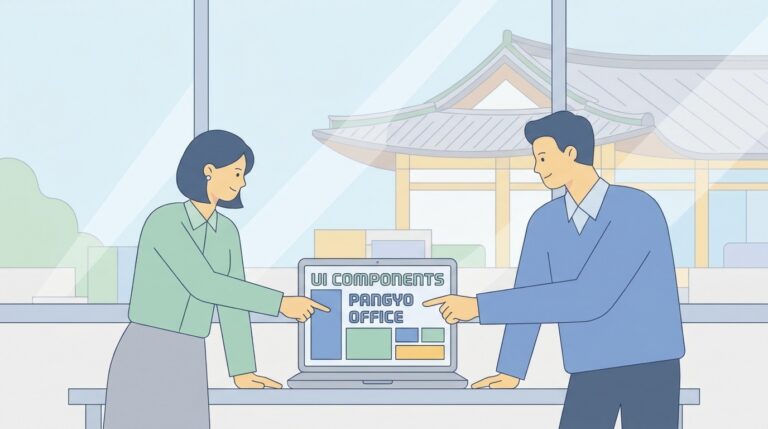
Picture this: You are sitting in an ultra-sleek, glass-walled meeting room in Pangyo Techno Valley—South Korea’s buzzing Silicon Valley. Outside, teams are briskly walking with iced Americanos in hand, just like a scene straight out of the K-Drama Start-Up. You’ve poured days into polishing your Figma designs. Every button shines, the paddings are pixel-perfect, and the color tokens are crisp. But the moment you hand the project over to Min-jun, your lead frontend developer, his eyes scan the prototype and he asks a classic Korean tech question: “디자이너님, 혹시 텍스트 길어지면 어떻게 넘어가나요? 빈 화면이랑 로딩 처리는 정의되어 있나요?” (Designer-nim, how does text wrap when it overflows? Are empty and loading states defined?)
Your stomach drops. In many international environments, edge cases are casually resolved in Slack threads. But in the hyper-agile, ultra-meticulous Korean IT ecosystem—fondly called Ppalli-Ppalli (hurry-hurry) culture meeting perfectionism—developers expect design systems to communicate every edge case upfront during the handoff (핸드오프). When long user names break a card layout, or a server lag shows a broken blank screen instead of a polished skeleton UI, team velocity screeches to a halt.
Mastering design handoff terminology isn’t just about vocabulary; it’s about earning immediate trust from Korean engineers. Over the past five years mentoring foreign product designers and developers entering Kakao, Coupang, and Naver, we’ve refined the exact phrasing that transforms awkward handoff friction into collaborative harmony. Let’s make sure your next sprint review is smoother than freshly brewed batch coffee!
Phase 2: Deep Dive into 3 Core Expressions
1. 텍스트 넘치면 말줄임표 처리해 주세요 (Tekseuteu neomchimyeon maljurimpyo cheorihae juseyo)
- Pronunciation: [Tek-seu-teu neom-chi-myeon mal-joo-rim-pyo cheo-ri-hae joo-seh-yo] (Think: “Tek-suit” + “chilling” with a “myeon” noodle soup, then “mal-zoo-rim-pure”).
- Meaning: Literal: “If the text overflows, please handle it with an ellipsis.” | Real Nuance: “Please truncate the text with ‘…’ if it exceeds the maximum width or character limit.”
- K-Culture Moment: In Korean tech culture, “말줄임표” (the three dots
...) is an essential requirement because Korean characters (Hangul) are block syllables that break differently across mobile viewports compared to English words. - Editor’s Insight: “처리해 주세요” (cheorihae juseyo) is the gold standard for polite workplace requests. It turns an imperative technical command into a respectful task delegation.
- Situation Spectrum:
- Casual (반말): ⚠️ 텍스트 넘치면 말줄임표 해줘 (Tekseuteu neomchimyeon maljurimpyo haejwo)
- Semi-formal (존댓말): ✅ 텍스트 넘치면 말줄임표 처리해 주세요 (Tekseuteu neomchimyeon maljurimpyo cheorihae juseyo)
- Formal (격식체): ✅ 텍스트 오버플로우 발생 시 말줄임표 처리를 부탁드립니다 (Tekseuteu obeopeullou balsaeng si maljurimpyo cheorireul butakdeurimnida)
- 🤔 Think About It: In English, you might say “truncate with an ellipsis.” In Korean, using “말줄임” (shortening speech) paints a charming picture of speech naturally trailing off. How does phrasing an interface rule gently change how engineers receive your feedback?
2. 빈 화면이랑 에러 상태 컴포넌트도 다 챙겨뒀어요 (Bin hwamyeon-irang ereo sangtae keomponeonteudo da chaenggyeodwoesseoyo)
- Pronunciation: [Bin hwa-myeon-ee-rang eh-reo sang-tae keom-po-neon-teu-do da chaeng-gyeo-dwo-sseo-yo] (Sounds like: “Bean” + “Hwa” as in flower + “myeon” noodle, with “chaeng-gyeo” echoing checking off your gear).
- Meaning: Literal: “I also packed all the empty screens and error state components.” | Real Nuance: “Don’t worry, I’ve already designed both the empty state (zero state) and error state components for this view.”
- K-Culture Moment: The verb “챙기다” (chaenggida) is deeply rooted in Korean warmth. Mothers tell children “밥 잘 챙겨 먹어” (make sure you take care and eat). When used in tech, it demonstrates proactive conscientiousness—proving you aren’t just designing happy paths.
- Editor’s Insight: Using “다 챙겨뒀어요” signals high professional maturity. Korean developers love nothing more than a designer who anticipates edge cases before QA finds them.
- Situation Spectrum:
- Casual (반말): ⚠️ 빈 화면이랑 에러 상태 다 챙겼어 (Bin hwamyeon-irang ereo sangtae da chaenggyeosseo)
- Semi-formal (존댓말): ✅ 빈 화면이랑 에러 상태 컴포넌트도 다 챙겨뒀어요 (Bin hwamyeon-irang ereo sangtae keomponeonteudo da chaenggyeodwoesseoyo)
- Formal (격식체): ✅ Empty State 및 Error State 대응 컴포넌트 정의를 완료했습니다 (Empty State mit Error State daeeung keomponeonteu jeong-uireul wanryohaetseumnida)
- 🤔 Think About It: Western sprint culture emphasizes “definition of done.” In Korea, showing you “챙기다” (cared for and packed) the developer’s needs builds immediate relational trust (Jeong, 정).
3. 줄바꿈 규칙은 최대 두 줄까지로 정의했어요 (Julbakkum gyuchigeun choedae du julkkajiro jeong-uihaesseoyo)
- Pronunciation: [Jool-bahk-koom gyoo-chee-geun choe-dae doo jool-kkah-jee-ro jeong-eui-hae-sseo-yo] (Imagine “jool” as jewel, “bahk-koom” like an engine backfiring softly).
- Meaning: Literal: “As for the line break rule, I defined it up to a maximum of two lines.” | Real Nuance: “The line break constraint allows a maximum wrap of two lines before truncating.”
- K-Culture Moment: Unlike English where word-break is default, Korean typography often struggles between
word-break: keep-all(keeping whole Korean words intact) versusbreak-all(breaking across syllables). Specifying “줄바꿈 규칙” prevents layout collisions in titles. - Editor’s Insight: “정의했어요” (jeong-uihaesseoyo – I have defined) sounds confident and systematic. It establishes design system governance.
- Situation Spectrum:
- Casual (반말): ⚠️ 줄바꿈은 두 줄까지만 되게 정의했어 (Julbakkumeun du julkkajiman doege jeong-uihaesseo)
- Semi-formal (존댓말): ✅ 줄바꿈 규칙은 최대 두 줄까지로 정의했어요 (Julbakkum gyuchigeun choedae du julkkajiro jeong-uihaesseoyo)
- Formal (격식체): ✅ 텍스트 래핑 규격은 최대 2라인으로 제한 정의하였습니다 (Tekseuteu raeping gyugyeogeun choedae irain-euro jehan jeong-uihayeotseumnida)
- 🤔 Think About It: Why is line wrapping such a sensitive topic in multilingual UX? Consider how a German compound word or a multi-syllable Korean honorific changes UI container balance compared to English.
Phase 3: Textbook Korean vs. Real Workplace Korean
Situation 1: Informing developers about loading skeletons and empty states
- 📖 교과서 한국어 (Textbook Korean): 데이터가 로딩 중이거나 없을 때 나타나는 화면을 확인해 주십시오. (Daeteoga roding jung-igeona eopseul ttae natananeun hwamyeoneul hwaginhae jusipsio.)
“Please confirm the screen that appears when data is loading or does not exist.” - 🗣️ 진짜 한국어 (Real Workplace Korean): 로딩 스켈레톤이랑 빈 화면 예외 케이스 피그마에 다 정리해 뒀어요! (Roding seukelleton-irang bin hwamyeon yewoe ke-iseu pigeumae da jeongnihae dwoesseoyo!)
“I’ve mapped out all the loading skeletons and empty state exception cases right in Figma!” - 💡 왜 다를까? (Why the difference?): Textbook Korean uses heavy sino-korean structures (
확인해 주십시오). Real IT pros use loanwords naturally (스켈레톤, 피그마, 예외 케이스) paired with conversational end-markers (~해 뒀어요) to maintain friendly agility.
Situation 2: Defining text overflow rules
- 📖 교과서 한국어 (Textbook Korean): 문자가 길면 화면을 벗어나지 않도록 줄바꿈을 해야 합니다. (Munjaga gilmyeon hwamyeoneul beoseonaji antorok julbakkumeul haeya hamnida.)
“If letters are long, one must perform line-breaking so that they do not deviate from the screen.” - 🗣️ 진짜 한국어 (Real Workplace Korean): 텍스트 길어지면 두 줄 넘어가기 전에 말줄임 처리 부탁드려요. (Tekseuteu gileojimyeon du jul neomeogagi jeone maljurim cheori butakdeuryeoyo.)
“If the text runs long, please apply ellipsis truncation before it exceeds two lines.” - 💡 왜 다를까? (Why the difference?): Modern Korean designers prefer the concise noun-compound “말줄임 처리” (ellipsis handling) over awkward literal textbook verbs.
Phase 4: K-Culture Deep Dive & Non-Verbal Manners
4-1. Nunchi (눈치) & Non-Verbal Workplace Etiquette
During a design handoff in Korea, body language speaks as loudly as your component variants:
* The Shared Screen Nod (화면 응시와 끄덕임): When presenting in Figma, do not stare fixedly into the developer’s eyes. In Korean engineering culture, prolonged direct eye contact during technical criticism can feel confrontational. Instead, focus your gaze together on the shared canvas. Nod gently while pointing your cursor: “여기 보시면…” (If you look right here…).
* The Anticipatory Apology-Appreciation Loop: Before highlighting tricky responsive breakpoints, lead with empathy: “구현하기 좀 까다로우실 텐데…” (I know this might be tricky to implement…). Acknowledging technical debt or complexity before they bring it up demonstrates high Nunchi (social radar).
4-2. Cultural Code Analysis: The Pangyo Sprint Mindset
Just like the tech startups portrayed in the hit drama Start-Up (스타트업), Korean development teams operate on rapid iteration cycles called “스프린트” (sprints). Because deployment cycles are relentless, developers experience severe fatigue when edge cases are omitted. Handing off a screen without an empty state (빈 화면) or error toast (에러 팝업) forces the developer to halt coding, write a Slack ticket, and wait. Delivering complete edge cases upfront is seen as the ultimate gesture of workplace consideration (배려, baeryeo).
Phase 5: Real-World Roleplay Scenario
Setting: The 5th floor breakout lounge of a tech startup near Gangnam Station. Designer Sophia is reviewing a Figma handoff file with frontend developer Jun-ho.
- Turn 1 (Sophia): 준호 님, 이번 검색 결과 페이지 핸드오프 문서 공유해 드렸어요. (Jun-ho nim, ibeon geomsaek gyeolgwa pe-iji haendeu-opeu munseo gong-yuhae deuryeosseoyo.)
“Jun-ho nim, I just shared the handoff document for the search results page.”
🎭 Action: Politely tilting her laptop toward Jun-ho and highlighting the Figma frame link. -
Turn 2 (Jun-ho): 네, 소피아 님! 마침 보고 있었어요. 혹시 검색어 결과가 없을 때는 어떤 화면이 나오나요? (Ne, Sophia nim! Machim bogo isseosseoyo. Hoksi geomsaegeo gyeolgwaga eopseul ttaeneun eotteon hwamyeoni na-onayo?)
“Yes, Sophia nim! I was just looking at it. By any chance, what screen appears when there are zero search results?”
🎭 Action: Scrolling down the viewport with an inquisitive yet calm expression. -
Turn 3 (Sophia): 아, 컴포넌트 목록 아래쪽에 빈 화면 상태 따로 정의해 뒀어요! (A, keomponeonteu mongnok araejjoge bin hwamyeon sangtae ttaro jeong-uihae dwoesseoyo!)
“Ah, I defined the empty state separately right below the component list!”
🎭 Action: Smoothly zooming the Figma canvas out to reveal the Zero-State section. -
Turn 4 (Jun-ho): 오, 일러스트랑 홈으로 가기 버튼까지 다 있네요. 로딩 중일 때는요? (O, illeoseuteurang homeuro gagi beoteunkkaji da inne-yo. Roding jung-il ttaeneunyo?)
“Oh, it even has the illustration and the ‘Back to Home’ button. How about during loading?”
🎭 Action: Nodding approvingly while checking the autolayout properties. -
Turn 5 (Sophia): 로딩 상태는 스켈레톤 UI로 처리해 주시면 돼요. (Roding sangtaeneun seukelleton UI-ro cheorihae jusimyeon dwaeyo.)
“For the loading state, you can handle it using the skeleton UI.”
🎭 Action: Switching to the animation prototype tab to show shimmer effect timing. -
Turn 6 (Jun-ho): 완벽하네요. 그런데 상품 타이틀이 두 줄을 넘어가면 어떻게 처리할까요? (Wanbyeokhane-yo. Geureonde sangpum taiteuri du jureul neomeogamyeon eotteoke cheorihalkkayo?)
“Flawless. But if the product title exceeds two lines, how should we handle it?”
🎭 Action: Tapping his chin, pointing at a card with a lengthy German cosmetic product title. -
Turn 7 (Sophia): 줄바꿈 규칙은 최대 두 줄까지고, 넘치면 말줄임표 처리해 주세요. (Julbakkum gyuchigeun choedae du julkkajigo, neomchimyeon maljurimpyo cheorihae juseyo.)
“The line break rule is up to two lines, and if it overflows, please truncate it with an ellipsis.”
🎭 Action: Smiling confidently while clicking the annotated specification badge. -
Turn 8 (Jun-ho): 확인했습니다! 예외 케이스가 다 정리되어 있어서 개발하기 진짜 편하겠어요. (Hwaginhaetseumnida! Yewoe ke-iseuga da jeongnidoeeo isseoseo gaebalhagi jinjja pyeonhagesseoyo.)
“Confirmed! Everything is so cleanly mapped out with edge cases; this will be super smooth to develop.”
🎭 Action: Giving two thumbs up and immediately assigning the Jira subtask.
🔀 Interactive Branching Point
Jun-ho asks: “네트워크 연결 끊겼을 때의 에러 화면은 어디 있나요?” (Where is the error screen for when network connectivity drops?)
- Option A: “그건 개발자님이 기본 시스템 알럿으로 알아서 띄워주시면 안 될까요?” (Can’t you just trigger a default system alert on your own, developer-nim?)
- Outcome: 🚫 Bad. Pushing edge cases onto engineering without assets makes you appear unprepared and uncollaborative.
- Option B: “앗, 그 케이스는 놓쳤네요! 에러 컴포넌트 바로 추가해서 슬랙으로 멘션 드릴게요.” (Ah, I missed that case! I will add the error component right away and mention you on Slack.)
- Outcome: ✅ Best. Honest, proactive, and takes prompt ownership. Korean engineers respect quick follow-ups immensely.
- Option C: “나중에 QA 때 버그 나오면 그때 디자인 수정할게요.” (Let’s just tweak the design later during QA if a bug comes up.)
- Outcome: ⚠️ Risk. Postponing design specs to QA frustrates Korean tech teams who adhere to tight delivery schedules.
Phase 6: 10-Second Emotional Shadowing Drill
Practice these natural cadences out loud. The / indicates a micro-pause for rhythm.
[😊 Confident & Supportive]
빈 화면이랑 / 에러 상태 컴포넌트도 / 다 챙겨뒀어요.
(Bin hwamyeon-irang / ereo sangtae keomponeonteudo / da chaenggyeodwoesseoyo.)
Pause slightly after~이랑before delivering다 챙겨뒀어요with warm reassurance.-
[🧐 Attentive & Precise]
줄바꿈 규칙은 / 최대 두 줄까지고, / 넘치면 / 말줄임표 처리해 주세요.
(Julbakkum gyuchigeun / choedae du julkkajigo, / neomchimyeon / maljurimpyo cheorihae juseyo.)
Emphasize두 줄(two lines) and finish cleanly on처리해 주세요. -
[🤝 Collaborative & Polite]
예외 케이스 확인하시고 / 피드백 편하게 주세요!
(Yewoe ke-iseu hwaginhasigo / pideubaek pyeonhage juseyo!)
Deliver with an uplifting, welcoming tone to invite productive feedback.
Phase 7: K-Culture Mini-Dictionary
- 말줄임표 (Maljurimpyo)
Literal Translation: Speech shortening mark (...) | Business Usage: Ellipsis truncation in design tokens and CSS text rules (text-overflow: ellipsis). - 빈 화면 (Bin hwamyeon)
Literal Translation: Empty screen | Business Usage: Zero-state or empty state UI displayed when user data, search results, or shopping carts are void. - 예외 케이스 (Yewoe Ke-iseu)
Literal Translation: Exception case | Business Usage: Tech loanword for UI edge cases, offline errors, or permission denials. - 줄바꿈 (Julbakkum)
Literal Translation: Line changing | Business Usage: Text wrapping rules, line breaks, and typographic container boundaries.
Phase 8: Expat Professional Survival Kit
Top 3 Survival Phrases for Design Handoffs
- 컴포넌트 가이드 확인 부탁드려요. (Keomponeonteu ga-ideu hwagin butakdeuryeoyo.)
“Please take a look at the component guidelines.”
Pro Tip: Use this when posting your Figma URL into Jira or Slack tickets. - 반응형 대응은 어떻게 할까요? (Baneunghyeong dae-eungeun eotteoke halkkayo?)
“How shall we handle the responsive breakpoints?”
Pro Tip: Great conversation opener when coordinating desktop versus mobile layout states. - 디자인 QA 일정 언제로 잡을까요? (Dijain QA iljeong eonjero jabeulkkayo?)
“When should we schedule our Design QA review?”
Pro Tip: Shows you are invested in visual fidelity until production release.
Editor’s Local Tech Note
Working in tech hub areas like Pangyo or Gangnam? When collaborating with your Korean peers outside office hours, download the Naver Map app to navigate subway exits directly connected to major tech campuses. Remember that most team lunches (점심 회식) are split instantly via KakaoPay (카카오페이); setting up a local toss or Kakao account makes social integration effortless!
Phase 9: Going Deeper (Cultural Reflection)
In Western software design, documentation tends to be decentralized: designers hand off screens, and developers submit pull requests with their own edge case interpretations. In Korea, however, design handoff is steeped in the cultural ethic of “배려” (Baeryeo – anticipatory consideration). To give an engineer a design lacking loading or empty states is seen as passing unnecessary burdens onto someone else’s plate. When you specify how a component fails, loads, or truncates, you aren’t just creating UI specs—you are actively protecting your colleague’s peace of mind and time.
💬 Your Turn: In your home country’s tech ecosystem, are designers expected to document every edge case before coding starts, or do you resolve them organically in sprint chats? Let us know in the comments below!
Phase 10: FAQ & Common Pitfalls
Q: Should I say ‘말줄임표’ or use the English word ‘엘립시스’ (Ellipsis) with Korean developers?
A: While frontend engineers understand “엘립시스” (ellipsis), 말줄임표 (Maljurimpyo) or 말줄임 처리 (Maljurim cheori) is universally used by PMs, designers, and developers alike during daily scrums. Using 말줄임 shows you speak genuine Korean team vernacular.
Q: What is the most natural way to refer to ‘Empty State’ in Korean?
A: Both 빈 화면 (Bin hwamyeon) and 엠티 스테이트 (Emti Seute-iteu) are widely understood, but “빈 화면” is overwhelmingly preferred when talking naturally in sprint meetings.
Q: Can I use 반말 (informal speech) with developers of my same age?
A: Even if you are the same age or close friends outside work, always maintain 존댓말 (polite speech) using title + 님 (e.g., 민준 님, 준호 님) during sprint ceremonies and public Slack channels. It preserves professional boundaries and team harmony.
🚨 Common Mistakes Warning Board
- ❌ Mistake 1: Saying “글자가 깨져요” (The letters are broken) when text simply overflows into a second line.
Correct Action: Say “텍스트가 영역을 넘쳐서 줄바꿈 처리가 필요해요” (The text is overflowing the container, so line break handling is needed). - ❌ Mistake 2: Calling an empty state “없는 화면” (A non-existing screen).
Correct Action: Always use “빈 화면” (Empty screen) or “데이터가 없는 상태” (State without data). - ❌ Mistake 3: Ordering an engineer with “이거 이렇게 만드세요” (Make it like this).
Correct Action: Soften it into a respectful request: “~로 구현해 주실 수 있을까요?” (Could you implement it as…?).
Phase 11: Action Missions
- 🥉 Bronze Mission (Solo Practice): Look at your current app design portfolio. Point to three cards and say aloud in Korean: “텍스트 넘치면 말줄임표 처리해 주세요!”
- 🥈 Silver Mission (Social / Community): Share a screenshot of your favorite mobile app’s Empty State on LinkedIn or Instagram with the caption: “이 앱은 빈 화면(Empty state) 처리가 참 깔끔하네요!”
- 🥇 Gold Mission (Real-world Application): During your next team sync or mock handoff, present an error screen variant in Figma and explain: “에러 상태 컴포넌트도 다 챙겨뒀어요!”
🎮 K-Culture Mission: Watch Episode 5 of the K-Drama Start-Up (스타트업). Notice how the developers and designers huddle around sticky notes and laptops. Count how many times team members say “확인해 볼게요” (I’ll check it) during feature discussions!
Phase 12: Interactive Quiz Challenge
Test your tech Korean skills below! Click each toggle to reveal the solution and breakdown.
Quiz 1. Contextual Selection
During a design review, the developer points out that user nicknames can be up to 30 characters long, distorting the profile header. What should you say?
* A) 텍스트 그냥 다 지워주세요. (Please just erase all the text.)
* B) 텍스트 넘치면 말줄임표 처리해 주세요. (If the text overflows, please handle it with an ellipsis.)
* C) 데이터베이스를 바꾸세요. (Change the database.)
👉 Click to view Answer & Explanation
Correct Answer: B
Explanation: Truncating long strings with an ellipsis (말줄임표 처리) is standard design system behavior when user-generated strings exceed layout boundaries.
Quiz 2. Fill-in-the-Blank
Complete the sentence with the natural Korean workplace expression:
“데이터가 없을 때 나오는 (____ ____) 상태 디자인도 피그마에 추가했어요.”
(Hint: Literal ‘empty screen’)
👉 Click to view Answer & Explanation
Correct Answer: 빈 화면 (Bin hwamyeon)
Explanation: While ‘엠티 스테이트’ is also understood, ‘빈 화면’ is the most idiomatic phrase among Korean product designers.
Quiz 3. True / False Cultural Check
True or False: When handing off designs in Korean startups, you only need to show the ‘Happy Path’ (successful screen); developers will assume error and empty states on their own without documentation.
👉 Click to view Answer & Explanation
Correct Answer: False
Explanation: In Korean agile teams, delivering edge cases (빈 화면, 에러 상태, 로딩 스켈레톤) upfront is considered essential professional etiquette (배려) that prevents sprint delays.
🎬 Watch Our Daily Videos! (Daily Hangul Official Instagram)
Review the expressions you learned in this article with our fun daily short videos! Check out native pronunciation and real-life nuances in action.
- Instagram @dailyhangul_en