Phase 1: Empathy (A Cozy Welcome to Korean Tech Life)
안녕하세요! 매일한글 에디터입니다. (Annyeonghaseyo! It’s your Daily Hangul editor.)
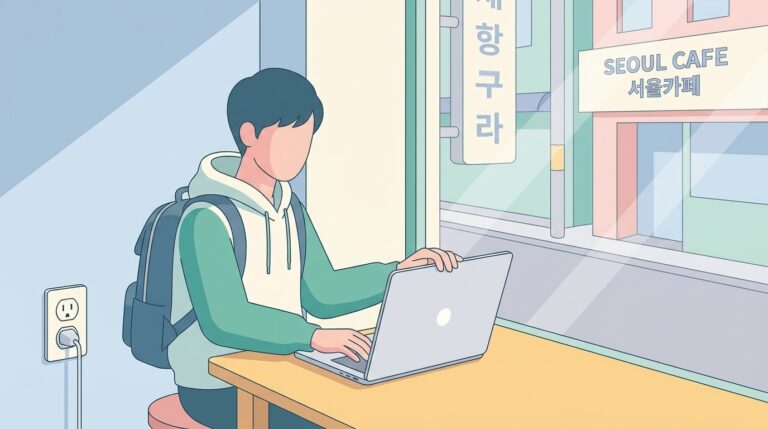
Picture this: You just walked into a gorgeous, sunlit aesthetic cafe in Yeonnam-dong. You order an iced Americano, find a comfortable wooden table next to a power outlet, and sit down to catch up on your journaling or work. You open your laptop, press the power switch, and… nothing happens. The screen stays black. You wonder if the cafe plug is switched off, if your laptop needs a hard reboot, or if you need to ask the person next to you where the master power strip button is.
You want to ask, “Excuse me, is this outlet working?” or tell your study buddy, “Let me just turn on my laptop first,” but your mind goes blank. In textbook Korean, you might have learned heavy, robotic words like “전원을 작동시키다” (to activate the electric power supply). But nobody talks like an instruction manual in real life!
Don’t worry! As an editor who has coached hundreds of international students through their daily tech hiccups in Seoul, I’ve got you covered. In this guide, tailored specifically for beginner (A2) learners, we’ll turn awkward silence into smooth, natural Korean so you can boot up, plug in, and get online with confidence.
Phase 2: Top 3 Essential Expressions for Booting Up
1. 노트북 켤게요 (Notteubuk kyeol-ge-yo)
- Pronunciation: [Not-teu-buk kyeol-ge-yo] (Think of kyeo like the “cu-” in cure blended smoothly with an “eo” sound!)
- Meaning: Literal: “I will turn on the laptop” | Nuance: “Give me a second, let me just boot up my laptop.”
- K-Culture Moment: Often heard in campus study rooms or cafe scenes in college K-Dramas like Cheese in the Trap when group project members sit down to begin their meeting.
- Editor’s Insight: The verb 켜다 (kyeoda) means “to turn on” or “to switch on” for lights, electronics, and screens. When you add the ending -(으)ㄹ게요, it warmly expresses your intention to the other person without sounding bossy.
- Situation Spectrum: Casual: ✅ (노트북 켤게) | Semi-formal: ✅ (노트북 켤게요) | Formal: ⚠️ (노트북을 켜겠습니다)
- 🤔 Think About It: In English, we often say “booting up” or “opening up my computer.” In Korean, the universal word for powering on screens and lights is 켜다. Why do you think Korean connects lights and electronic displays with the same verb?
2. 전원 버튼이 어디 있어요? (Jeon-won beoteuni eodi isseoyo?)
- Pronunciation: [Jeon-won beo-teun-i eo-di it-seo-yo?] (Jeon-won sounds like “John-one” said rapidly).
- Meaning: Literal: “Where is the power button?” | Nuance: “Could you tell me where the power switch is located?”
- K-Culture Moment: The classic scene where a character borrows an unfamiliar device or struggles with a sleek monitor at an internet cafe (PC bang).
- Editor’s Insight: “전원” (jeon-won) literally means electrical power/source. Even if you forget the word for laptop, pointing at any device and asking “전원 버튼이 어디 있어요?” will immediately get you the help you need.
- Situation Spectrum: Casual: ✅ (전원 버튼 어디 있어?) | Semi-formal: ✅ (전원 버튼이 어디 있어요?) | Formal: ✅ (전원 버튼이 어디에 있습니까?)
- 🤔 Think About It: Notice how Koreans often omit grammatical particles like “-이/가” in casual spoken conversation! How does omitting particles change the speed and rhythm of speech?
3. 노트북이 안 켜져요 (Notteubugi an kyeojyeoyo)
- Pronunciation: [Not-teu-bug-i an kyeo-jyeo-yo] (Kyeo-jyeo sounds like “cure-geo”).
- Meaning: Literal: “The laptop does not get turned on” | Nuance: “My laptop won’t turn on / It’s not booting.”
- K-Culture Moment: The relatable comic panic moment when a rookie intern sits down at their desk on their first day in an office drama like Misaeng and realizes their screen is completely unresponsive.
- Editor’s Insight: Notice the passive form 켜지다 (kyeojida). Instead of saying “I can’t turn it on,” Korean speakers often describe the device’s state: “It’s not turning on on its own.” It shifts blame away from the user!
- Situation Spectrum: Casual: ✅ (노트북 안 켜져) | Semi-formal: ✅ (노트북이 안 켜져요) | Formal: ✅ (노트북이 켜지지 않습니다)
- 🤔 Think About It: In English, we often say “I broke it” or “I can’t turn it on.” In Korean, using passive phrasing softens the mood and sounds much more natural.
Phase 3: Textbook Korean vs. Real Korean
Situation 1: Saying you are turning on the laptop
- 📖 교과서 한국어: 노트북의 전원을 켜십시오. (Notteubugui jeonwoneul kyeosipsio. – “Turn on the power of the notebook computer.”)
- 🗣️ 진짜 한국어: 노트북 좀 켤게요. (Notteubuk jom kyeol-ge-yo. – “Let me just turn on my laptop.”)
- 💡 왜 다를까? Textbook sentences sound like a written user manual. Real Koreans use “좀” (jom – slightly/please) as a conversational cushion word to sound soft and friendly.
Situation 2: Asking if the laptop screen turned on
- 📖 교과서 한국어: 컴퓨터가 부팅되었습니까? (Keompyuteoga buting-doeeossseumnikka? – “Has the computer finished booting?”)
- 🗣️ 진짜 한국어: 노트북 켜졌어요? (Notteubuk kyeojyeosseoyo? – “Did your laptop turn on? / Is it on?”)
- 💡 왜 다를까? While IT professionals understand “booting” (부팅), everyday people almost exclusively ask “켜졌어요?” to check if a device is running.
Phase 4: K-Culture Deep Dive & Non-Verbal Etiquette
4-1. 눈치 (Nunchi) & Cafe Gestures
When using a laptop in a trendy Korean cafe or study cafe (스터디 카페), “카공족” (Kagongjok – people who study in cafes) etiquette is paramount. If you need to plug in your charger under another person’s table:
* Make brief, soft eye contact, give a small 15-degree head bow, and point gently toward the wall socket.
* Never unplug someone else’s cable without asking first with a polite “저기요, 혹시…” (Excuse me, by any chance…).
* Keep your laptop typing soft. In quiet study spaces, loud mechanical keyboards are a major faux pas; people use silicone keyboard covers or silent mice!
4-2. Cultural Code: The ‘Kagong’ Lifestyle
In Korea, cafes are not just places to grab coffee; they are second offices and university study lounges. Power sockets (콘센트 – konsenteu) are ubiquitous, often built right into long communal wooden tables. Knowing how to politely negotiate power outlets and boot up your work setup without disturbing others shows you possess high Nunchi (cultural emotional intelligence).
Phase 5: Real-Life Roleplay Scenario
Setting: A bustling, minimalist cafe near Sinchon station. You sit at a shared table next to Minjun (민준), a friendly university student reviewing notes.
Turn 1
* You: 저기요, 여기 콘센트 써도 돼요?
(Jeogiyo, yeogi konsenteu sseodo dwaeyo?)
“Excuse me, can I use this outlet here?”
🎭 Pointing politely with an open hand toward the wall socket.
Turn 2
* Minjun: 아, 네! 쓰세요. 자리 넓혀 드릴게요.
(A, ne! Sseuseyo. Jari neolpyeo deurilgeyo.)
“Ah, yes! Go ahead and use it. I’ll make some room for you.”
🎭 Sliding his notepad slightly to the side with a warm smile.
Turn 3
* You: 감사합니다. 노트북 좀 켤게요.
(Gamsahamnida. Notteubuk jom kyeol-ge-yo.)
“Thank you. Let me turn on my laptop now.”
🎭 Opening your laptop lid and reaching for the power switch.
Turn 4
* Minjun: 네, 편하게 하세요.
(Ne, pyeonhage haseyo.)
“Sure, make yourself comfortable.”
🎭 Putting on headphones.
Turn 5
* You: 어…? 노트북이 안 켜져요.
(Eo…? Notteubugi an kyeojyeoyo.)
“Wait, huh…? My laptop won’t turn on.”
🎭 Looking puzzled while repeatedly pressing the power button.
Turn 6
* Minjun: 진짜요? 전원 버튼 길게 눌러 보셨어요?
(Jinjjayo? Jeon-won beoteun gilge nulleo bosyeosseoyo?)
“Really? Have you tried long-pressing the power button?”
🎭 Peering over curiously to help.
Turn 7
* You: 아, 길게 누르니까 켜졌어요! 다행이에요.
(A, gilge neureunikka kyeojyeosseoyo! Dahaeng-ieyo.)
“Ah, it turned on after holding it down! What a relief.”
🎭 Breathing a sigh of relief as the screen lights up.
Turn 8
* Minjun: 다행이네요! 충전기도 꽂아 두세요.
(Dahaeng-ineyyo! Chungjeongido kkoja duseyo.)
“Glad to hear that! Make sure to keep the charger plugged in too.”
🎭 Giving a gentle nod.
🔀 Interactive Decision Point
Your laptop screen is on, but you now want to connect to the cafe Wi-Fi. What do you say to Minjun?
* Option A: “와이파이 비밀번호 어디 있어요?” (Wa-i-pa-i bimilbeonho eodi isseoyo? – Where is the Wi-Fi password?)
* Feedback (Best): Spot on! Natural, polite, and directly gets you the information.
* Option B: “야, 인터넷 켜.” (Ya, inteonet kyeo. – Hey, turn on the internet.)
* Feedback (Bad): High social risk! “야” is informal and rude to someone you just met in public.
* Option C: “무선 인터넷 접속 암호를 요구합니다.” (Museon inteonet jeopsok amhoreul yoguhamnida. – I request the wireless internet access passcode.)
* Feedback (Risk): Way too stiff and robotic. Minjun might think you are a secret agent or reading from an archaic textbook!
Phase 6: 10-Second Emotion Shadowing Drill
Practice reading these out loud with rhythm, pauses (/), and genuine emotion!
[😊 Polite & Calm]
저기요, / 노트북 좀 / 켤게요.
(Jeogiyo, / notteubuk jom / kyeol-ge-yo.)-
[🥺 Confused & Flustered]
어쩌지? / 노트북이 / 왜 안 켜지지?
(Eojjeoji? / notteubugi / wae an kyeojiji?) -
[😄 Relieved & Happy]
와, / 이제 / 화면 켜졌어요! / 감사합니다!
(Wa, / ije / hwamyeon kyeojyeosseoyo! / gamsahamnida!)
Phase 7: K-Culture Mini Dictionary
-
노트북 (Notteubuk) | Laptop / Notebook PC
In Konglish, “laptop” is almost universally called “노트북”. If you say “랩탑” (raeptap), older folks or cafe clerks might pause for a second to understand. -
전원 (Jeon-won) | Power Supply / Main Power
Used on buttons, switches, and settings menus across all electronic items. -
콘센트 (Konsenteu) | Wall Socket / Electrical Outlet
Derived from the concept of “concentric plugs.” Asking “콘센트 자리 있어요?” (Are there seats with outlets?) is crucial cafe survival language. -
충전기 (Chung-jeon-gi) | Battery Charger
Essential for smartphones and laptops. You will often hear: “충전기 빌릴 수 있을까요?” (Could I borrow a charger?).
Phase 8: Traveler’s Survival Kit
TOP 3 Survival Phrases
- 콘센트 있어요? (Konsenteu isseoyo? / Is there a power outlet?)
Pro Tip: Ask the barista this before ordering if your laptop battery is running on 5%! - 와이파이 연결돼요? (Wa-i-pa-i yeon-gyeol-dwaeyo? / Does the Wi-Fi connect?)
Pro Tip: The Wi-Fi name and password are almost always printed at the bottom of your paper receipt. - 화면이 멈췄어요. (Hwamyeoni meomchwoeosseoyo. / The screen froze.)
Pro Tip: Great for letting a classmate or friend know your device crashed.
Editor’s Travel Note
When heading out to work on your laptop in Korea, remember that South Korea uses Type C and Type F plugs (220V, 60Hz) with two round pins. Keep an adapter in your bag! Also, to discover quiet, laptop-friendly work cafes near you with high-speed internet, search for recommendations using the Naver Map app download.
Phase 9: One Step Deeper (Reflection)
In Korean society, shared public spaces emphasize communal harmony and respect for personal concentration. When someone takes out their laptop, it’s customary to acknowledge the shared table space with a small greeting or gesture. Notice how we often add “좀” (a little bit) when announcing an action like turning on a device; it signals consideration, letting others know you are mindful not to invade their personal comfort bubble.
💬 Your Turn: Have you ever experienced tech troubles in a foreign cafe or study space? How did you communicate with those around you? Share your funny or memorable stories in the comments below!
Phase 10: FAQ & Common Mistakes
Q: Can I use “컴퓨터” (keompyuteo) instead of “노트북” (notteubuk)?
A: Yes! However, “컴퓨터” generally brings to mind a desktop PC setup with a separate tower and monitor. When referring specifically to a portable laptop, “노트북” is much more natural.
Q: What is the opposite of “켜다” (to turn on)?
A: The opposite is 끄다 (kkeuda), which means “to turn off.” In polite speech: “노트북 끌게요” (I will turn off the laptop) or “전원을 꺼 주세요” (Please turn off the power).
Q: Why do Koreans say “노트북을 켜다” instead of “스타트하다” (start)?
A: While Konglish borrowings are common in Korean, foundational verbs like 켜다 (turn on) and 끄다 (turn off) remain standard. “스타트하다” is usually reserved for starting an engine or a game race!
🚨 Common Mistakes Alert
- Saying “랩탑” instead of “노트북”: While IT workers recognize “laptop,” everyday locals instinctively say “노트북.” Always stick with 노트북!
- Confusing 켜다 (kyeoda) with 열다 (yeolda): “열다” means physically opening the laptop lid (노트북을 열다). To boot up the system, you must use 켜다 (kyeoda).
- Forgetting to check the receipt for Wi-Fi: Before asking the busy barista for the Wi-Fi password, always inspect your order receipt or look on the cafe’s counter wall—it’s almost always posted there!
Phase 11: Action Mission & Challenge
- 🥉 Bronze Mission (Solo Practice): Stand in front of your own laptop today, open the lid, and say out loud three times: “노트북 켤게요!”
- 🥈 Silver Mission (Social Share): Take a photo of your study or work desk setup, tag us on Instagram or Threads, and write the Korean caption: “오늘도 노트북 켜고 한국어 공부 시작!” (Starting Korean study by turning on the laptop today too!)
- 🥇 Gold Mission (Real-world Challenge): Next time you enter a cafe or library, use “노트북 켤게요” with a friend or colleague before starting your work session!
🎮 K-Culture Media Mission: Watch an episode of a modern office or campus K-drama (like Start-Up or Weightlifting Fairy Kim Bok-joo). Listen carefully whenever someone sits at a desk—can you catch them saying “켜다” or “꺼”?
Phase 12: Interactive Quiz Challenge
Test your knowledge from today’s lesson!
1. Situation Check: Your laptop screen is completely dark and won’t respond. What is the most natural sentence to say to a friend?
* A) 노트북이 켜져요.
* B) 노트북이 안 켜져요.
* C) 노트북을 열었어요.
2. Fill in the Blank:
“실례지만, 전원 ______이/가 어디 있어요?” (Excuse me, where is the power button?)
3. True or False:
In Korean, you use the verb “열다” (to open) to describe turning on the internal electrical power of your computer screen.
👉 Click here to reveal answers and explanations!
-
Answer: B) 노트북이 안 켜져요.
Explanation: Adding “안” (not) before “켜져요” correctly expresses that the laptop is failing to turn on. -
Answer: 버튼 (beoteun – button)
Explanation: “전원 버튼” is the standard term for the power button. -
Answer: False.
Explanation: “열다” only refers to physically opening the laptop lid. To turn on the power/display, you must use “켜다”!