Scan Like a Local: How to Use QR Codes in Korea Without Breaking a Sweat
Phase 1: Empathy (Story Opening)
안녕하세요! Welcome back to Daily Hangul! It’s your favorite Seoul-based editor and cultural navigator here.
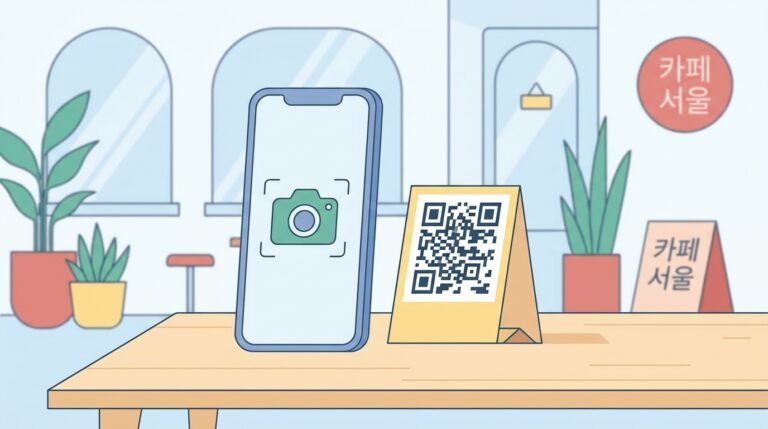
Picture this: You just walked into a buzzing, ultra-aesthetic cafe in Seongsu-dong. The smell of freshly baked salt bread fills the air, and K-indie music is playing in the background. You’re ready to order, but instead of a cashier greeting you, you see a small acrylic stand on the counter with a black-and-white square grid. Or maybe you’re standing outside a legendary pork belly restaurant in Hongdae with 20 people waiting, and the host points at a digital tablet with a camera lens.
Suddenly, your heart skips a beat. Do I say ‘스캔’ (scan)? Do I say ‘사진 찍다’ (take a photo)? Where do I point my phone?
If you’ve ever stood frozen with your camera app open, awkwardly waving your phone at a counter while the line behind you grows, take a deep breath—you are definitely not alone! Korea is one of the most smartphone-integrated societies in the world. From ordering your iced americano to booking a spot in a 2-hour queue, scanning QR codes is an everyday ritual. This guide is built directly from real questions sent in by our A2-level learners. By the end of this 5-minute read, you’ll breeze through any QR interaction in Korea with 100% confidence.
Phase 2: Top 3 Core Expressions Deep-Dive
Here are the three magic phrases you need to master today.
1. QR 코드 어디에 찍어요? (QR kodeu eodie jjigeoyo?)
- Pronunciation: QR ko-deu eo-di-e jji-geo-yo? (Think of the “jji” like the sharp “j” in jeep, but punchier!)
- Meaning: Literal: “Where do I imprint/snap the QR code?” | Actual Nuance: “Where do I scan the QR code?”
- K-Culture Moment: You will hear this constantly when travelers and locals alike encounter unfamiliar kiosk scanners at unmanned convenience stores or pop-up stores in The Hyundai Seoul.
- Editor’s Insight: In English, we say “scan a QR code.” But in Korean, native speakers almost always use the verb 찍다 (jjikda)—which means to stamp, snap, or tag. Asking “어디에 스캔해요?” is understood, but “어디에 찍어요?” instantly makes you sound like a local!
- Situation Spectrum: Casual: ⚠️ | Semi-formal (Polite): ✅ | Formal: ✅
- 🤔 Think About It: Why do you think Korean uses physical action verbs like “찍다” (to stamp) for high-tech digital actions? It shows how language links new technology to familiar physical habits!
2. QR 코드로 주문할게요. (QR kodeuro jumunhalgeyo.)
- Pronunciation: QR ko-deu-ro ju-mun-hal-ge-yo. (“Ro” rhymes with row, “jumun” sounds like zoo-moon with a soft ‘j’.)
- Meaning: Literal: “I will order by means of QR code.” | Actual Nuance: “I’ll place my order using the QR code.”
- K-Culture Moment: In trendy K-Dramas, whenever characters visit modern bistros or hip craft beer bars in Euljiro, you’ll spot them pointing their phone at a table sticker instead of calling the server.
- Editor’s Insight: The particle -(으)로 (-(eu)ro) indicates the tool or method. By pairing “QR 코드” with “-로”, you cleanly tell staff that you don’t need a paper menu.
- Situation Spectrum: Casual: ⚠️ (Use ‘주문할게’) | Semi-formal (Polite): ✅ | Formal: ✅
- 🤔 Think About It: In your home country, do restaurants prefer physical menus or table QR codes? Notice how Korea rapidly embraced QR menus to speed up service.
3. 화면에 태그해 주세요. (Hwamyeone taegeuhae juseyo.)
- Pronunciation: Hwa-myeon-e tae-geu-hae ju-se-yo. (“Hwamyeon” sounds like hwa-myun).
- Meaning: Literal: “Please tag on the screen.” | Actual Nuance: “Please hold/scan your phone against the screen.”
- K-Culture Moment: Heard frequently at convenience store counters when using mobile payment apps (KakaoPay, NaverPay) or scanning event membership QR codes.
- Editor’s Insight: While “찍다” is common, staff often use the English loanword 태그하다 (taegeuhada – to tag/tap) when you need to touch your screen near the scanner terminal.
- Situation Spectrum: Casual: 🚫 | Semi-formal (Polite): ✅ | Formal: ✅
- 🤔 Think About It: Korean easily borrows words like “Tag” and turns them into polite action verbs with “-해 주세요”. How flexible is your language with tech loanwords?
Phase 3: Textbook Korean vs. Real Korean
Let’s upgrade your language from stiff robotic phrases to natural street Korean.
Situation 1: Asking how to scan at a counter
- 📖 Textbook Korean: “QR 코드를 스캔하는 방법을 알려주시겠습니까?” (QR kodeureul seukaenhaneun bangbeobeul allyeojusigesseumnikka? – “Would you please inform me of the method to scan the QR code?”)
- 🗣️ Real Korean: “이거 QR 어디로 찍어요?” (Igeo QR eodiro jjigeoyo? – “Where do I scan this QR?”)
- 💡 Why is it different? Native speakers value speed and brevity. Combining “이거” (this) with “어디로 찍어요?” gets right to the point without sounding stiff.
Situation 2: Showing your QR voucher or payment code to a cashier
- 📖 Textbook Korean: “저의 QR 코드를 스캐너에 제시하겠습니다.” (Jeoui QR kodeureul seukaeneoe jesihagessumnida. – “I shall present my QR code to the scanner apparatus.”)
- 🗣️ Real Korean: “QR 여기 보여드리면 돼요?” (QR yeogi boyeodeurimyeon dwaeyo? – “Can I just show the QR right here?”)
- 💡 Why is it different? The structure “-면 돼요?” (Can I just…? / Is it okay if…?) is the ultimate secret weapon for polite, natural everyday questions in Korea.
Phase 4: K-Culture Deep Dive & Non-Verbal Manners
4-1. Nunchi (눈치) & Smartphone Etiquette
When scanning a QR code in a fast-paced Korean environment:
* Two-Hand Rule: If a staff member holds a handheld scanner toward your phone, hold your phone gently with both hands (or touch your left hand to your right wrist). This shows respect.
* Screen Brightness: Turn your screen brightness up before stepping up to the counter. In Korea’s Bbali-Bbali (hurry-hurry) culture, holding up a line because the scanner can’t read a dim screen creates subtle collective tension!
* Angle Awareness: Avoid glare under bright cafe lighting by angling your screen slightly downward toward the scanner lens.
4-2. Cultural Code: The Rise of “Tableing” & Smart Queues
In Korea, waiting in line no longer means standing outside in the freezing winter or humid summer. Popular eateries use waiting platforms like Tableing (테이블링) or CatchTable (캐치테이블). You walk up, scan the QR code on the kiosk, enter your party size, and receive a real-time KakaoTalk alert when your table is ready. Mastering QR navigation is literally your key to unlocking Korea’s best culinary spots!
Phase 5: Real-Life Roleplay Scenario
Setting: “Cafe Yeonnam,” a trendy dessert cafe in Mapo-gu.
Characters: You (Traveler) & Min-jun (Friendly Barista).
- Turn 1 (Min-jun): 안녕하세요! 주문 도와드릴까요? (Annyeonghaseyo! Jumun dowadeurilkkayo? / 🎭 Smiling behind the counter)
Translation: “Hello! May I help you order?” - Turn 2 (You): 저기요, 테이블에서 QR 코드로 주문할게요. (Jeogiyo, teibeureseo QR kodeuro jumunhalgeyo. / 🎭 Pointing politely toward an empty table)
Translation: “Excuse me, I will order from the table via QR code.” - Turn 3 (Min-jun): 네, 편하신 자리에 앉으셔서 테이블 위 QR 찍으시면 됩니다! (Ne, pyeonhasin jarie anjeusyeoseo teibeul wi QR jjigeusimyeon doemnida! / 🎭 Nodding and gesturing to the seating area)
Translation: “Yes, please sit wherever you like and scan the QR on the table!” - Turn 4 (You): 네, 감사합니다! (Ne, gamsahamnida! / 🎭 Walking to the table and opening your phone camera)
Translation: “Yes, thank you!” - Turn 5 (You): (Approaching counter after trying to scan) 저 죄송한데, 이거 QR이 잘 안 찍혀요. (Jeo joesonghande, igeo QR-i jal an jjikhyeoyo. / 🎭 Showing the phone screen hesitantly)
Translation: “Excuse me, I’m sorry, but this QR isn’t scanning properly.” - Turn 6 (Min-jun): 아, 조명이 밝아서 그래요! 여기 카운터 QR로 찍어보시겠어요? (A, jomyeongi balk-aseo geuraeyo! Yeogi kaunteo QR-ro jjigeobosigesseoyo? / 🎭 Pointing to the acrylic stand on the counter)
Translation: “Ah, it’s because the lighting is too bright! Would you like to try scanning this counter QR?” - Turn 7 (You): 아, 찍혔어요! 결제도 여기서 바로 돼요? (A, jjikhyeosseoyo! Gyeoljedo yeogiseo baro dwaeyo? / 🎭 Phone screen beeps successfully)
Translation: “Ah, it scanned! Can I pay directly here on my phone too?” - Turn 8 (Min-jun): 네! 화면에서 바로 결제하시면 카톡으로 알림 갈 거예요. (Ne! Hwamyeoneseo baro gyeoljehasimyeon katog-euro allim gal geoyeyo. / 🎭 Giving a friendly thumbs up)
Translation: “Yes! If you pay directly on that screen, you’ll get a notification via KakaoTalk.”
🔀 Interactive Choice Point
What would you say if the QR link opens a webpage in Korean and you can’t read the menu?
- Option A: “야, 이거 영어 없어?” (Ya, igeo yeong-eo eopseo?)
- Option B: “혹시 영어 메뉴도 볼 수 있어요?” (Hoksi yeong-eo menyudo bol su isseoyo?)
- Option C: “이것의 외국어 번역 시스템을 작동시켜 주십시오.” (Igeosui oegug-eo beon-yeok siseutemeul jakdongsikyeo jusipsio.)
Feedback:
* Option A (Bad): 🚫 Danger! “야” (Hey!) is overly casual and impolite to service staff.
* Option B (Best): ✅ Perfect! Starting with “혹시” (By any chance) makes your polite request soft and natural.
* Option C (Risk): ⚠️ Too robotic! Sounds like a movie script from a sci-fi command center.
Phase 6: 10-Second Emotion Shadowing Drill
Practice reading these out loud with natural intonation. Slash (/) marks a micro-pause!
[😊 Bright & Confident]
QR 코드로 / 주문할게요!
(QR kodeuro / jumunhalgeyo!)-
[🤔 Curious & Polite]
이거 QR / 어디에 찍어요?
(Igeo QR / eodie jjigeoyo?) -
[🥺 Slightly troubled & apologetic]
저기요, / QR이 잘 안 찍혀요.
(Jeogiyo, / QR-i jal an jjikhyeoyo.) -
[😄 Relieved & Cheerful]
아, / 이제 잘 돼요! / 감사합니다.
(A, / ije jal dwaeyo! / Gamsahamnida.)
Phase 7: K-Culture Mini Dictionary (4 Key Terms)
- 찍다 (Jjikda): Literally “to stamp/imprint.” Widely used for taking photos, tagging transit cards, and scanning QR codes.
- 와이파이 QR (Waipai QR): Wi-Fi QR code. Many Korean cafes print Wi-Fi QR codes on napkins or receipts so you don’t have to type 16-digit passwords.
- 스마트 주문 (Seumateu Jumun): “Smart Order.” Refers to mobile-based ordering systems via QR or Naver Pay without waiting at the counter.
- 대기 등록 (Daegi Deungnok): “Waiting Registration.” The action of scanning a QR code outside a busy restaurant to put your name on the digital waitlist.
Phase 8: Survival Kit for Travelers
TOP 3 Emergency Expressions:
- 와이파이 QR 어디 있어요? (Waipai QR eodi isseoyo? – Where is the Wi-Fi QR code?)
Pro Tip: Check the bottom of your printed receipt first; it’s often printed right there! - 이거 인식이 안 돼요. (Igeo insigi an dwaeyo? – This isn’t being recognized/scanned.)
Pro Tip: Use this when the scanner hardware fails to detect your barcode. - 종이 메뉴판 있어요? (Jongi menyupan isseoyo? – Do you have a paper menu?)
Pro Tip: Lifesaver if your phone battery dies or internet connection drops.
Editor’s Travel Note:
Make sure to prepare before landing at Incheon! We strongly recommend checking the CatchTable Global Guide and App Download for booking popular restaurants, and having the Naver Map App Download ready on your home screen for quick navigation and menu previews.
Phase 9: One Step Deeper (Reflection Question)
In Korean culture, the word 찍다 (jjikda) connects many aspects of daily life. You “찍다” a photo with friends at a Life4Cuts (인생네컷) photo booth, “찍다” your T-money card when boarding the subway, and “찍다” a QR code to grab your favorite iced latte. This linguistic consistency reflects how Korean speakers effortlessly merge physical tactile motions with digital lifestyle innovations.
💬 Your Turn: What verb does your native language use for scanning codes? Is it a technical word like scan, or an action word like snap? Share in the comments below!
Phase 10: FAQ & Common Mistakes
Q: Can I scan Korean restaurant QR codes with my regular phone camera?
A: Yes! 99% of modern smartphones can scan Korean QR codes directly from the native camera app. You do not need a special Korean app just to open QR links.
Q: Do I need a Korean phone number to join QR waiting lists?
A: Many modern kiosks now allow international phone numbers or email addresses via CatchTable Global. If it only accepts Korean numbers (010-XXXX-XXXX), simply show your screen to the staff and say: “외국인인데 도와주실 수 있어요?” (Oegugin-inde dowajusil su isseoyo? – “I am a foreigner, could you help me?”).
Q: What should I say when I want to scan a discount membership barcode?
A: Show your screen and say: “바코드 찍어주세요.” (Bakodeu jjigeojuseyo. – “Please scan my barcode.”)
🚨 Common Mistakes (흔한 실수 TOP 3)
- Mistake: Saying “스캔 찍으세요” (Scan jjigeuseyo).
- Why it’s awkward: Redundant! You are saying “Scan scan.”
- Correct Action: Just say “QR 찍어주세요” (QR jjigeojuseyo) or “QR 찍을게요” (QR jjigeulgeyo).
- Mistake: Pointing your camera at the wrong side of the kiosk.
- Why it’s awkward: Many kiosks have the camera lens at the bottom or below the display screen.
- Correct Action: Look for the small red light or camera icon labeled “바코드/QR 위치”.
- Mistake: Using 반말 (informal talk) with busy young staff by dropping “-요”.
- Why it’s awkward: Even if the barista looks young, dropping politeness sounds rude.
- Correct Action: Always end your sentence with -요 (-yo) or -습니다 (-seumnida).
Phase 11: Action Mission & Engagement
- 🥉 Bronze Mission: Stand in front of a mirror with your phone. Practice saying “QR 어디에 찍어요?” 3 times with a friendly smile.
- 🥈 Silver Mission: Screenshot a QR code on your computer screen and practice scanning it while saying “찍었어요!” (I scanned it!).
- 🥇 Gold Mission: Visit a local Korean grocery store or restaurant and ask the staff “와이파이 QR 있어요?” in Korean!
🎮 K-Culture Mission: Watch an episode of a recent K-drama (like King the Land or Business Proposal) and spot characters tapping cards or scanning phones. Tag us on Instagram @DailyHangul with what you find!
Phase 12: Interactive Quiz Challenge
Q1. Situation Judgment
You want to ask the cafe clerk where the QR scanner is located. What is the most natural sentence?
1. QR 코드 어디에 스캔하는 것입니까?
2. QR 어디에 찍어요?
3. QR을 나에게 보여주십시오.
Q2. Fill in the Blank
“저기요, 테이블에서 QR 코드로 ________.” (I will order via QR code from the table.)
* Hint: Combine 주문하다 (to order) with -(으)ㄹ게요.
Q3. True or False
In Korean, it is very natural to use the verb 찍다 for photos, transit cards, and QR codes. (True / False)
👉 Click here for Answers & Explanations!
- Q1 Answer: 2번 (QR 어디에 찍어요?)
Explanation: Short, polite, and uses the natural native verb 찍다. - Q2 Answer: 주문할게요 (jumunhalgeyo)
Explanation: Expresses your friendly intention to order using the QR code. - Q3 Answer: True
Explanation: 찍다 is the ultimate versatile Korean verb for all stamping/tapping/scanning actions!