Master Korean ATMs Without Stress: Your Friendly Banking Guide
Phase 1: Empathy & Storytelling Opening
안녕하세요! 매일한글 에디터입니다. (Hello! This is your Daily Hangul editor.)
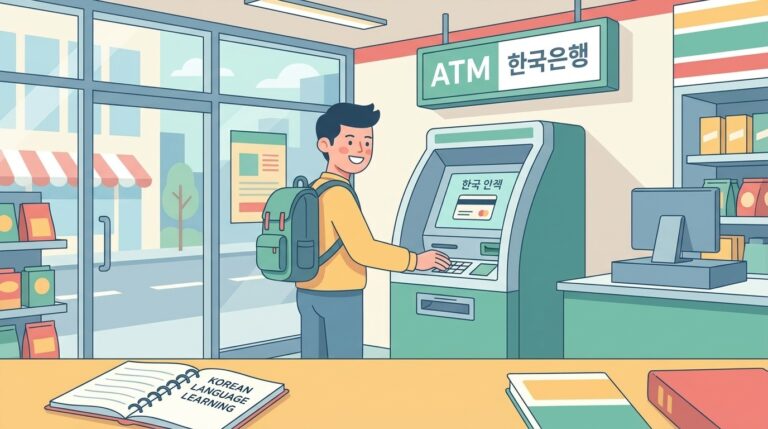
Picture this: You are standing in front of a shiny Korean ATM inside a glowing 24/7 convenience store in Hongdae. You just finished a delicious meal of tteokbokki, but the vendor only accepts cash or local bank transfers. You insert your global card into the ATM, and suddenly you are stared down by a screen filled with rapid Korean options: ‘입금’, ‘출금’, ‘계좌이체’… Your heart beats faster as a queue of polite local students starts forming behind you.
Don’t panic! Banking in a foreign language feels intimidating, but Korean ATM vocabulary is surprisingly logical once you break it down. Thousands of international visitors and expats face this exact micro-panic every day. In this guide, tailored specifically for A2 beginner learners, we will break down the essential phrases and cultural etiquette so you can confidently step up to any ATM in South Korea.
Phase 2: Key Expressions Deep Dive
1. 현금 인출해 주세요 (Hyeon-geum in-chul-hae ju-se-yo)
- Pronunciation: [Hyeon-geum in-chul-hae ju-se-yo] (Sounds like “hyon-geum in-chool-hae joo-say-yo”)
- Meaning: “Please withdraw cash.” (Literal) / “I’d like to take out cash.” (Nuance)
- K-Culture Moment: Seen in K-dramas when characters visit an ATM before heading to a traditional street food market.
- Editor’s Insight: ‘현금’ means cash, and ‘인출’ means withdrawal. On modern digital screens, you will often just see the button labeled ‘출금’ (Chul-geum).
- Situation Spectrum: Casual ⚠️ | Semi-formal ✅ | Formal ✅
- 🤔 Think About It: Does your native language combine two Sino-Korean concepts (현금 + 인출) to form formal transaction terms?
2. 카드를 넣어 주세요 (Ka-deu-reul neo-eo ju-se-yo)
- Pronunciation: [Ka-deu-reul neo-eo ju-se-yo] (Sounds like “kah-doo-reul nuh-uh joo-say-yo”)
- Meaning: “Please insert your card.”
- K-Culture Moment: This is the automated voice message played at standard bank kiosks across Seoul.
- Editor’s Insight: You will hear automated prompts using standard polite forms (-주세요). Note that Korean ATMs beep repeatedly until you take your card back!
- Situation Spectrum: Casual ⚠️ | Semi-formal ✅ | Formal ✅
- 🤔 Think About It: How does your local bank machine give instructions compared to Korean polite verbal guides?
3. 수수료가 얼마예요? (Su-su-ryeo-ga eol-ma-ye-yo?)
- Pronunciation: [Su-su-ryeo-ga eol-ma-ye-yo?] (Sounds like “soo-soo-ryuh-gah ull-mah-yay-yo”)
- Meaning: “How much is the transaction fee?”
- K-Culture Moment: Used frequently by travelers checking foreign card conversion costs at convenience stores.
- Editor’s Insight: ‘수수료’ means service fee. Out-of-hours convenience store ATMs usually charge a small extra fee (1,000–1,500 KRW).
- Situation Spectrum: Casual ✅ | Semi-formal ✅ | Formal ✅
- 🤔 Think About It: Is paying ATM maintenance fees normal in your home country during late-night hours?
Phase 3: Textbook Korean vs. Real Korean
Scenario 1: Asking if foreign cards work
* 📖 Textbook: 해외 신용카드로 현금을 인출할 수 있습니까? (Hae-oe sin-yong-ka-deu-ro hyeon-geum-eul in-chul-hal su it-seum-ni-ka?)
* 🗣️ Real Korean: 해외 카드 돼요? (Hae-oe ka-deu dwae-yo?)
* 💡 Why it’s different: Natives shorten complex noun phrases. ‘돼요?’ (Does it work / Is it okay?) replaces long grammatical structures in daily talk.
Scenario 2: Looking for cash machines
* 📖 Textbook: 현금 자동 입출금기가 어디에 위치해 있습니까? (Hae-oe sin-yong-ka-deu-ro…)
* 🗣️ Real Korean: 근처에 ATM 있어요? (Geun-cheo-e ATM it-seo-yo?)
* 💡 Why it’s different: Koreans simply use the English abbreviation ‘ATM’ instead of the long formal term ‘현금 자동 입출금기’.
Phase 4: K-Culture Deep Dive & Non-Verbal Manners
4-1. Nunchi & ATM Etiquette
In Korea, fast processing speed is part of the culture (Ppal-li ppal-li). When standing in line at an ATM:
1. Distance: Stand at least two big steps back from the person using the kiosk to respect their privacy.
2. Card Preparation: Have your bank card or mobile app ready before reaching the screen.
3. Screen Shielding: You don’t need exaggerated movements, but placing one hand lightly over the keypads when entering your 4-digit PIN is polite standard behavior.
4-2. Culture Code: Global ATM vs. Standard ATM
Not all Korean ATMs accept foreign bank cards! Look specifically for screens displaying a ‘Global ATM’ logo or select ‘Foreign Card’ (해외 카드) on the opening screen before inserting your card. Most major convenience stores (GS25, CU, Seven-Eleven) feature Global ATMs.
Phase 5: Real-Life Roleplay Scenario
Setting: You are inside a convenience store asking the cashier (Min-soo) for help because the ATM screen looks confusing.
- Turn 1 (Min-soo): 안녕하세요! 도울 일 있으세요? (An-nyeong-ha-se-yo! Do-ul il it-seu-se-yo?) – [Hello! Need help with anything?] 🎭 Points politely towards the counter
- Turn 2 (You): 저기요, 해외 카드 인출 돼요? (Jeo-gi-yo, hae-oe ka-deu in-chul dwae-yo?) – [Excuse me, does foreign card withdrawal work here?]
- Turn 3 (Min-soo): 네, 글로벌 버튼을 누르시면 돼요. (Ne, geul-lo-beol beot-eun-eul nu-reu-si-myeon dwae-yo.) – [Yes, you just press the Global button.] 🎭 Points at the ATM screen
- Turn 4 (You): 아, 글로벌 버튼이요? 어디 있어요? (A, geul-lo-beol beot-eun-i-yo? Eeo-di it-seo-yo?) – [Ah, the Global button? Where is it?]
- Turn 5 (Min-soo): 화면 오른쪽 아래에 있어요. (Hwa-myeon o-ron-jjok a-rae-e it-seo-yo.) – [It’s on the bottom right of the screen.] 🎭 Smiles encouragingly
- Turn 6 (You): 찾았어요! 비밀번호는 4자리 맞죠? (Cha-jasseo-yo! Bi-mil-beon-ho-neun ne-ja-ri mat-jjo?) – [Found it! PIN is 4 digits, right?]
- Turn 7 (Min-soo): 네, 4자리 누르고 확인 누르세요. (Ne, ne-ja-ri nu-reu-go hwa-gin nu-reu-se-yo.) – [Yes, enter 4 digits and press Confirm.]
- Turn 8 (You): 감사합니다! 덕분에 해결했어요. (Gam-sa-ham-ni-da! Deok-bun-e hae-gyeol-haes-seo-yo.) – [Thank you! Thanks to you, I got it done.]
🔀 Interactive Choice Point:
What do you press when the ATM asks for your transaction type?
* Option A: 입금 (Ip-geum)
* Option B: 출금 (Chul-geum)
* Option C: 이체 (I-che)
Feedback:
* Option A (Ip-geum): 🚫 Bad choice! ‘입금’ means Deposit. You will be asked to insert cash into the machine.
* Option B (Chul-geum): ✅ Best choice! ‘출금’ means Withdrawal. This drops your cash into the output tray.
* Option C (I-che): ⚠️ Risk choice! ‘이체’ means Wire Transfer. This sends funds to another account.
Phase 6: 10-Second Emotion Shadowing Drill
Practice reading these lines with real feeling! Pay attention to the slash markings (/) for timing pauses.
[😊 Relieved & Friendly]해외 카드 / 여기서 돼요? (Hae-oe ka-deu / yeo-gi-seo dwae-yo?)[🥺 Confused & Polished]비밀번호를 / 다시 입력해야 해요? (Bi-mil-beon-ho-reul / da-si im-ryeok-hae-ya hae-yo?)[🎉 Happy & Successful]와! / 현금 나왔다! (Wa! / Hyeon-geum na-wat-da!)
Phase 7: K-Culture Mini Dictionary
- 출금 (Chul-geum) | Withdrawal | The key button to take cash out from an ATM.
- 입금 (Ip-geum) | Deposit | Put paper money into an account kiosk.
- 비밀번호 (Bi-mil-beon-ho) | PIN / Password | Your 4-digit bank security number.
- 명세표 (Myeong-se-pyo) | Receipt | Printed transaction proof sheet from the ATM slot.
Phase 8: Traveler’s Survival Kit
Top 3 Survival Phrases
- ATM 어디에 있어요? (ATM eol-di-e it-seo-yo?) – Where is the ATM?
- 영어로 바꾸어 주세요. (Yeong-eo-ro ba-kku-eo ju-se-yo.) – Please change the screen language to English.
- 영수증 필요 없어요. (Yeong-su-jeung pil-yo eop-seo-yo.) – I don’t need a receipt.
Editor’s Travel Note
Before heading out, navigate your city conveniently using the Naver Map Application Guide. When traveling outside major subway hubs in South Korea, carry around 30,000 KRW in cash for small street food vendors and traditional market visits.
Phase 9: One Step Deeper
South Korea is rapidly becoming a cashless society, yet local street markets and small regional buses still cherish cash payments. The word ‘현금’ (cash) carries a sense of tangible trust in traditional settings. Learning how to navigate an ATM bridges the gap between ultra-modern digital conveniences and traditional Korean warmth.
💬 Your Turn: Have you ever tried using an ATM in Korea? What was the hardest part? Share your experience in the comments below!
Phase 10: FAQ & Common Mistakes
Q: Why does the Korean ATM ask for 6 PIN digits when my card only has 4?
A: Korean bank cards typically use 6-digit PINs. If your foreign card has 4 digits, simply enter your 4 digits and press ‘확인’ (Enter/Confirm), or add ’00’ at the end if prompted by older machines.
Q: What should I do if the machine keeps my card?
A: Don’t walk away! Immediately inform the convenience store worker or call the toll-free emergency helpline number listed on the top left frame of the ATM.
Q: Can I deposit foreign currency at a standard Korean ATM?
A: No, regular ATMs only accept Korean Won (KRW). For foreign currency exchange, visit major bank branches or airport exchange kiosks.
🚨 Common Mistakes TOP 3
- Mistake: Pressing ‘입금’ instead of ‘출금’. -> Correct Action: Look for ‘출금’ (Withdrawal).
- Mistake: Forgetting your card after grabbing cash. -> Correct Action: Korean ATMs dispense cash first, then chime loudly until you pull out your card.
- Mistake: Using non-Global ATMs with overseas cards. -> Correct Action: Look for the ‘Global ATM’ logo on the machine header.
Phase 11: Action Mission
- 🥉 Bronze Mission: Say out loud three times: “출금해 주세요” (Chul-geum-hae ju-se-yo).
- 🥈 Silver Mission: Share this post on your social media and tag a friend traveling to Korea!
- 🥇 Gold Mission: Visit a local Korean convenience store ATM and successfully change the screen language to English.
🎮 K-Culture Mission: Next time you watch a modern K-drama, spot an episode where characters buy food at a convenience store ATM kiosk!
Phase 12: Interactive Quiz Challenge
1. What does the button ‘출금’ mean on a Korean ATM?
A) Deposit
B) Withdrawal
C) Transfer
Show Answer & Explanation
Correct Answer: B) Withdrawal
‘출’ (Chul) means ‘out’. Therefore, ‘출금’ means taking cash out of your bank account!
2. Fill in the blank: “해외 _____ 돼요?” (Does foreign card work here?)
A) 카레 (Ka-re)
B) 카드 (Ka-deu)
C) 카페 (Ka-pe)
Show Answer & Explanation
Correct Answer: B) 카드 (Ka-deu)
‘카드’ means card in Korean loanword vocabulary.
3. True or False: All ATMs in South Korea support foreign credit cards automatically.
Show Answer & Explanation
Correct Answer: False
You must use machines labeled ‘Global ATM’ or select the ‘Foreign Card’ option on screen.