Karaoke Night SOS: How to Find Your Favorite Songs at a Korean Noraebang
Phase 1: Empathy (Story-Driven Opening)
안녕하세요! 매일한글 (Daily Hangul) Editor here! Have you ever walked into a neon-lit Korean noraebang (노래방) with friends, pumped up to belt out your favorite BTS or NewJeans anthem, only to freeze the second you are handed a giant remote control that looks like a spaceship console? The massive songbook is written entirely in Hangul, the clock is ticking down, and everyone is waiting for the next beat. Finding a song shouldn’t feel like taking a college entrance exam! As someone who has spent a decade guiding Korean culture lovers through these exact panic moments, I promise you: with just three simple, beginner-friendly Korean phrases, you will breeze through any noraebang remote, queue your favorite tracks like a local pro, and never let the party pause.
Phase 2: Top 3 Core Expressions Deep-Dive
1. 이 노래 있어요? (I norae isseoyo?)
- Pronunciation: [ee no-rae ees-suh-yo?] (Think: ‘ee’ like ‘bee’, ‘no-rae’ like ‘no-ray’, ‘sseo-yo’ like ‘saw-yo’)
- Meaning: “Do you have this song?” / “Is this song available here?”
- K-Culture Moment: Asking your friend or looking at the screen while holding up your smartphone showing an obscure indie track or English pop song.
- Editor’s Insight: ‘이 노래’ (this song) + ‘있어요?’ (is there / do you have?). This is your #1 golden key phrase whenever you cannot find a song in the machine.
- Situation Spectrum: Casual ✅ | Semi-formal ✅ | Formal ⚠️
- 🤔 Think About It: In Korean, questions often drop the subject (“Do you have…”) and focus directly on the object’s presence (“Does this song exist?”). How does this simplify your speaking compared to English?
2. 노래 찾아 주세요. (Norae chaja juseyo.)
- Pronunciation: [no-rae cha-ja joo-seh-yo]
- Meaning: “Please find the song for me.”
- K-Culture Moment: Handing the gigantic TJ or Kumyoung remote control over to a Korean friend when the Hangul search keypad gets overwhelming.
- Editor’s Insight: Combines ‘찾다’ (to find/search) and the magic polite request ‘주세요’ (please give/do). It sounds polite, friendly, and completely natural.
- Situation Spectrum: Casual ✅ | Semi-formal ✅ | Formal 🚫
- 🤔 Think About It: Adding ‘-아/어 주세요’ turns an action into a warm request for help. Notice how easy it is to ask for small favors in Korea!
3. 제목으로 검색해요. (Jemogeuro geomsaekaeyo.)
- Pronunciation: [jeh-mok-eu-ro geom-saek-hae-yo]
- Meaning: “Search by title.”
- K-Culture Moment: Pointing to the search mode button at the top of the remote controller to switch from artist search (가수) to song title search (제목).
- Editor’s Insight: ‘제목’ means title, and ‘-으로’ means ‘by’ or ‘via’. ‘검색해요’ is the conversational form of searching.
- Situation Spectrum: Casual ✅ | Semi-formal ✅ | Formal ⚠️
- 🤔 Think About It: Why does the remote separate Singer (가수) and Title (제목)? Understanding this dual-search method is key to mastering Korean digital interfaces.
Phase 3: Textbook Korean vs. Real-world Korean
- Situation 1: Asking someone to reserve a song
- 📖 교과서 한국어 (Textbook): 노래를 예약해 주시겠습니까? (Noraereul yeyakhae jusigesseumnikka? – “Would you please reserve the song?”)
- 🗣️ 진짜 한국어 (Real-World): 이거 예약해 줘! (Igeo yeyakhae jwo! – “Reserve this!”) or 이거 예약해 주세요! (Polite)
- 💡 Why is it different? Noraebangs are loud, fast-paced spaces. Native speakers favor short, punchy verbs rather than ultra-formal textbook endings.
- Situation 2: Asking what button to press for English songs
- 📖 교과서 한국어 (Textbook): 팝송 검색 버튼은 어디에 있습니까? (Papsong geomsaek beoteuneun eodie isseumnikka?)
- 🗣️ 진짜 한국어 (Real-World): 팝송 어디 있어요? (Papsong eodi isseoyo? – “Where is Pop Song?”)
- 💡 Why is it different? Simply saying the category name + ‘어디 있어요?’ (Where is…?) gets straight to the point in noisy rooms.
Phase 4: K-Culture Deep-Dive & Non-Verbal Etiquette
4-1. Noraebang Nunchi (눈치) & Remote Etiquette
- The Remote Pass: Never monopolize the remote controller! In Korea, holding the remote means you are the temporary DJ. Always ask the group before selecting your second track in a row.
- Screen Respect: When searching for songs, try using the small screen on modern remotes or the smartphone app instead of covering the main lyrics display while someone else is singing emotionally!
4-2. Cultural Code: The Magic of TJ & Kumyoung
In Korea, two major brands dominate the karaoke world: TJ Media (태진) and KY (금영). Both feature dedicated “Pop Song” (팝송) and “Japanese/Global” buttons. You can search in romanized English or Hangul pronunciation (e.g., searching “아이유” for IU or “퀸” for Queen).
Phase 5: Real-World Roleplay Scenario
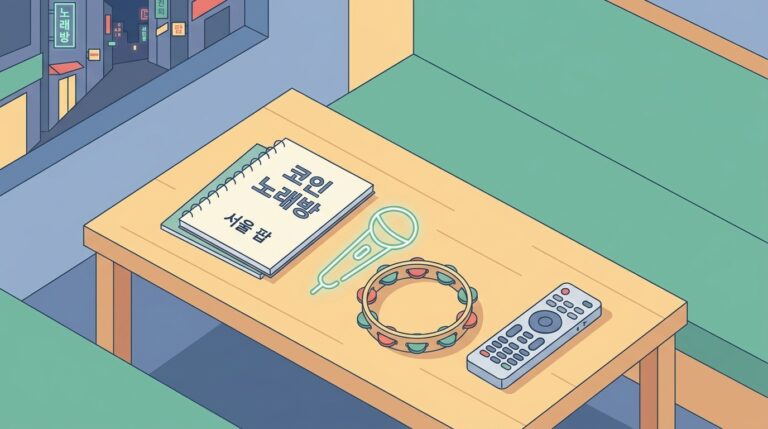
Setting: A vibrant, neon-lit coin noraebang (코인노래방) in Hongdae with Minho (Korean friend).
- Minho: 뭐 부를 거야? 빨리 골라! (Mwo bureul geoya? Ppalli golla! / What are you going to sing? Pick fast!)
- You: 🎭 (Holding the giant remote confused) 노래 찾아 주세요! (Norae chaja juseyo! / Please find the song for me!)
- Minho: 응, 무슨 노래? (Eung, museun norae? / Sure, which song?)
- You: 🎭 (Showing your phone screen) 이 노래 있어요? (I norae isseoyo? / Do they have this song?)
- Minho: 아, BTS 노래네! 제목으로 찾아볼게. (Ah, BTS noraene! Jemogeuro chajabolge. / Ah, a BTS song! I’ll search by title.)
- You: 🎭 (Pointing to the green button) 제목으로 검색해요? (Jemogeuro geomsaekaeyo? / Search by title?)
- Minho: 응, ‘시작’ 누르면 바로 나와! (Eung, ‘sijak’ nureumyeon baro nawa! / Yeah, press ‘Start’ and it appears right away!)
- You: 와, 대박! 예약해 주세요! (Wa, daebak! Yeyakhae juseyo! / Wow, awesome! Please reserve it!)
🔀 Interactive Choice Point
The song starts, but the lyrics are too fast. What do you do?
* Choice A: Press the red 취소 (Cancel) button immediately without asking.
* Choice B: Shout “잠깐만요! 템포 내려 주세요!” (Wait! Please slow down the tempo!).
* Choice C: Quietly put the mic down and drink water.
- Feedback:
- Choice A (Bad): Canceling cuts the coin/time credit instantly! Friends will gasp.
- Choice B (Best): Perfect! Noraebang remotes have ‘템포’ (tempo) and ‘음정’ (pitch/key) adjusters.
- Choice C (Risk): You waste your song turn! Don’t be shy; everyone is there to have fun.
Phase 6: 10-Second Emotional Shadowing Drill
[🙋♂️ Polite & curious]이 노래 / 있어요? (ee no-rae / ees-suh-yo?)[🥺 Friendly & asking for help]노래 좀 / 찾아 주세요! (no-rae jom / cha-ja joo-seh-yo!)[💡 Realizing with confidence]제목으로 / 검색해요! (jeh-mok-eu-ro / geom-saek-hae-yo!)
Phase 7: K-Culture Mini Dictionary
- 코인노래방 (Coin Noraebang / Koin-noraebang): Pay-per-song micro-karaoke rooms popular among students and solo singers.
- 예약 (Reservation / Yeyak): The essential button to queue songs without interrupting the current track.
- 간주점프 (Interlude Jump / Ganju-jeompeu): The button that skips instrumental guitar solos so you can sing right away.
- 우선예약 (Priority Queue / Useon-yeyak): The power move button that cuts your song to the very top of the playlist queue.
Phase 8: Traveler’s Survival Kit
- Top 3 Noraebang Survival Buttons:
- 시작 (Sijak – Start): Plays the song immediately.
- 예약 (Yeyak – Reserve): Adds your song next in line.
- 취소 (Chwiso – Cancel): Stops the song.
- Editor’s Travel Note:
- Download Naver Map app on App Store or Google Play and search for “코노” (short for Coin Noraebang) near any subway exit. Most accept card payments directly at the room door or machine kiosk!
Phase 9: A Step Deeper (Reflection)
In Korea, Noraebang is not about vocal perfection; it is a shared bonding ritual known as Heung (흥 – collective joy and release). Cheering for others by shaking tambourines matters more than hitting high notes. Searching for each other’s favorite songs is a warm sign of caring for your group.
💬 Your Turn: What is the first song you want to search for when you step into a Korean noraebang? Drop your favorite K-pop track in the comments!
Phase 10: FAQ & Common Mistakes
Q: Can I search for English pop songs on a Korean remote?
A: Yes! Press the 팝송 (Pop Song) or 국가별 (Country/Language) button on the remote to switch keyboard modes.
Q: What is the difference between ‘시작’ and ‘예약’?
A: ‘시작’ (Start) will immediately interrupt whatever is currently playing. Always press ‘예약’ (Reserve) if someone is already singing!
Q: Can I search by song number?
A: Absolutely. If you look up song numbers beforehand on mobile sites, just punch in the 5 or 6 digits and hit ‘예약’.
🚨 Common Mistakes Alert
- Hitting ‘시작’ while a friend is singing: Correct Action: Always hit ‘예약’ (Reserve).
- Searching Korean artist names in English letters only: Correct Action: Switch language mode or ask “노래 찾아 주세요”.
- Missing the ‘간주점프’ button: Correct Action: Press 간주점프 during long instrumentals to save precious minutes.
Phase 11: Action Mission
- 🥉 Bronze: Say “이 노래 있어요?” out loud 5 times in front of your mirror.
- 🥈 Silver: Leave a comment below using “___ 찾아 주세요” with your favorite song title.
- 🥇 Gold: Visit a local Korean noraebang or coin karaoke and successfully queue a song using Korean buttons only!
- 🎮 K-Culture Mission: Watch a variety show like Running Man or an idol vlog and spot the moment they hold the noraebang remote.
Phase 12: Interactive Quiz Challenge
1. What should you say when asking a friend to find a song for you?
* A) 노래 취소해요
* B) 노래 찾아 주세요
* C) 노래 안 불러요
2. Fill in the blank: 제목______ 검색해요. (Search by title)
3. True or False: Pressing ‘시작’ is the polite way to add your song to the queue while someone else is performing. (T/F)
👉 Click to view Answers & Explanations
- Answer: B) 노래 찾아 주세요. (Explanation: ‘찾아 주세요’ means ‘please find it for me’.)
- Answer: 으로 (제목으로). (Explanation: ‘-으로’ is the particle indicating method or category.)
- Answer: False. (Explanation: ‘시작’ cuts off the current singer! Always use ‘예약’ [Reserve].)