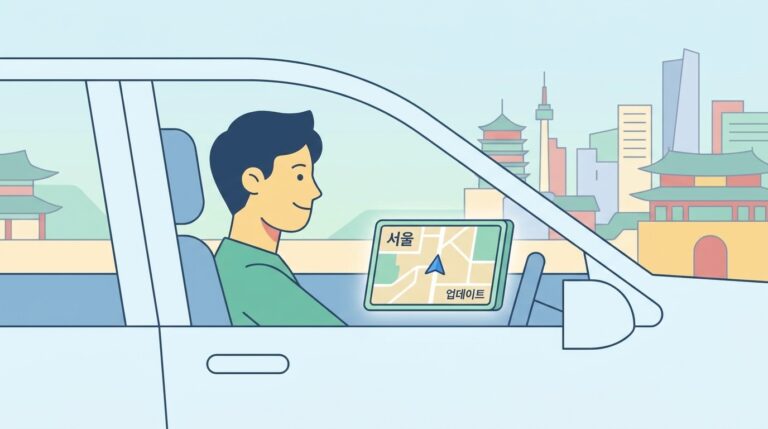
Phase 1: 공감 (Empathy)
안녕하세요! I’m your lead editor at Daily Hangul. Have you ever rented a car in Korea to visit a scenic spot in Jeju or drive along the Gangwon coast, only to find the built-in GPS taking you through a newly constructed highway that doesn’t exist on its screen? You panic, miss an exit, and your serene road trip turns into a chaotic detour! Many of our B2-level learners share this exact pain point: you know basic Korean, but when faced with car settings, software updates, or asking a mechanic to update your map, you get stuck. Updating your car’s navigation system—or asking someone to do it—requires specific Korean expressions that bridges technical terms with everyday conversational courtesy. Today, based on feedback from hundreds of expat drivers in Korea, we’re going to master navigation updates so you can drive anywhere with 100% confidence!
Phase 2: 핵심 표현 3선 (Key Expressions)
1. 내비게이션 업데이트 좀 해주세요 (Nae-bi-ge-i-seon up-de-i-teu jom hae-ju-se-yo)
- Pronunciation: nae-bi-ge-i-seon up-de-i-teu jom hae-ju-se-yo (Sounds like “Nay-bee-gay-seon up-date-too jom hay-joo-seh-yo”)
- Meaning: Literal: “Please do a navigation update.” / Nuance: “Could you please update my car’s GPS system?”
- K-Culture Moment: Commonly heard at rental car centers or car repair shops (ka-seon-teo) when prepping a vehicle for a long holiday trip (Chuseok).
- Editor’s Insight: Adding ‘좀’ (jom) softens the command into a polite request, making you sound very natural and polite.
- Situation Spectrum: Casual ⚠️ | Semi-formal ✅ | Formal ✅
- 🤔 Think About It: In English, you say “update the GPS,” but Koreans almost universally shorten “navigation” to “내비” (Nae-bi). Why do you think Korean favors clipped loanwords in tech?
2. 최신 지도 버전으로 길 안내해 주세요 (Choe-sin ji-do beo-jeon-eu-ro gil an-nae-hae ju-se-yo)
- Pronunciation: choe-sin ji-do beo-jeon-eu-ro gil an-nae-hae ju-se-yo
- Meaning: Literal: “Please guide the route with the latest map version.” / Nuance: “Please ensure the route guidance uses the most up-to-date map.”
- K-Culture Moment: Used when tweaking settings on smartphone apps like T-Map or Kakao Navi linked to Android Auto / Apple CarPlay.
- Editor’s Insight: ‘길 안내’ (route guidance) is the standard technical term used in Korean navigation interfaces.
- Situation Spectrum: Casual ⚠️ | Semi-formal ✅ | Formal ✅
- 🤔 Think About It: ‘길’ means path or road, and ‘안내’ means guidance. Combining native Korean words with Sino-Korean words creates precise functional phrases.
3. SD 카드/USB로 업데이트할 수 있나요? (SD ka-deu/USB-ro up-de-i-teu-hal ssu in-na-yo?)
- Pronunciation: SD ka-deu/USB-ro up-de-i-teu-hal ssu in-na-yo?
- Meaning: Literal: “Can I update via SD card/USB?” / Nuance: “Is it possible to update the map using an SD card or USB driver?”
- K-Culture Moment: Crucial when driving older car models in Korea that do not support Over-The-Air (OTA) wireless updates.
- Editor’s Insight: Using the particle ‘~로/으로’ (-ro/euro) specifies the method or tool used to perform an action.
- Situation Spectrum: Casual ⚠️ | Semi-formal ✅ | Formal ✅
- 🤔 Think About It: How does asking about technical specifications in a second language boost your overall self-reliance in a foreign country?
Phase 3: 교과서 한국어 vs 진짜 한국어 (Textbook vs Real-World)
Situation 1: Asking if the map is up to date
* 📖 Textbook: 지도 데이터가 최신 상태입니까? (Ji-do dae-i-teo-ga choe-sin sang-tae-im-ni-kka?)
* 🗣️ Real Native: 내비 업데이트 최신으로 되어 있어요? (Nae-bi up-de-i-teu choe-sin-eu-ro doe-eo iss-eo-yo?)
* 💡 Why the difference?: Natives rarely say “지도 데이터” in casual settings; clipped forms like “내비” combined with “최신으로 되다” sound much smoother.
Situation 2: Pointing out a road missing on the map
* 📖 Textbook: 이 도로는 내비게이션에 존재하지 않습니다. (I do-ro-neun nae-bi-ge-i-seon-e jon-jae-ha-ji an-seum-ni-da.)
* 🗣️ Real Native: 어, 여기 새 길 뚫렸는데 내비가 못 잡네! (Eo, yeo-gi sae gil ttwul-lyeon-neun-de nae-bi-ga mot jam-ne!)
* 💡 Why the difference?: Locals use idiomatic expressions like “길이 뚫리다” (a new road opened) and “내비가 잡다” (GPS picks up/detects a route).
Phase 4: K-Culture 딥다이브 & 비언어적 매너
4-1. 눈치 (Nunchi) & Gestures at the Repair Shop
When visiting a mechanic (카센터) for an update, hand over your car key using both hands or support your right elbow with your left hand—a classic Korean gesture of respect. Point gently to the infotainment screen rather than tapping it aggressively.
4-2. K-Culture Code: Smartphone Navigation Dominance
In Korea, built-in car GPS systems are rapidly being superseded by smartphone apps like T-Map, Kakao Navi, and Naver Map. Due to rapid infrastructure changes and new speed bumps (신호등/속도방지턱) popping up overnight, Koreans rely heavily on real-time live updates. When renting a car, always ask if Apple CarPlay or Android Auto is supported!
Phase 5: 실전 롤플레이 시나리오 (Roleplay Scenario)
Setting: You visit a service center (서비스 센터) because your rental car’s built-in map is outdated.
Characters: You (학습자) & Service Agent (정비사 Mr. Min)
- You: 안녕하세요! 내비게이션 업데이트 때문에 왔는데요. 🎭 (Politely holding the car key with both hands)
(An-nyeong-ha-se-yo! Nae-bi-ge-i-seon up-de-i-teu ttae-mun-e wan-neun-de-yo.)
“Hello! I came because of a navigation system update.” - Agent: 네, 어서 오세요. 차량 번호 말씀해 주시겠어요? 🎭 (Smiling and looking at his tablet)
(Ne, eo-seo o-se-yo. Cha-ryang beon-ho mal-sseum-hae ju-si-get-eo-yo?)
“Welcome. Could you tell me your license plate number?” - You: 12가 3456이에요. 최근에 개통된 도로가 안내가 안 되더라고요. 🎭 (Pointing to a note on your phone)
(Si-bi-ga sam-sa-o-yook-i-e-yo. Choe-geun-e gae-tong-doen do-ro-ga an-nae-ga an doe-deo-ra-go-yo.)
“It’s 12Ga 3456. A recently opened road wasn’t being guided properly.” - Agent: 아, 그러셨군요. SD 카드를 꺼내서 최신 버전으로 다운로드해 드릴게요. 🎭 (Nodding understandingly)
(A, geu-reo-syeot-gun-yo. SD ka-deu-reul kkeo-nae-seo choe-sin beo-jeon-eu-ro da-un-ro-deu-hae deu-ril-ge-yo.)
“Ah, I see. I’ll take out the SD card and download the latest version for you.” - You: 감사합니다. 시간이 얼마나 걸릴까요? 🎭 (Checking wristwatch)
(Gam-sa-ham-ni-da. Si-gan-i ol-ma-na geol-ril-kka-yo?)
“Thank you. How long will it take?” - Agent: 한 15분 정도 걸려요. 고객 대기실에서 잠시만 기다려 주세요. 🎭 (Pointing toward the lounge)
(Han sip-o-bun jeong-do geol-ryeo-yo. Go-gaek dae-gi-sil-e-seo jam-si-man gi-da-ryeo ju-se-yo.)
“It takes about 15 minutes. Please wait in the customer lounge.” - You: 알겠습니다. 혹시 자동 무선 업데이트 기능도 설정해 주실 수 있나요? 🎭 (Asking hopefully)
(Al-get-seum-ni-da. Hok-si ja-dong mu-seon up-de-i-teu gi-neung-do seol-jeong-hae ju-sil ssu in-na-yo?)
“Understood. By any chance, could you also set up the automatic wireless update feature?” - Agent: 네, 무선 업데이트(OTA) 옵션도 활성화해 드릴게요! 🎭 (Giving a reassuring thumbs up)
(Ne, mu-seon up-de-i-teu op-syeon-do hwal-seong-hwa-hae deu-ril-ge-yo!)
“Yes, I’ll activate the Over-The-Air update option as well!”
🔀 Interactive Choice Point
When the agent finishes, what do you say to express gratitude?
* A: 수고하세요! 계좌이체 할게요. (Risk: Abrupt payment mention without checking invoice)
* B: 깔끔하게 해주셔서 감사합니다! 얼마 나왔나요? (Best: Natural, polite, and asking for total cost)
* C: 내비게이션 진짜 잘 돼요? (Bad: Slightly rude/skeptical tone)
Phase 6: 10초 감정 섀도잉 드릴 (Emotion Shadowing Drill)
[😊 Frustrated yet polite]
저기요… / 내비게이션이 / 새 길을 / 못 잡아 가지고요… / 업데이트 좀 / 해주세요.
(Jeo-gi-yo… / nae-bi-ge-i-seon-i / sae gil-eul / mot ja-ba ga-ji-go-yo… / up-de-i-teu jom / hae-ju-se-yo.)-
[😮 Relieved & Curious]
아! / 무선으로도 / 자동으로 / 업데이트가 / 돼요?
(A! / mu-seon-eu-ro-do / ja-dong-eu-ro / up-de-i-teu-ga / dwae-yo?)
Phase 7: K-Culture 미니 사전 (Mini Dictionary)
- 내비 (Nae-bi) | Abbreviation for Navigation. The most widely used everyday term.
- 카센터 (Ka-seon-teo) | Korean-style English (Konglish) for auto repair shop / mechanic’s garage.
- 개통 (Gae-tong) | Opening (of a new road, subway line, or mobile phone connection).
- 티맵 (T-Map) | Korea’s most popular navigation smartphone app, essential for drivers.
Phase 8: 여행자를 위한 생존 키트 (Traveler’s Survival Kit)
Survival Expressions Top 3
- 거치대 있어요? (Geo-chi-dae iss-eo-yo?) – Do you have a phone mount? (Essential for using phone navigation).
- 최신 길로 안내해 주세요. (Choe-sin gil-lo an-nae-hae ju-se-yo.) – Please guide via the newest routes.
- 블루투스 어떻게 연결해요? (Beul-ru-tu-seu eo-tteoh-ge yeon-gyeol-hae-yo?) – How do I connect Bluetooth?
Editor’s Travel Note
When driving in Korea, downloading the Naver Map iOS/Android App or KakaoMap is mandatory. Foreign map services like Google Maps often lack turn-by-turn driving updates due to local mapping regulations.
Phase 9: 한 발 더 깊이 (Deeper Insight)
Korea’s urban landscape evolves at breathtaking speed. A quiet highway exit today might become a bustling commercial interchange next month. Because of this hyper-rapid development, Korean drivers view outdated navigation systems not as a minor inconvenience, but as a real safety hazard. Staying updated is deeply embedded in Korea’s culture of efficiency (Pali-pali).
💬 Your Turn: Have you ever used a navigation app in a foreign country and gotten lost? Leave a comment below with your story!
Phase 10: FAQ & Common Mistakes
Q: Can I use Google Maps for driving in Korea?
A: Google Maps provides transit directions, but for driving navigation, real-time routing is restricted. Use Naver Map, KakaoMap, or T-Map instead.
Q: How much does a navigation update cost at a car center?
A: For rental cars or vehicles under warranty, it is usually free. Independent repair shops may charge a small service fee of 10,000 to 20,000 KRW.
Q: What is OTA update in Korean cars?
A: OTA stands for Over-The-Air, called ‘무선 업데이트’ (Mu-seon update) in Korean.
🚨 Common Mistakes
- Saying GPS instead of Nae-bi: Mechanics will understand, but “내비게이션” or “내비” is much more natural.
- Using outdated terms like ‘지도책’ (map book): Always refer to modern digital maps as ‘지도 데이터’ or ‘내비 앱’.
- Forgetting to check cellular connectivity: Smartphone apps need active mobile data in tunnels or remote areas.
Phase 11: 액션 미션 (Action Mission)
- 🥉 Bronze: Practice saying “내비게이션 업데이트 해주세요” 3 times out loud.
- 🥈 Silver: Change your phone’s map app language setting to Korean for 1 day.
- 🥇 Gold: Set up Android Auto / Apple CarPlay in Korean and navigate to a destination!
🎮 K-Culture Mission: Watch a scene in a Korean travel vlog on YouTube and spot when the driver checks their “T-Map” or “Naver Navi”!
Phase 12: 인터랙티브 퀴즈 챌린지 (Quiz Challenge)
Q1. What is the most natural shortened word for ‘Navigation’ in Korean?
a) 네비게
b) 내비
c) 가이드
See Answer & Explanation
Answer: b) 내비
Explanation: Native speakers almost always shorten navigation to ‘내비’.
Q2. Which app is recommended for live driving navigation in Korea?
a) Naver Map / KakaoMap
b) Apple Maps
c) Google Maps
See Answer & Explanation
Answer: a) Naver Map / KakaoMap
Explanation: Local Korean apps offer precise real-time traffic updates and speed camera warnings.