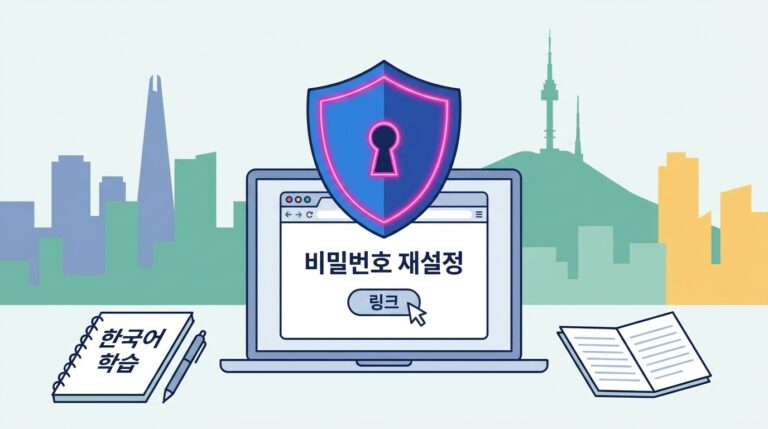
Locked Out Before the Concert? Master Korean IT Support and Password Resets Like a Native
Phase 1: Empathy (스토리 몰입형 오프닝)
안녕하세요! (Annyeonghaseyo!) It’s your favorite Korean tutor and local culture navigator from Daily Hangul here!
Imagine this: You are sitting in a neon-lit PC방 (PC-bang / internet cafe) in Hongdae. The clock is ticking down to exactly 8:00 PM. In less than five minutes, tickets for your ultimate K-Pop group’s world tour go on sale. Your fingers are hovering over the keyboard. You log in to the ticketing site, but suddenly, a flashing red warning pops up:
“보안 위험이 감지되어 계정이 잠겼습니다. 비밀번호를 변경해 주세요.”
(Security risk detected. Your account has been locked. Please change your password.)
Panic sets in. You try to reset it, but the security questions are in Korean, and the customer support chatbot is asking you to verify your identity. If you can’t navigate this security issue right now, those front-row seats are gone forever.
If you have ever felt your heart drop because of a Korean security wall, you are not alone. Many of my intermediate students—even those who can easily order K-BBQ or chat about K-Dramas—completely freeze when it comes to IT support (IT 지원) and security issues (보안 이슈).
This guide is a re-constructed masterclass based on real-world emergencies faced by my students. By the end of this post, you will not only bypass these digital roadblocks smoothly, but you will also understand the unique culture behind Korea’s hyper-secure digital ecosystem. Let’s get you unlocked!
Phase 2: Core Expressions Deep Dive (핵심 표현 3선 심층 분석)
Let’s look at the three most crucial phrases you need when dealing with locked accounts and security issues.
1. 비밀번호 재설정 링크를 보내주세요. (Bimilbeonho jaeseoljeong ringkeureul bonaejuseyo.)
- Pronunciation: Bee-meel-beon-ho jae-seol-jeong ring-keu-reul bo-nae-ju-seh-yo.
- Meaning: Please send me the password reset link.
- K-Culture Moment: This is the ultimate lifesaver phrase when you are locked out of your favorite Korean streaming app (like Coupang Play or TVING) while trying to catch the latest Friday night drama episode live.
- Editor’s Insight: “비밀번호” (password) is often shortened to “비번” (bibeon) in daily conversations, but when speaking to IT support, using the full word “비밀번호” sounds much more professional and clear.
- Situation Spectrum:
- Casual (Friends): ⚠️ 비번 링크 좀 보내줘. (Too casual for official support)
- Semi-formal (IT Support Chatbot/Agent): ✅ 비밀번호 재설정 링크를 보내주세요.
- Formal (Business/Boss): ✅ 비밀번호 재설정 링크를 발송해 주시기 바랍니다.
- 🤔 Think About It: Why does Korean use the English word “link” directly as “링크”? Korea’s IT vocabulary is heavily influenced by English, but adapted into phonetic Korean. Can you think of other tech words like this in your native language?
2. 계정이 잠겼어요. 어떻게 풀어야 하나요? (Gyejeongi jamgyeosseoyo. Eotteohge pureoya hanayo?)
- Pronunciation: Gyeh-jeong-ee jam-gyeot-seo-yo. Eo-tteok-hae poo-reo-ya ha-na-yo?
- Meaning: My account is locked. How do I unlock it?
- K-Culture Moment: Think of that dramatic K-Drama scene where a character is trying to access classified files, only to find the screen locked. They frantically call their hacker friend. You are that character now, but with polite customer service skills!
- Editor’s Insight: The verb “풀다” means to untie, solve, or in this context, unlock. It carries a nuance of resolving a tangled knot. Using “어떻게 풀어야 하나요?” shows you are actively seeking a solution, which prompts the agent to give you step-by-step guidance.
- Situation Spectrum:
- Casual: ✅ 계정 잠겼어. 어떻게 풀어?
- Semi-formal: ✅ 계정이 잠겼어요. 어떻게 풀어야 하나요?
- Formal: ✅ 계정이 잠금 처리되었습니다. 해제 방법을 안내해 주십시오.
- 🤔 Think About It: Notice how “잠겼어요” (is locked) and “풀어야 하나요” (how to unlock/solve) are opposites. Korean verbs reflect physical actions (tying and untying) even in abstract digital spaces.
3. 본인 인증을 해야 해요. (Bonin injeungeul haeya haeyo.)
- Pronunciation: Bo-neen een-jeung-eul hae-ya hae-yo.
- Meaning: I need to verify my identity.
- K-Culture Moment: In Korea, “본인 인증” (Identity Verification) is a sacred ritual. Whether you are ordering late-night fried chicken on Baemin or signing up for a K-Pop fanclub, you cannot proceed without verifying your identity through your phone carrier.
- Editor’s Insight: This is the most common roadblock for foreigners. If an IT agent asks you to do this, they are asking you to verify your identity, usually via your mobile number registered under your exact passport name.
- Situation Spectrum:
- Casual: ✅ 본인 인증 해야 돼.
- Semi-formal: ✅ 본인 인증을 해야 해요.
- Formal: ✅ 본인 인증 절차가 필요합니다.
- 🤔 Think About It: In many Western countries, an email verification is enough. Why do you think Korea relies so heavily on real-name phone verification (본인 인증) for security?
Phase 3: Textbook Korean vs. Real Korean (교과서 한국어 vs 진짜 한국어)
When you study with standard textbooks, you learn extremely formal, almost robotic IT phrases. Let’s look at what the book teaches you versus what real Koreans actually say when they need technical help.
Situation 1: Forgetting Your Password
- 📖 Textbook Korean: “비밀번호가 기억나지 않아 분실하였습니다.”
(I have lost my password because I cannot remember it.) - 🗣️ Real Korean: “비번 까먹었어요. 로그인 안 돼요.”
(I forgot my password. I can’t log in.) - 💡 Why is it different? The textbook phrase sounds like a formal written report from the 1990s. In real life, especially on live chat support, Koreans prioritize speed and efficiency. “비번” (password) and “까먹다” (to forget/casual) are the go-to choices.
Situation 2: The Verification Code Isn’t Arriving
- 📖 Textbook Korean: “인증 번호가 아직 수신되지 않았습니다.”
(The verification number has not been received yet.) - 🗣️ Real Korean: “인증 번호 안 와요. 다시 보내주세요.”
(The verification number isn’t coming. Please send it again.) - 💡 Why is it different? When you are waiting for a code to buy tickets, you don’t have time for passive, formal verbs like “수신되지 않았습니다”. You want to tell the agent directly that the code “isn’t coming” (안 와요) so they can trigger a manual resend.
Phase 4: K-Culture Deep Dive & Non-verbal Manners (비언어적 매너)
4-1. Digital “Nunchi” (눈치) & Visual Proof
When dealing with Korean IT support, time is of the essence. Koreans live in a “Pali-Pali” (빨리빨리 – fast, fast) culture. To show proper “Nunchi” (situational tact) and get your issue solved instantly, do not just explain your problem in text.
* Pro-tip: Take a screenshot of the error message immediately. Send it to the agent or chatbot with the phrase: “캡처본 첨부합니다. (Attaching the screenshot.)” This saves time and prevents translation misunderstandings.
4-2. The “Identity Verification” Cult
In Korea, your mobile phone is your digital passport. The name registered on your SIM card must match your passport exactly—down to the spacing and the order of your first/last names. If you signed up for your phone plan as SMITH JOHN JACOB but your online account is registered as John Smith, the 본인 인증 (identity verification) will fail. Always ensure your digital identity matches your official telecom registration exactly!
Phase 5: Interactive Roleplay Scenario (실전 롤플레이 시나리오)
Setting: A modern, high-tech PC-bang in Sinchon, Seoul. You are sitting at Seat 42, trying to access your ticketing account to buy concert tickets. The screen shows a “Suspicious Activity Detected” lock screen. You click the live help button to chat with the on-duty systems technician, Min-jun (민준).
[System Technician Min-jun is now online.]

민준: 안녕하세요! PC방 관리자 민준입니다. 무슨 도움이 필요하신가요?
(Annyeonghaseyo! PC-bang gwanlija Minjun-imnida. Museun doumi piryohasingayo?)
🎭 [Polite tone, typing quickly as he manages 100 computers simultaneously]
"Hello! I'm Min-jun, the PC-bang administrator. How can I help you?"

유저 (You): 안녕하세요. 제 계정이 갑자기 잠겼어요. 로그인할 수가 없네요.
(Annyeonghaseyo. Je gyejeongi gapjagi jamgyeosseoyo. Log-in-hal suga eopneyo.)
🎭 [Slightly worried, looking at the clock ticking toward ticketing time]
"Hello. My account is suddenly locked. I can't log in."

민준: 아, 보안 이슈 때문에 일시적으로 잠긴 것 같네요. 혹시 본인 인증 화면이 뜨나요?
(Ah, boan isu ttaemune ilsijeoguro jamgin geot gatneyo. Hoksi bonin injeung hwamyeoni tteonayo?)
🎭 [Calm and professional, diagnosing the standard security protocol]
"Ah, it seems it's temporarily locked due to a security issue. By any chance, does the identity verification screen pop up?"

유저 (You): 네, 뜨는데... 제가 외국인이라 본인 인증이 잘 안 돼요.
(Ne, tteuneunde... Jega oeguginira bonin injeungeul jal an dwaeyo.)
🎭 [Frustrated, typing with a slight sigh]
"Yes, it does... but since I'm a foreigner, the identity verification isn't working well."

민준: 아하, 외국인 등록증 이름이랑 휴대폰 명의가 일치해야 하거든요. 비밀번호 재설정 링크를 이메일로 발송해 드릴까요?
(Aha, oegugin deungrokjeung ireumirang hyudaepon myeonguiga ilchihaeya hageodeunyo. Bimilbeonho jaeseoljeong ringkeureul e-mail-lo balsonghae deurilkkayo?)
🎭 [Empathetic, offering a workaround]
"Ah, the name on your Alien Registration Card and your phone carrier must match exactly. Shall I send a password reset link to your email instead?"

유저 (You): 와! 정말 감사합니다. 제 이메일 주소로 보내주세요.
(Wa! Jeongmal gamsahamnida. Je e-mail jusoro bonaejuseyo.)
🎭 [Sighing with relief, eyes wide with hope]
"Wow! Thank you so much. Please send it to my email address."

민준: 네, 이메일로 링크 발송했습니다. 메일함 확인해 보시고 비밀번호 변경해 주세요.
(Ne, e-mail-lo ringkeu balsonghaessomnida. Meilham hwaginhae bosigo bimilbeonho byeongyeonghae juseyo.)
🎭 [Typing rapidly, sending the system link]
"Okay, I've sent the link to your email. Please check your inbox and change your password."

유저 (You): 링크 확인했어요! 그런데 비밀번호 규칙이 어떻게 되나요?
(Ringkeu hwaginhaessoyo! Geureonde bimilbeonho gyuchigi eotteohge doenayo?)
🎭 [Clicking the link, looking at the blank password fields]
"I got the link! But what are the password rules?"

민준: 대문자, 소문자, 숫자, 그리고 특수문자를 다 포함해야 해요. 최소 8자리 이상이어야 합니다.
(Daemunja, somunja, sutja, geurigo teuksumunjareul da pohamhaeya haeyo. Choeso yeodal-jari isangieoya hamnida.)
🎭 [Explaining standard Korean cyber-security requirements]
"You must include uppercase letters, lowercase letters, numbers, and special characters. It must be at least 8 characters long."

유저 (You): 알겠습니다. 변경 완료했어요! 이제 로그인 잘 되네요. 정말 감사합니다!
(Algetseumnida. Byeongyeong wanryohaessoyo! Ije log-in jal doeneya. Jeongmal gamsahamnida!)
🎭 [Beaming with a bright smile, bowing slightly toward the counter]
"Understood. I've completed the change! Now I can log in perfectly. Thank you so much!"
🔀 Decision Point: What if the reset email doesn’t arrive?
If you check your inbox and the spam folder, but there is no email, what should you say next?
- A) “왜 안 보내줘요? 장난해요?” (Why aren’t you sending it? Are you joking?)
- Editor’s Analysis: Extremely rude and aggressive. This will ruin the atmosphere immediately.
- B) “메일이 안 왔어요. 혹시 스팸함 확인해야 하나요?” (The mail didn’t come. Should I check my spam folder?)
- Editor’s Analysis: Very polite and shows you are trying to solve the issue logically.
- C) “이메일 안 와요. 다른 메일 주소로 보내주실 수 있나요?” (The email isn’t coming. Could you please send it to another email address?)
- Editor’s Analysis: [BEST CHOICE] It directly states the issue and immediately offers a realistic, helpful alternative. In Korea’s fast-paced environment, this is highly appreciated!
Phase 6: 10-Second Emotion Shadowing Drill (감정 밀착 섀도잉)
Let’s practice speaking these phrases with real-world emotions. Pay attention to the pause markers (/) and really feel the vibe!
- When you are in a massive hurry and starting to panic:
- “비번이 / 생각이 안 나요! / 빨리 / 도와주세요!” 🥺
- (Bibeoni / saenggagi an nayo! / Ppalli / dowajuseyo!)
- Emotion: [🥺 Panicked, breathless, and pleading for urgent help]
- When you are frustrated but trying to remain polite to customer service:
- “인증 번호가 / 왜 안 오죠? / 다시 한번 / 보내주시겠어요?” 😤
- (Injeung beonhoga / wae an ojyo? / Dasi hanbeon / bonaejusigetseoyo?)
- Emotion: [😤 Frustrated but keeping a polite, professional smile]
- When the issue is solved and you feel pure joy:
- “와! / 드디어 / 로그인 됐어요! / 진짜 / 감사합니다!” 😊
- (Wa! / Deudieo / log-in dwaesseoyo! / Jinjja / gamsahamnida!)
- Emotion: [😊 Bright, cheerful, with a massive sigh of relief]
Phase 7: K-Culture Mini-Dictionary (K-Culture 미니 사전)
| Word (한글) | Romanization | English Translation | Real-world Context Insight |
|---|---|---|---|
| 비번 | Bibeon | Password (Abbreviation) | Used 99% of the time in casual speech and online text instead of the long “비밀번호”. |
| 본인 인증 | Bonin Injeung | Identity Verification | The backbone of Korean web security. Requires matching phone name with official records. |
| 버벅거리다 | Beobeokgeorida | To lag / glitch | Slang used when a computer, app, or website is running extremely slowly or freezing. |
| 해킹 | Haeking | Hacking / Compromised | Used casually if you suspect someone logged into your account or if your account gets locked automatically. |
Phase 8: Traveler’s Survival Kit (여행자를 위한 생존 키트)
Survival Phrases TOP 3
- “와이파이 비밀번호가 뭐예요?”
- Wa-i-pa-i bee-meel-beon-ho-ga mwo-yeh-yo?
- Pro Tip: Perfect for when you enter any Korean cafe or PC-bang and need instant secure internet access.
- “비밀번호 초기화해 주세요.”
- Bee-meel-beon-ho cho-gi-hwa-hae ju-seh-yo.
- Pro Tip: Use this when you want them to completely reset (초기화) your temporary password to default.
- “화면이 멈췄어요.”
- Hwa-myeon-ee meom-chwot-seo-yo.
- Pro Tip: If the computer or kiosk freezes while you are trying to change your password, call the staff with this phrase.
📌 Editor’s Travel Note: When traveling in Korea, download the PASS App on Google Play or Apple App Store. It is the official identity verification app used by all major Korean telecom providers. Setting it up early will save you hours of security headaches!
Phase 9: Deep Questions — “One Step Deeper” (깊이 있는 생각 질문)
Korea is globally famous for its ultra-fast internet speed, but with great speed comes great security responsibility. Because Korea was an early adopter of high-speed digital banking and online gaming, the government implemented strict laws regarding online anonymity, leading to the creation of the universal “real-name” identity verification system (본인 인증). While this keeps cybercrime low, it often creates a “digital wall” for foreign travelers who do not possess a local residence card or phone number.
💬 Your Turn: How does your home country handle online security and password resets? Do you prefer a simple email verification, or do you feel safer with Korea’s highly secured phone-matching systems? Let us know in the comments below!
Phase 10: FAQ & Common Mistakes (FAQ Schema Optimized)
Q: I don’t have a Korean phone number. Can I still complete the “본인 인증” (Identity Verification)?
A: Generally, No. Most mainstream Korean websites require a local SIM card registered under your name. However, major global platforms like Global Interpark or global shopping sites allow email verification for foreign users. Always look for the “Global / English” option on the landing page before signing up!
Q: The IT agent asked for my “비번” (Bibeon). Is it safe to give it to them?
A: No. Official IT support agents in Korea will never ask you to type or say your password directly. If they need to assist you, they will send a secure “비밀번호 재설정 링크” (password reset link) so you can change it yourself.
Q: Can I use special characters like @ or ! in my Korean passwords?
A: Yes. In fact, almost all Korean websites now mandate a combination of uppercase, lowercase, numbers, and at least one special character (특수문자).
🚨 Common Mistakes Alert!
- Mismatching Name Spacing: Typing
JOHNSMITHinstead ofJOHN SMITHon the verification screen. It must match your telecom contract exactly. - Using “까먹었어요” in Official Emails: Saying “비번 까먹었어요” to a formal company representative. Keep it to chat rooms and PC-bang staff. For formal emails, use “비밀번호를 분실하였습니다.”
- Ignoring the Spam Folder: Korean verification emails often get flagged as foreign spam by Gmail or Yahoo. Always check your spam folder (스팸메일함) if the reset link doesn’t arrive in 10 seconds.
Phase 11: Action Missions (액션 미션 및 참여 유도)
Ready to put your skills to the test? Complete these three challenges!
- 🥉 Bronze Mission (Mirror Practice): Look in the mirror and practice the panicked emotional shadowing phrase: “비번이 생각이 안 나요! 빨리 도와주세요!” out loud 3 times.
- 🥈 Silver Mission (Social Share): Go to your favorite Korean learning community or social media and post a sentence explaining a digital problem using “버벅거리다” (to lag/glitch).
- 🥇 Gold Mission (Real World): The next time you log in to a Korean website or app (like Duolingo Korean or a ticketing site), manually go to the settings and request a 비밀번호 변경 (password change) to navigate the interface in Korean!
Phase 12: Interactive Quiz Challenge (인터랙티브 퀴즈)
Test your knowledge before you go!
1. Which phrase is the most natural way to tell chat support that your account is locked?
- A) 내 아이디 죽었다 (Nae a-i-di jug-eot-da)
- B) 계정이 잠겼어요 (Gyejeongi jamgyeosseoyo)
- C) 비밀번호가 화났어요 (Bimilbeonhoga hwanasseoyo)
👉 Click to reveal the Answer & Explanation!
- Correct Answer: B
- Explanation: “계정이 잠겼어요” is the natural, polite way to say “My account is locked.” Option A translates literally to “My ID died,” and Option C means “My password is angry”—which might make the agent laugh, but won’t get you unlocked!
2. Match the Korean word to its meaning:
- 본인 인증
- 비번
- 캡처본
- A) Screenshot
- B) Password (shortened)
- C) Identity Verification
👉 Click to reveal the Answer & Explanation!
- Correct Answer:
- 1 -> C (본인 인증 = Identity Verification)
- 2 -> B (비번 = Password)
- 3 -> A (캡처본 = Screenshot)
Unlock your potential, secure your accounts, and happy learning with Daily Hangul! See you in the next unit!