Hello! Daily Hangul here! 👋🇰🇷
Hello, everyone! It’s your favorite Korean tutor, Daily Hangul (DailyHangul.com)! 🌟
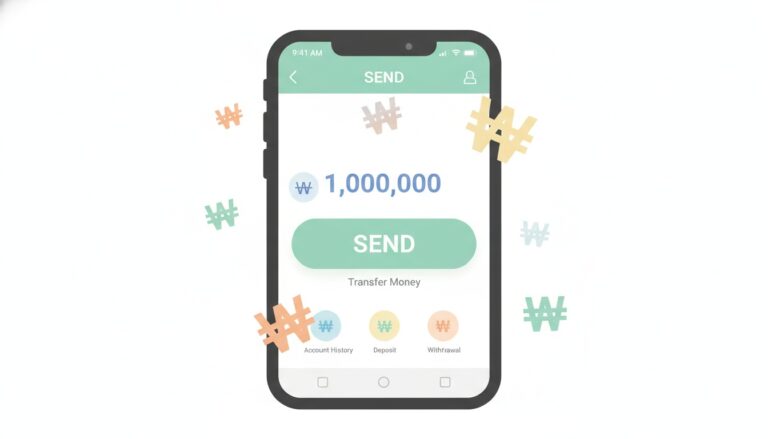
Today, we are diving into a super useful topic for living in Korea: Internet Banking! 💸 Have you ever watched a K-Drama where characters split the bill for lunch or instantly send money to a friend using their phone? Korea is a leader in fintech, and cash is disappearing fast!
Whether you need to pay for your share of Korean BBQ 🥩 or pay your monthly rent, knowing how to talk about sending money is essential. Let’s learn how to send money like a pro using Korean banking apps! 📱✨
📚 Key Expressions
Here are 3 essential expressions you will see on banking apps or hear when transferring money.
1. 계좌 번호 (Gyejwa beonho)
- English: Account number
- Meaning: This is the most important set of numbers! When someone asks for money, you need to ask for their “Gyejwa beonho.”
- 💡 Pronunciation Tip: The ‘Gye’ (계) sound can be tricky. Try to say “Ge-h” quickly together. ‘Jwa’ (좌) is like the ‘jua’ in ‘Juan’.
2. 보내주세요 (Bonae-juseyo)
- English: Please send (it)
- Meaning: ‘Bonaeda’ means ‘to send’. By adding ‘-juseyo’, you are politely asking someone to send money (or anything else!).
- Usage: You can say “Don bonae-juseyo” (Please send money).
3. 송금했어요 (Songgeum-haesseoyo)
- English: I transferred (the money)
- Meaning: While ‘Bonaeda’ is general, ‘Songgeum’ specifically means ‘remittance’ or ‘wire transfer’. You will see the word 송금 (Songgeum) on every banking app button!
- 💡 Pronunciation Tip: [Song-geum]. Make sure to pronounce the ‘ng’ (ㅇ) clearly in the first syllable and close your lips for the ‘m’ (ㅁ) in the second.
🗣️ Real-Life Conversation
Situation: Min-su and Sarah just finished lunch. Sarah wants to send her share of the bill to Min-su via mobile banking.
Min-su: 점심 맛있었어? (Jeomsim masisseosseo?)
Was lunch delicious?
Sarah: 응! 내가 만 원 보낼게. 계좌 번호 뭐야? (Eung! Naega man won bonaelge. Gyejwa beonho mwoya?)
Yeah! I’ll send you 10,000 won. What is your account number?
Min-su: 카카오뱅크 1234-56… 으로 보내줘. (Kakao Bank 1234-56… euro bonae-jwo.)
Please send it to Kakao Bank 1234-56…
(Sarah types on her phone)
Sarah: 자, 송금했어요! 확인해 봐. (Ja, songgeum-haesseoyo! Hwaginhae bwa.)
Okay, I transferred it! Check it.
Min-su: 오, 벌써 들어왔네! 고마워. (O, beolsseo deureowanne! Gomawo.)
Oh, it came in already! Thanks.
🇰🇷 Culture Tip: The Speed of Korean Banking 🚀
Did you notice Min-su said, “It came in already”? In Korea, inter-bank transfers are instant, 24/7! ⏱️
Also, apps like KakaoPay or Toss are extremely popular. Often, you don’t even need an account number if you are friends on KakaoTalk; you can just send money directly through the chat! This makes “Dutch Pay” (splitting the bill) super easy in Korea. 😎
📝 Wrap-up & Quiz
Great job today! Now you are ready to handle money matters in Korea. Let’s check what you remember!
Quiz:
1. What is the Korean word for “Account Number”?
2. Fill in the blank: “Money _______” (Please send money) = Don bo_______.
3. (True/False) The word ‘Songgeum’ is used for sending text messages.
Answers:
1. 계좌 번호 (Gyejwa beonho)
2. 보내주세요 (Bonae-juseyo)
3. False (It is used for sending money/transferring funds!)
See you next time! 안녕! (An-nyeong!) 👋
Frequently Asked Questions (FAQ)
Q: What does "계좌 번호 (Gyejwa beonho)" mean in Korean and how do you pronounce it?
A: In Korean, "계좌 번호 (Gyejwa beonho)" is pronounced [Tip: The 'Gye' (계] and means: This is the most important set of numbers! When someone asks for money, you need to ask for their "Gyejwa beonho."
Q: What does "보내주세요 (Bonae-juseyo)" mean in Korean and how do you pronounce it?
A: In Korean, "보내주세요 (Bonae-juseyo)" is pronounced [see lesson guide] and means: 'Bonaeda' means 'to send'. By adding '-juseyo', you are politely asking someone to send money (or anything else!).
Q: What does "송금했어요 (Songgeum-haesseoyo)" mean in Korean and how do you pronounce it?
A: In Korean, "송금했어요 (Songgeum-haesseoyo)" is pronounced [Tip: [Song-geum] and means: While 'Bonaeda' is general, 'Songgeum' specifically means 'remittance' or 'wire transfer'. You will see the word 송금 (Songgeum) on every banking app button!